

Related Products
Learn how to relate any type of product (group, private, rental, packs or shop) to one another to offer it as a complement during booking, and how to set it up in Lueira.
On this page
What related products are
The Related products feature lets you offer complementary products during the purchase process in the Online Store, making combined sales easier and improving the customer experience.
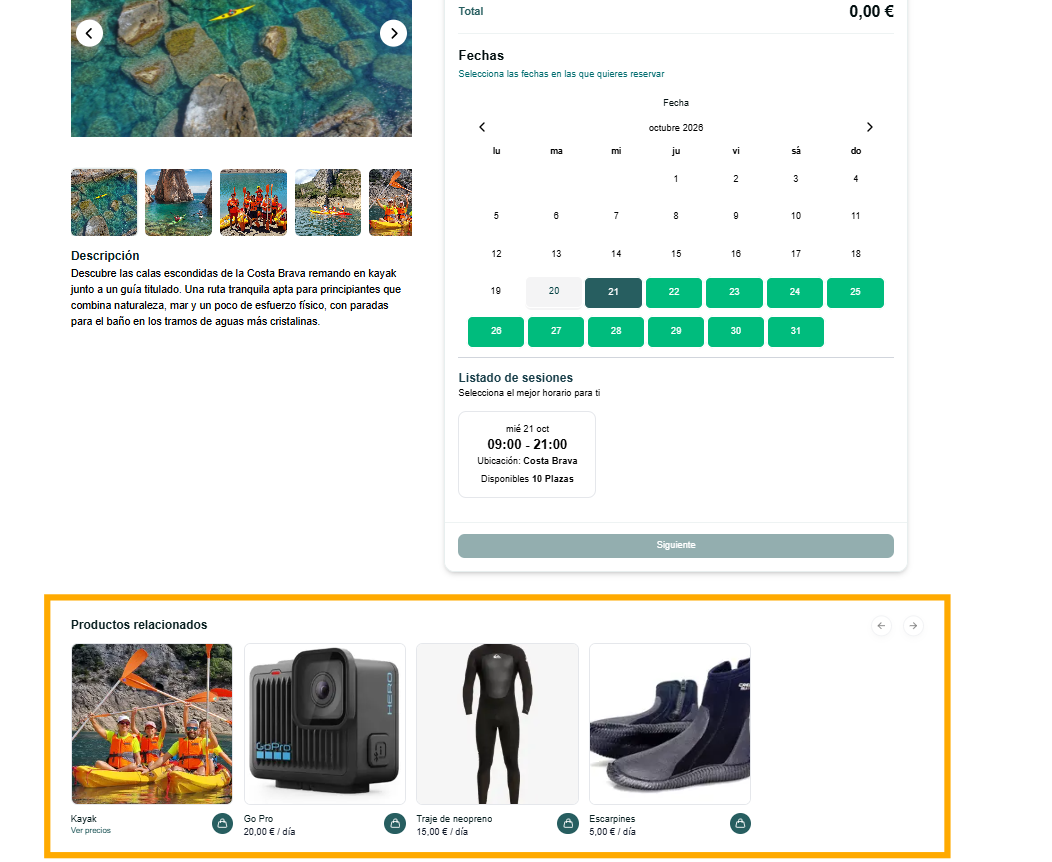
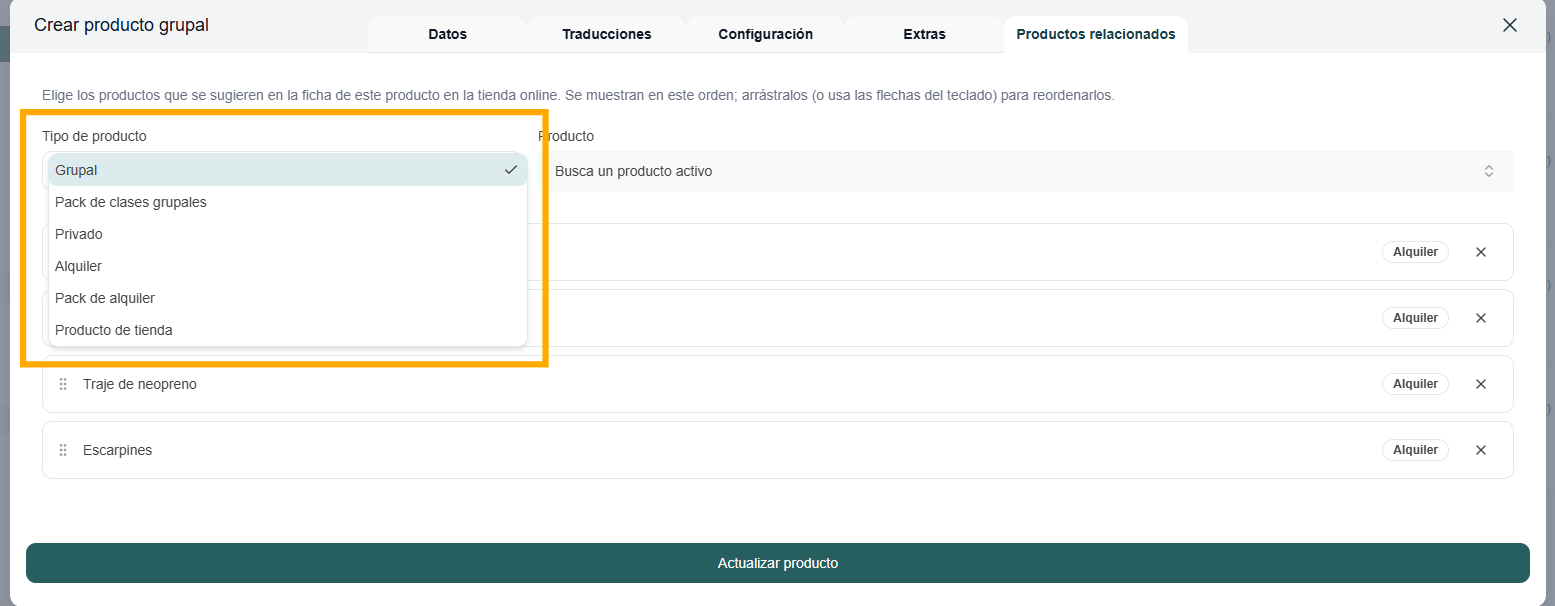
You can relate any type of product to one another: Group, Group lesson pack, Private, Rental, Rental pack and Shop product. A product can be related to any other, even of its own type, but never to itself.
Setting up related products
Open the product (of any of the 6 types) and go to the Related Products tab of its form:
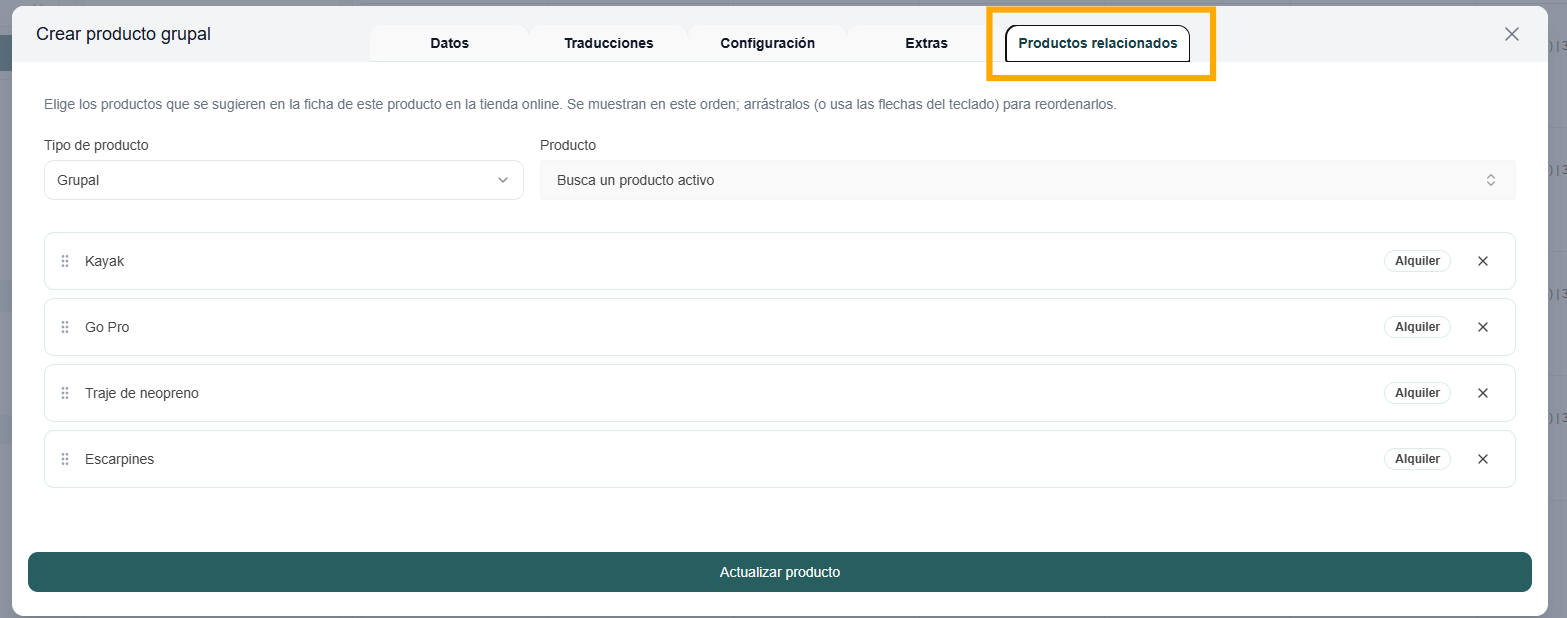
To add a relation:
First choose the product type (Group, Group lesson pack, Private, Rental, Rental pack or Shop product).
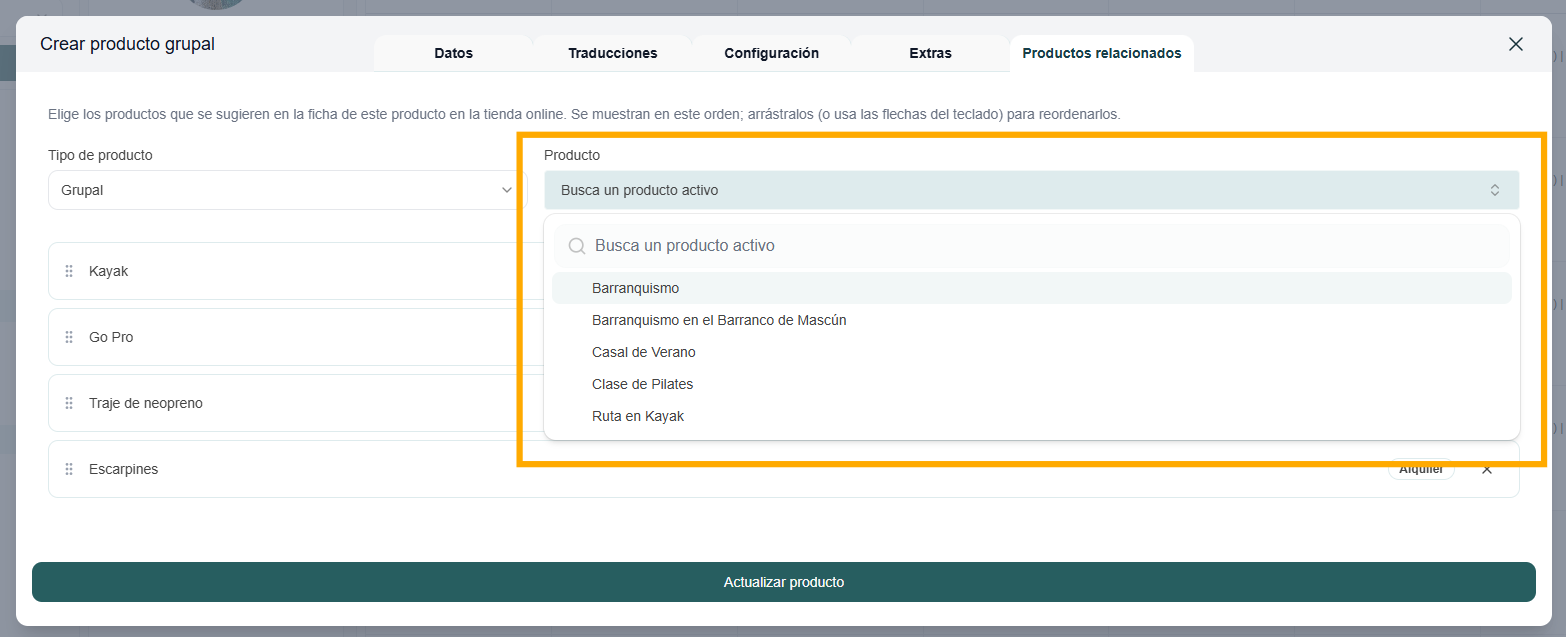
Search for the specific product. The search only shows active products, and does not let you choose the product itself or one that is already in the list.
Related products are shown in a list that you can reorder by dragging (also with the keyboard); that is the order in which the customer will see them in the store.
There is no limit on the number of related products and you can edit the list at any time.
If a related product is inactive or not visible in the online store, you will see a warning on its row: it stays in the list, but it will not be shown to the customer for as long as that remains the case.
If you duplicate a product, its list of related products is also copied to the duplicate.
How the customer sees it in the Online Store
If a product has active related products that are visible in the store, its page shows the "Related products" block as a carousel, with the title translated into the store's language, navigation arrows on desktop and swiping on mobile.
Each card shows the product's price (or "See prices" when the price depends on tiers or conditions). When the customer clicks a card, they start the booking of that product:
Rental or Rental pack: it opens in a pop-up window, without leaving the page, with the dates already filled in (see below how they are calculated).
Group, Group lesson pack or Private: its page opens, with the calendar positioned directly on the first day with available spots (instead of today).
Shop product: its page opens.
How the dates of a related rental are calculated
When the related product is a rental product or a rental pack, Lueira saves the customer steps by reusing the dates they have already chosen on the main page:
If the related rental has a flat price (a single price, not tiered), it inherits both the pick-up and return dates of the main product.
If the related rental has a pricing scheme (rate per days or hours), it only inherits the pick-up date; the return date is calculated automatically according to its own pricing configuration.
If the related rental works with fixed time slots, the day is inherited, but the customer has to choose the time slot.
In all cases, the customer can change the proposed dates before confirming.
Related guides
- Online store settingsThis guide shows you how to set up your online store in Lueira, including the purchase (checkout) form fields that can be shown as visible or required.
- Purchase form fields in the online storeHow to configure which fields appear in the online store checkout form and which ones are required for the customer.
- Automatic invoicing in the online storeHow to set up the automatic generation of invoices and receipts when a payment is completed in the online store, including numbering series and compatibility with Verifactu and TicketBAI.
- Product order in the Online StoreGuide to defining the order in which products are displayed in the Online Store
- Product page layouts in the Online StoreLearn how to choose between the 4 layouts available for your Online Store's product page and how to preview them before enabling them
- Online store screen layoutThe online store shows School/Center/Activities, Rental and Sales as separate tabs depending on which modules are enabled on your account.