

Purchase form fields in the online store
How to configure which fields appear in the online store checkout form and which ones are required for the customer.
On this page
During the purchase process in the online store, the customer fills in a form with their details. You can configure which fields appear and which ones are required from Settings > Online store > Customization, Purchase form fields section.
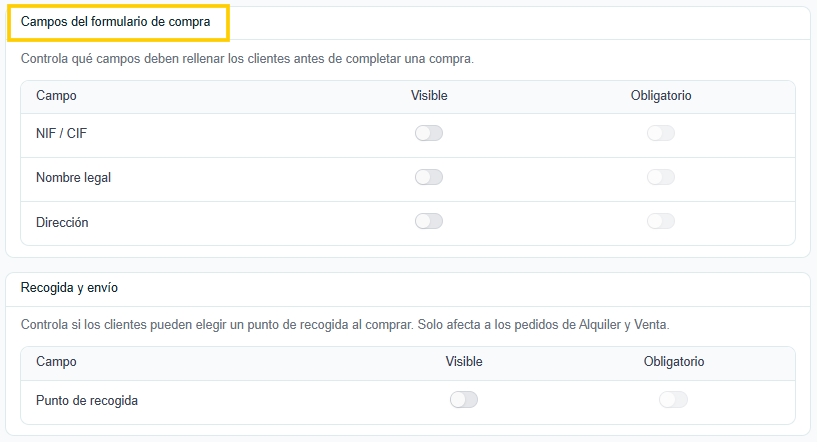
Visible and Required
For each configurable field you have two switches:
Visible: if enabled, the field appears in the checkout form. If disabled, the customer does not see it.
Required: if enabled, the customer must fill it in to complete the purchase. If disabled, the field appears but is optional.
👉 If you turn off Visible, the Required switch no longer has any effect, since the field will not be shown to the customer.
Always-required fields
These fields are fixed and cannot be hidden or unmarked as required. They are essential to process the order and to comply with data protection regulations:
First name
Last name
Email
Phone
I agree to receive communications from the company and its partners
I accept the privacy policy and the purchase and returns policy
Configurable fields
You can enable or disable them and, if you enable them, decide whether they are required or optional:
NIF / CIF: tax identification document of the customer or company (DNI, NIE, NIF or CIF — the Spanish national ID, foreigner ID and individual/company tax ID numbers). Needed to issue full invoices.
Legal name: company name or full name for invoicing purposes.
Address: when visible, it shows the postal address fields (street, floor, city, postal code and country). If you disable it, the customer will not have to fill in any address details.
💡 If you have Automatic invoicing enabled, enable the NIF/CIF field so that customers who need an invoice can request it directly at checkout.
Pickup and shipping (pickup point selector)
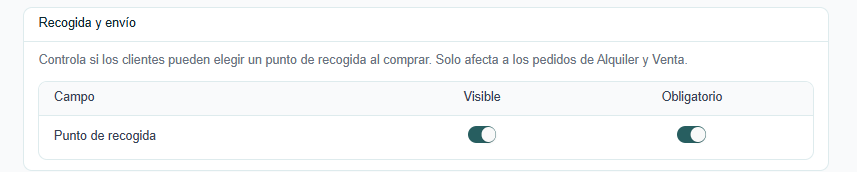
Right below the purchase form fields table you will find a second table, Pickup and shipping, with a single configurable field: Pickup point. It affects Rental and Sales orders.
Visible: if enabled, the checkout shows the pickup point selector (and, for Sales products with a configured shipping rate, also the home delivery option). If you disable it, the customer does not see any pickup/shipping selector.
Required: if enabled, the customer must choose a specific pickup point (or complete the home delivery details, if applicable) before they can pay; if they try to pay without doing so, a required-field warning is shown, just as happens with the phone number. In addition, when it is marked as required, the "No preference" option disappears from the dropdown: the customer is obliged to choose a real location.
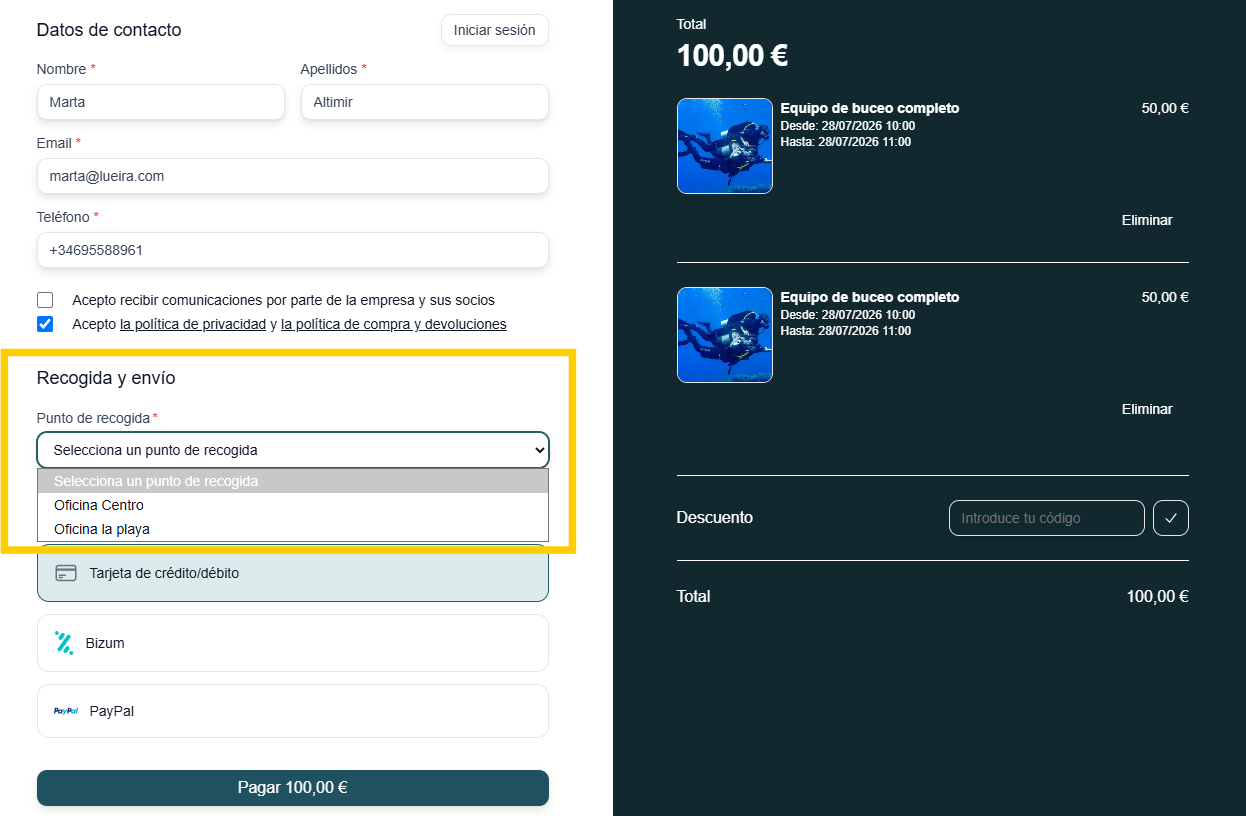
📘 Which locations appear as selectable in that dropdown is controlled location by location, from Settings > Company > Locations (the "Selectable in the online store" switch on each location's page).
Related articles
Related guides
- Online store settingsThis guide shows you how to set up your online store in Lueira, including the purchase (checkout) form fields that can be shown as visible or required.
- Automatic invoicing in the online storeHow to set up the automatic generation of invoices and receipts when a payment is completed in the online store, including numbering series and compatibility with Verifactu and TicketBAI.
- Product order in the Online StoreGuide to defining the order in which products are displayed in the Online Store
- Product page layouts in the Online StoreLearn how to choose between the 4 layouts available for your Online Store's product page and how to preview them before enabling them
- Online store screen layoutThe online store shows School/Center/Activities, Rental and Sales as separate tabs depending on which modules are enabled on your account.
- Online store visibility: catalog, direct link or disabledHow to control whether a product appears in the catalog, is only accessible through a direct link, or is not sold online, and how to share its link from the product page.