

Discount codes in the online store
In this guide we will show you how to create discount codes in the online store.
In this section you can create discount codes that your customers can apply in the online store.
In the Orders>Discount codes section you can create as many discount codes as you like.

Once the code is created, you give it to your customer so they can apply it when making a purchase in the online store.
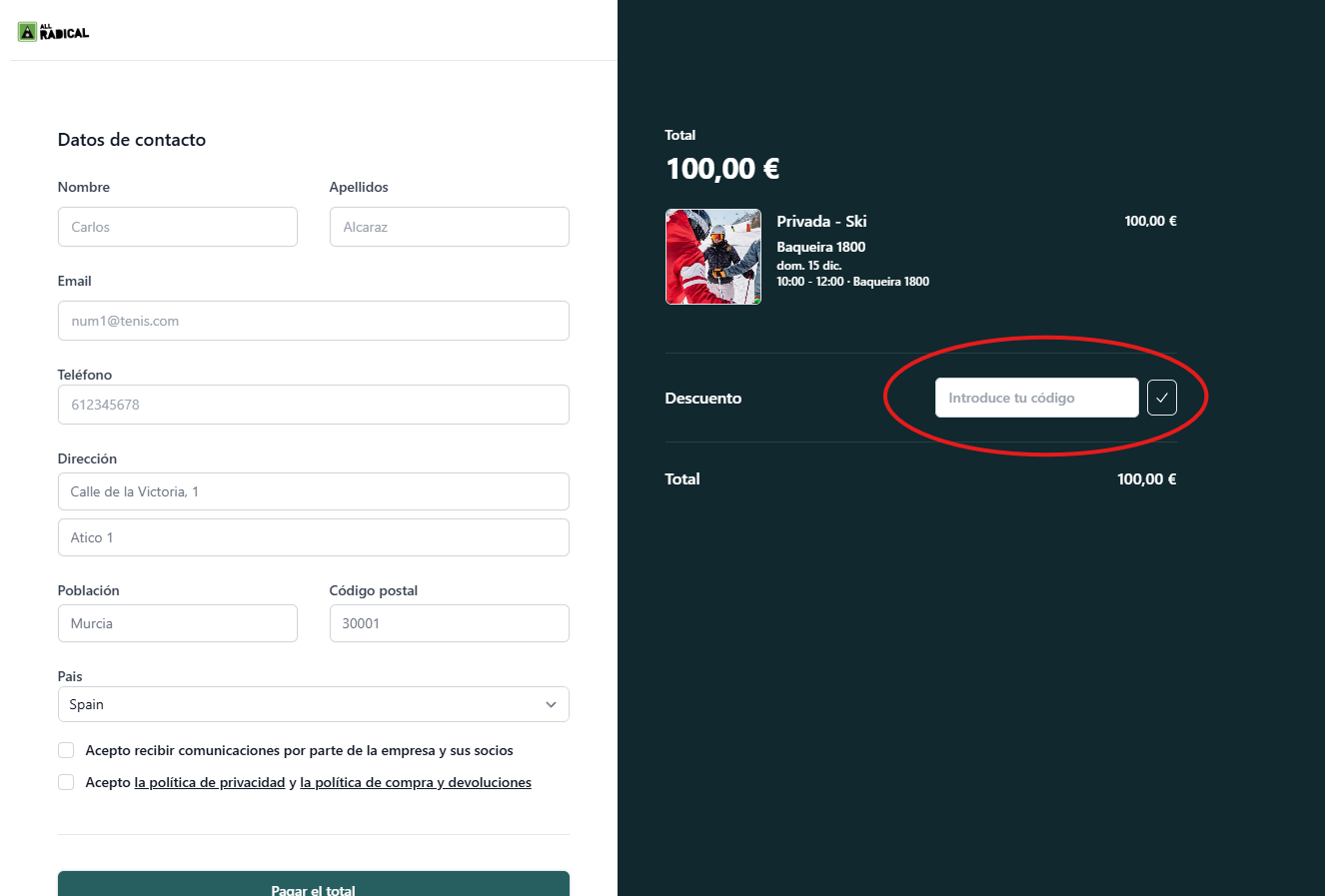
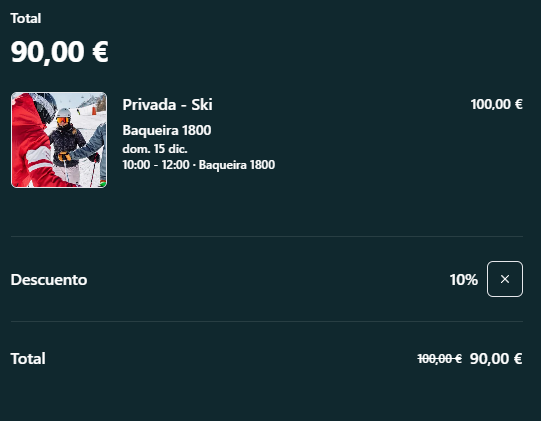
Once the customer enters the discount code, the discount is applied to the price automatically.
If you have any questions, do not hesitate to contact Lueira's support department!
Related guides
- Online store settingsThis guide shows you how to set up your online store in Lueira, including the purchase (checkout) form fields that can be shown as visible or required.
- Purchase form fields in the online storeHow to configure which fields appear in the online store checkout form and which ones are required for the customer.
- Automatic invoicing in the online storeHow to set up the automatic generation of invoices and receipts when a payment is completed in the online store, including numbering series and compatibility with Verifactu and TicketBAI.
- Product order in the Online StoreGuide to defining the order in which products are displayed in the Online Store
- Product page layouts in the Online StoreLearn how to choose between the 4 layouts available for your Online Store's product page and how to preview them before enabling them
- Online store screen layoutThe online store shows School/Center/Activities, Rental and Sales as separate tabs depending on which modules are enabled on your account.