

Block products in the online store (specific dates and times)
How to hide group class products, packs and private classes from the online store on specific dates and times, without affecting bookings created from the admin panel.
On this page
This feature lets you hide products from the online store on specific dates and, optionally, specific times.
What exactly it does
It hides the blocked sessions only in the online store. Your team can still see and create bookings for those same dates and times as usual from the admin panel.
It applies to group class products (and to packs that include those group classes) and to private class products.
How to set up a block
Go to Center/School/Activities > Settings > Online Store Blocks
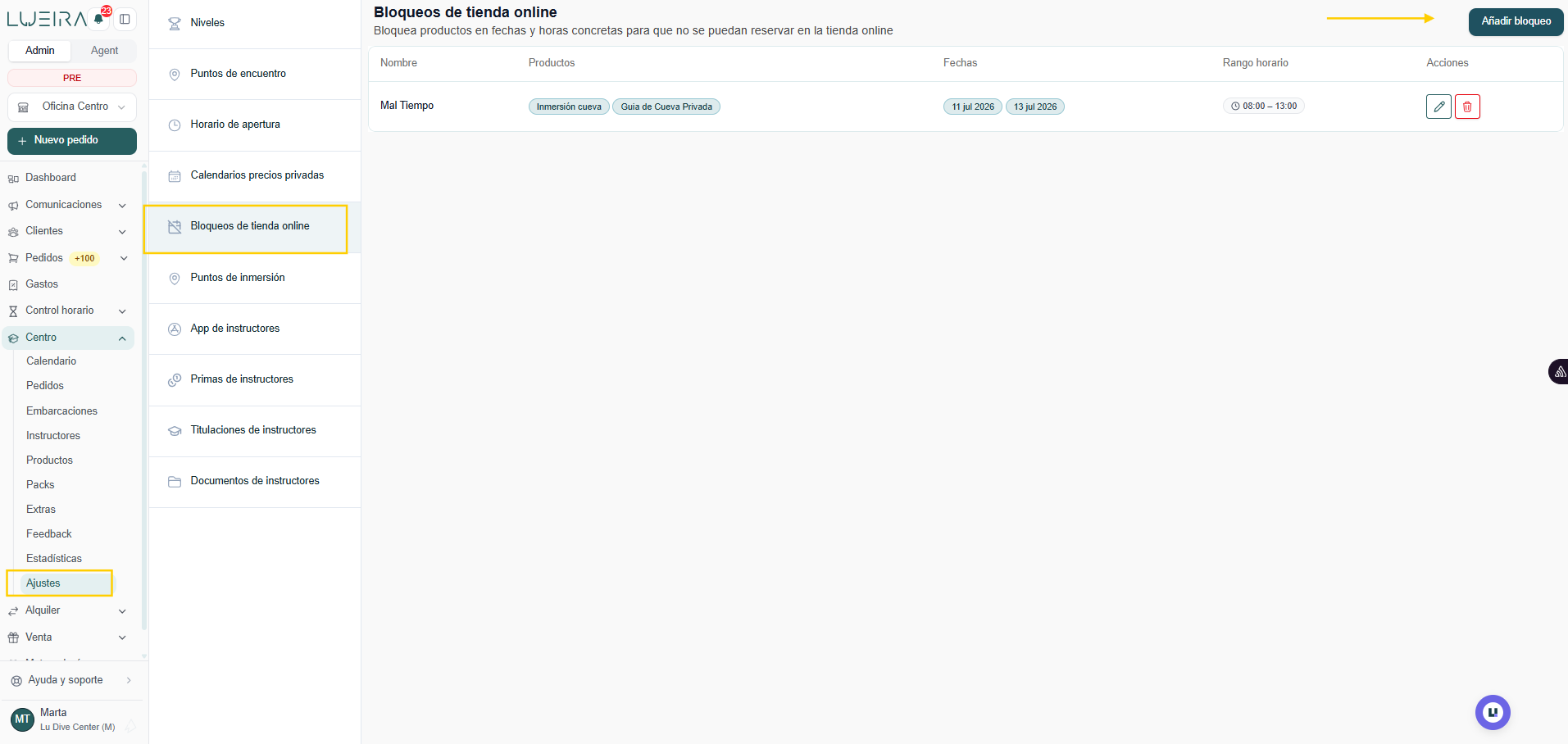
Each block is defined with the following details:
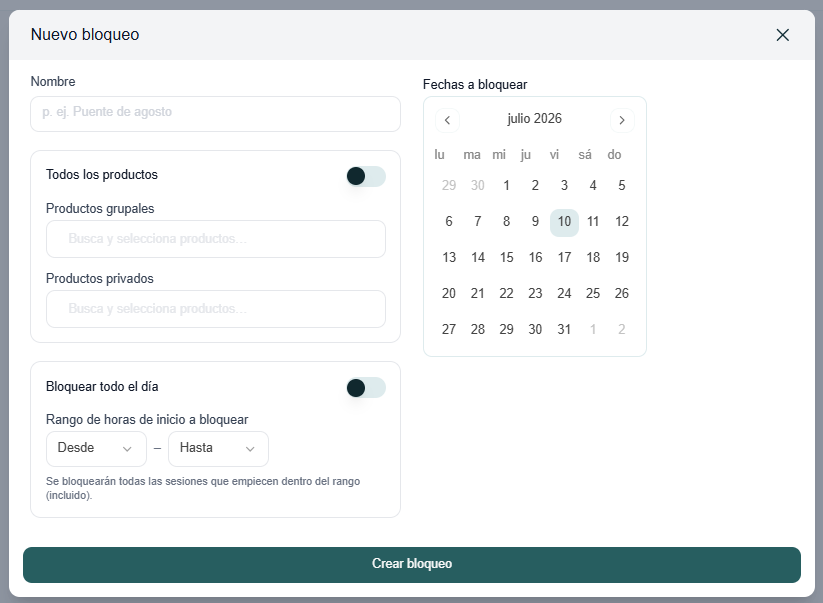
Name (optional): to identify the block, for example "Bad weather" or "Slope maintenance".
Affected products: you can apply the block to all products, or select specific group class and/or private class products.
Dates: one or more specific dates on which the block applies (at least one date is required).
Time range (optional): you can limit the block to a range of start times, by entering a "from" time and a "to" time. If you don't enter any time, the whole day is blocked for the selected products and dates.
What the customer sees in the online store
When a session is blocked, it simply disappears from the list of available sessions for that product in the online store.
This does not affect the session itself (it still exists, with its spots, teacher, etc.), nor how your team sees it from the admin panel: it still appears there as usual and can be booked manually without any restriction. The block only filters what is shown in the online store.
Related articles
Related guides
- Online store settingsThis guide shows you how to set up your online store in Lueira, including the purchase (checkout) form fields that can be shown as visible or required.
- Purchase form fields in the online storeHow to configure which fields appear in the online store checkout form and which ones are required for the customer.
- Automatic invoicing in the online storeHow to set up the automatic generation of invoices and receipts when a payment is completed in the online store, including numbering series and compatibility with Verifactu and TicketBAI.
- Product order in the Online StoreGuide to defining the order in which products are displayed in the Online Store
- Product page layouts in the Online StoreLearn how to choose between the 4 layouts available for your Online Store's product page and how to preview them before enabling them
- Online store screen layoutThe online store shows School/Center/Activities, Rental and Sales as separate tabs depending on which modules are enabled on your account.