

Applying discounts to orders
In this guide we show you how to apply discounts to orders
One of the features that the Lueira program gives us is applying discounts to specific customers or orders.
The discount is always applied from the Orders section. Once the order has been created, we will see the % icon next to the order's total price.
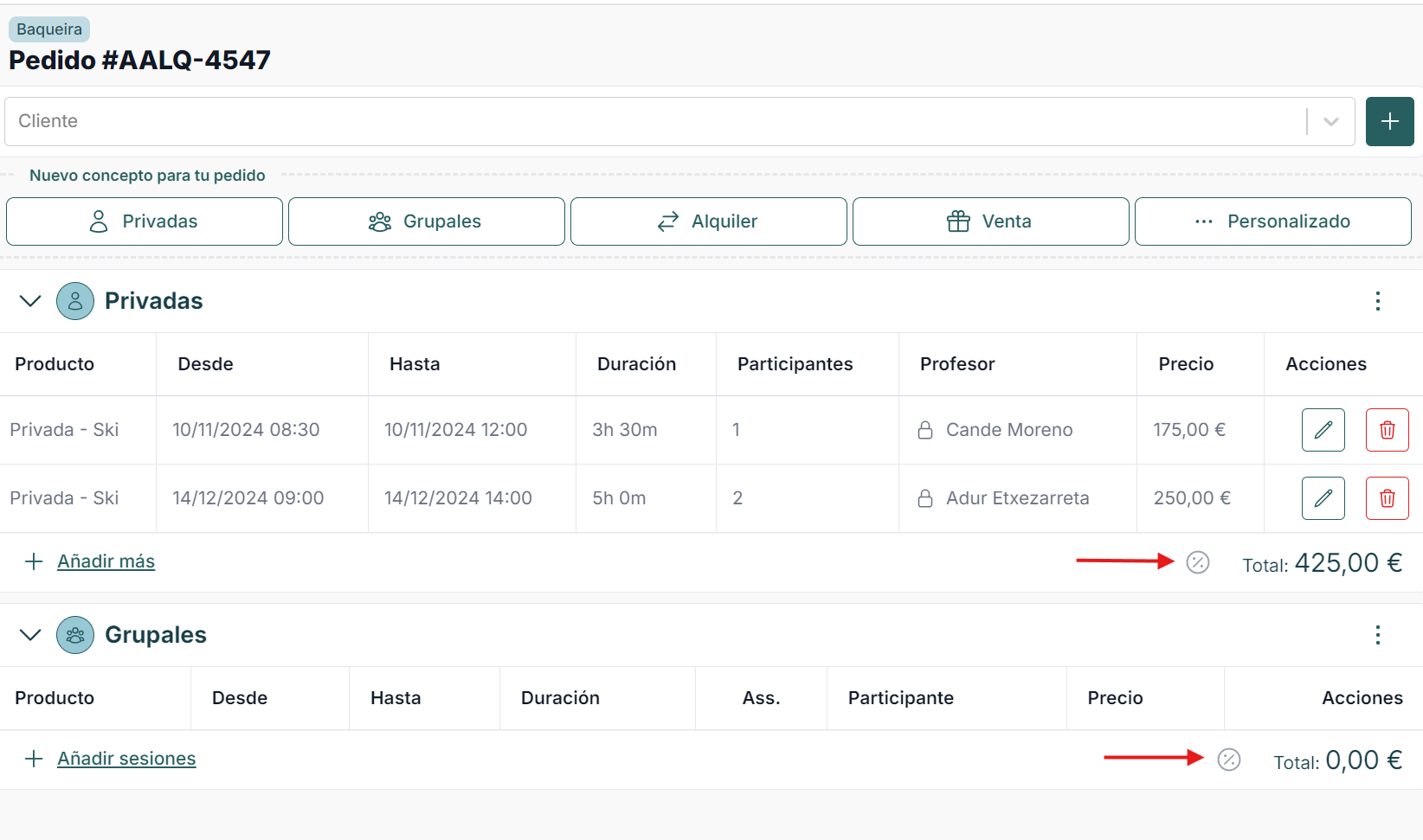
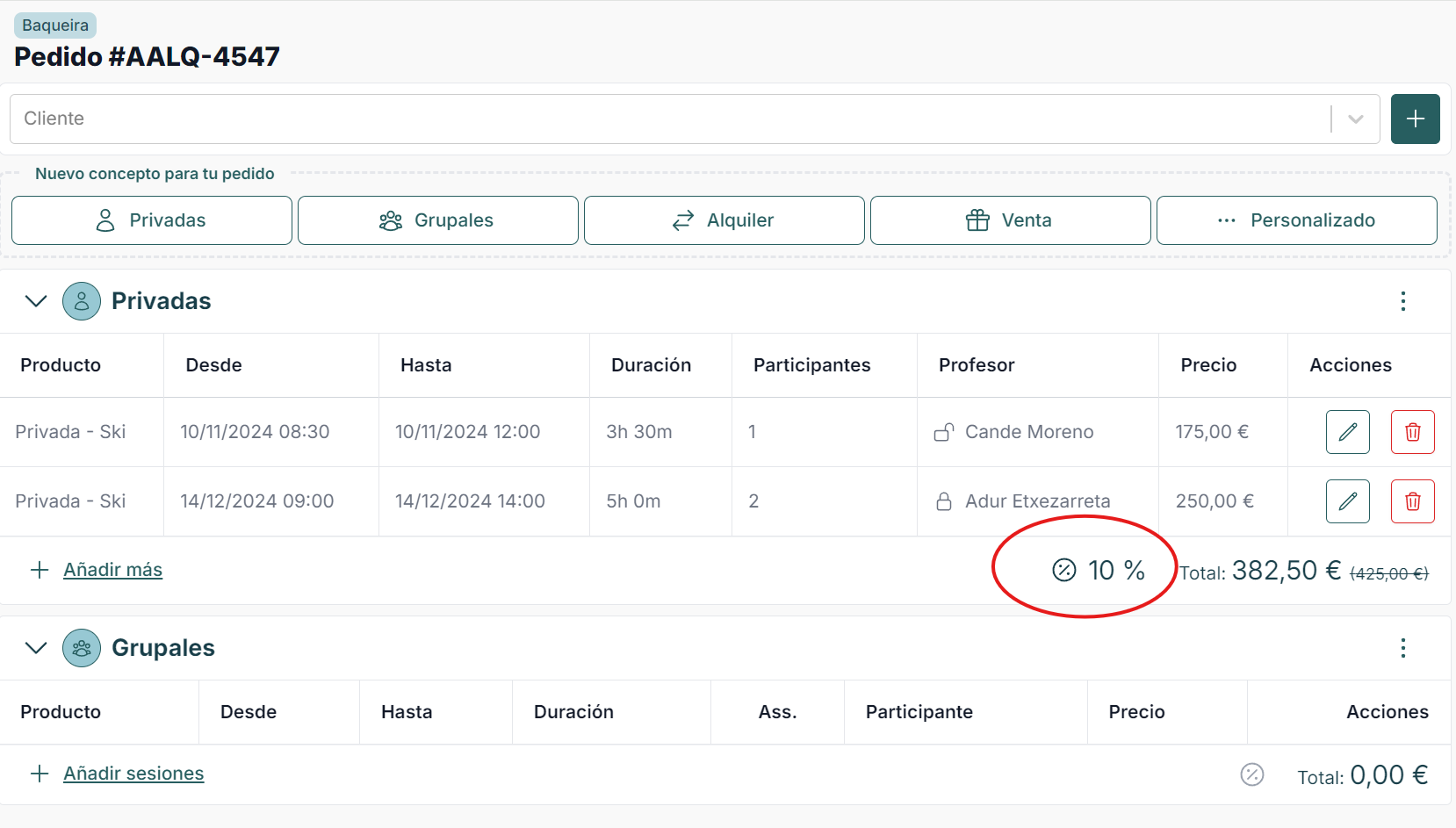
We click on the icon and we can apply whatever discount we want. In this case I am going to apply a 10% discount, which will be applied to the order total.
If you have any questions, don't hesitate to contact the Lueira support team!
Videos about this guide
Related guides
- Orders navigationView the status of all your orders, invoices or payments
- How to create ordersWe show you how to create orders and add every type of product to them.
- Creating a lesson booking from the admin: several days, a second teacher and line priceHow to create a lesson order from the admin: add private or group sessions, book several days in a row, add a second teacher without losing the charge for the second lesson and change the price of a line.
- Order statusesThis section gives you an overview of the status an order is in
- Order lifecycle: statuses, payment and confirmationA complete explanation of the order and payment statuses in Lueira, how they relate to each other, and when an order is confirmed automatically or manually depending on the payment method.
- Deleted and cancelled orders: the difference, how to see them and how to ask for them to be restoredThe difference between cancelling and deleting an order, where to find cancelled orders, how to find out who changed or deleted an order with Change tracking, and what to do so support can restore an order deleted by mistake.