

Request a change to a time record
How to ask for a correction to the start time, end time or work mode of a clock-in, and how to follow up on the request.
On this page
If you made a mistake when clocking or forgot to do it, you can ask for the record to be corrected. An administrator reviews your request and approves or rejects it.
Send the request
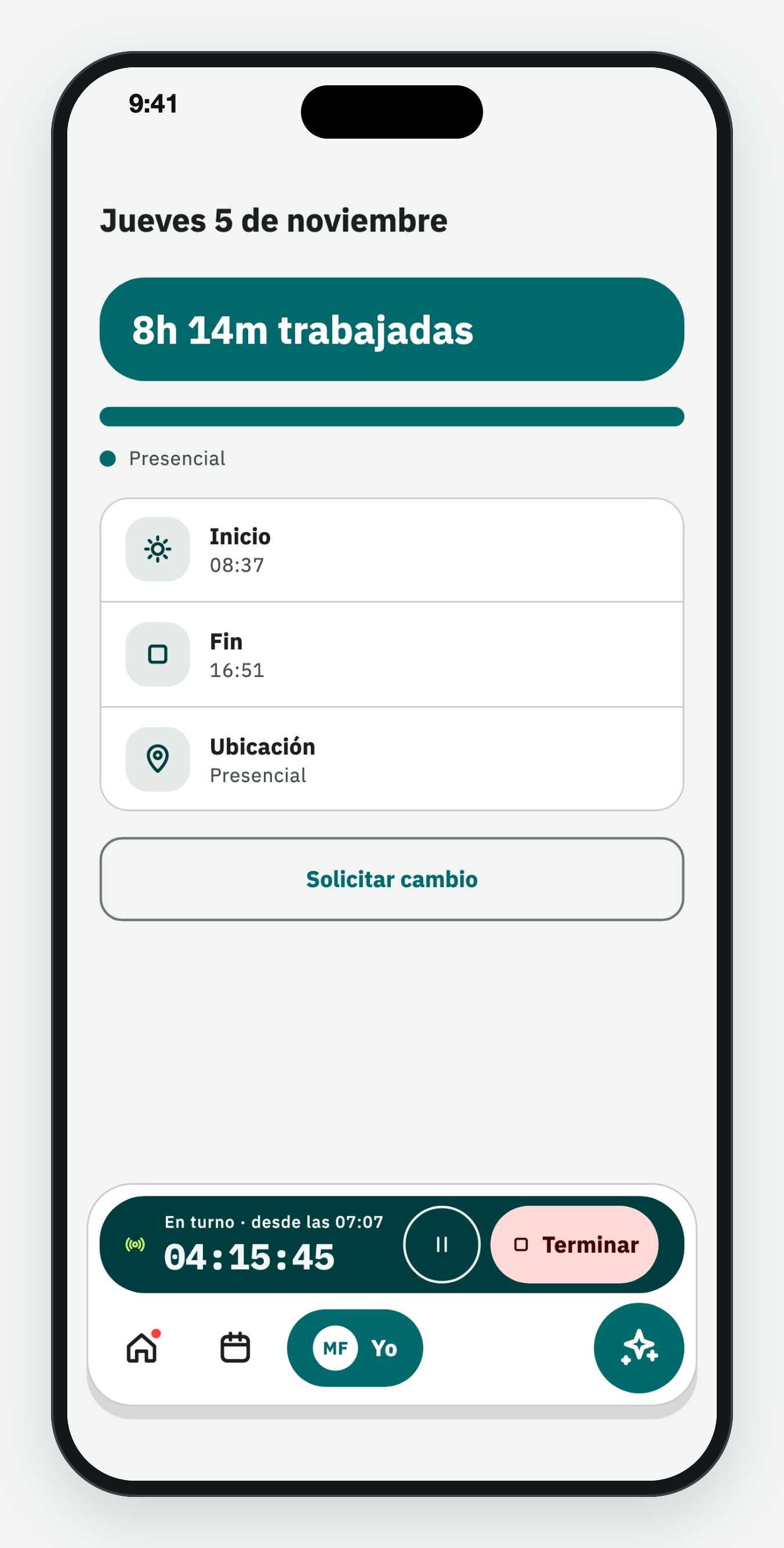
- Go to Me → Time tracking → Time records and tap the shift you want to correct.
- In the detail, tap Request change. To correct a break, tap the pencil on that break.
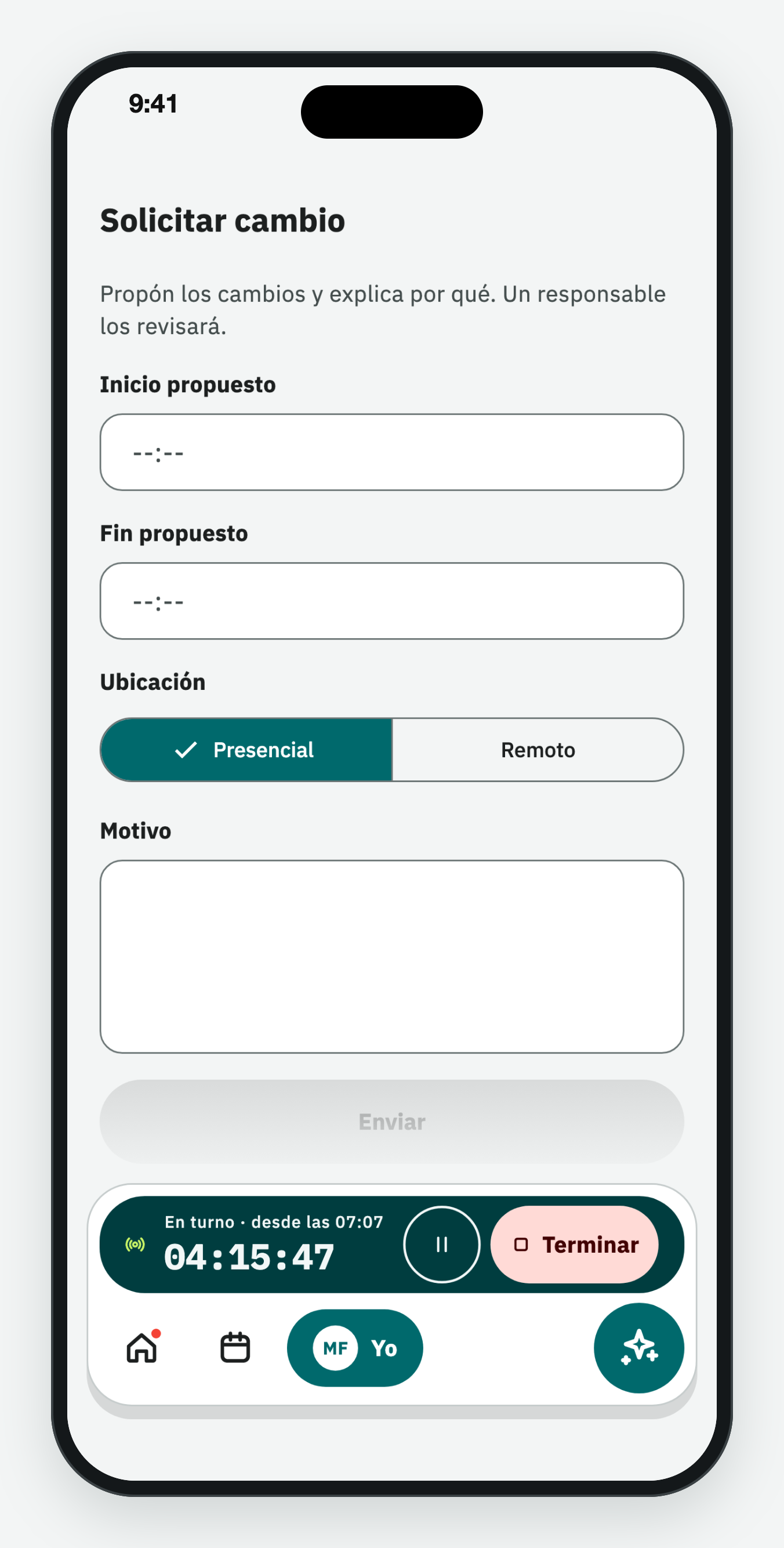
- Say what you want to change:
- Proposed start and Proposed end: the correct time (the day is that of the record).
- Location: On-site or Remote. The one the record has is preselected; it is only sent if you change it.
- Write the Reason. It is mandatory: the button stays inactive until you write it.
- Tap Submit. You will see “Change request submitted”.
If you see “Could not submit the request”, try again. If you leave with unsent changes, the app asks “Discard changes?”.
See your requests
Go to Me → Time tracking → Change requests. Pending requests appear there. If there are none, you will see “You have no pending requests”. In the list of records, the affected shift carries the “Awaiting approval” label.
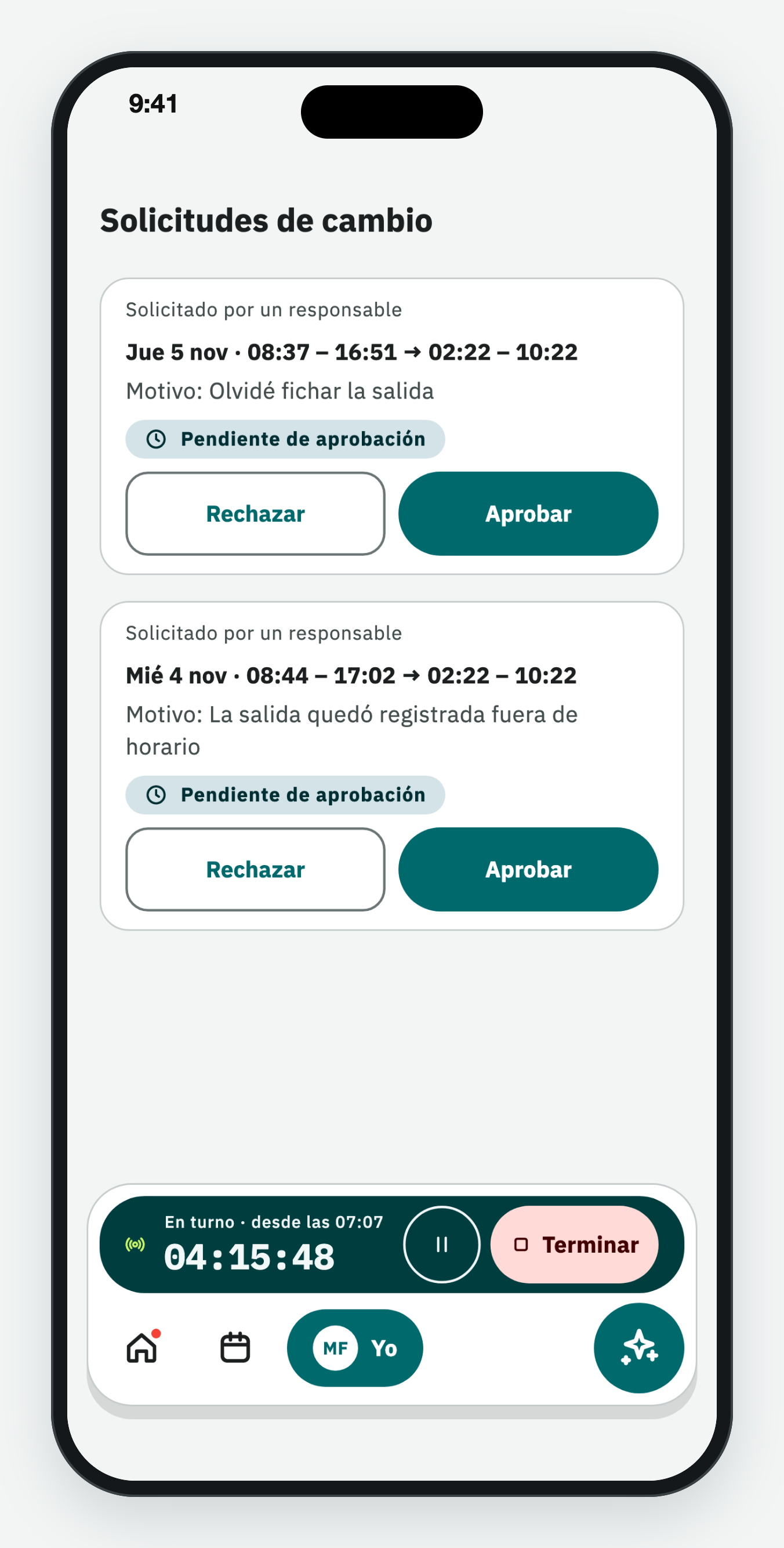
- The ones you sent carry “Requested by you” and “Awaiting approval”: they wait for an administrator to review them.
- The ones proposed to you by a manager at your company carry “Requested by a manager” and the Approve and Reject buttons. Review the proposed start, end, location and reason: the change is only applied to your record if you approve it. Once you decide, the request disappears from the list.
What happens next
- If an administrator approves your request, the changes are applied to your record, which is marked as modified (the detail shows the previous time).
- If they reject it, the record stays as it was.
- The app doesn't notify you when it is resolved: the request disappears from the list and you can check the result in Time records.
If your company doesn't use change requests
On accounts that don't have Time Tracking with work mode, the button in the detail is called Edit time log: you change the start and end, write the Reason and tap Save changes. The change is applied immediately and needs a connection.
Related guides
- View your time records in the app
- Review requests to modify clock-ins (for administrators)
Related guides
- Time Tracking in LueiraIndex of the Time Tracking guides: how to clock in from the app or the shared station and how to manage records, requests, contracts and reports from Admin.
- Activating Time Tracking and who can use itWhat your account needs to have Time Tracking, who can enter the module and why you may not see some sections.
- Time Tracking dashboard in AdminWhich sections the Admin Time Tracking module has and what the summary cards show.
- Worker contracts and schedulesHow to create and edit a worker's contract with their working hours and weekly schedule, and how Lueira uses it to classify hours.
- View all Time Tracking recordsThe centralized view of the whole team's clock-ins: filters by worker and dates, and what each column shows.
- A worker's records: shifts, editing and historyHow to view a worker's shifts, edit a record with its reason and check the change history.