

View all Time Tracking records
The centralized view of the whole team's clock-ins: filters by worker and dates, and what each column shows.
The Records section is the centralized view: it shows the clock-ins of the whole team over a date range. It is view-only.
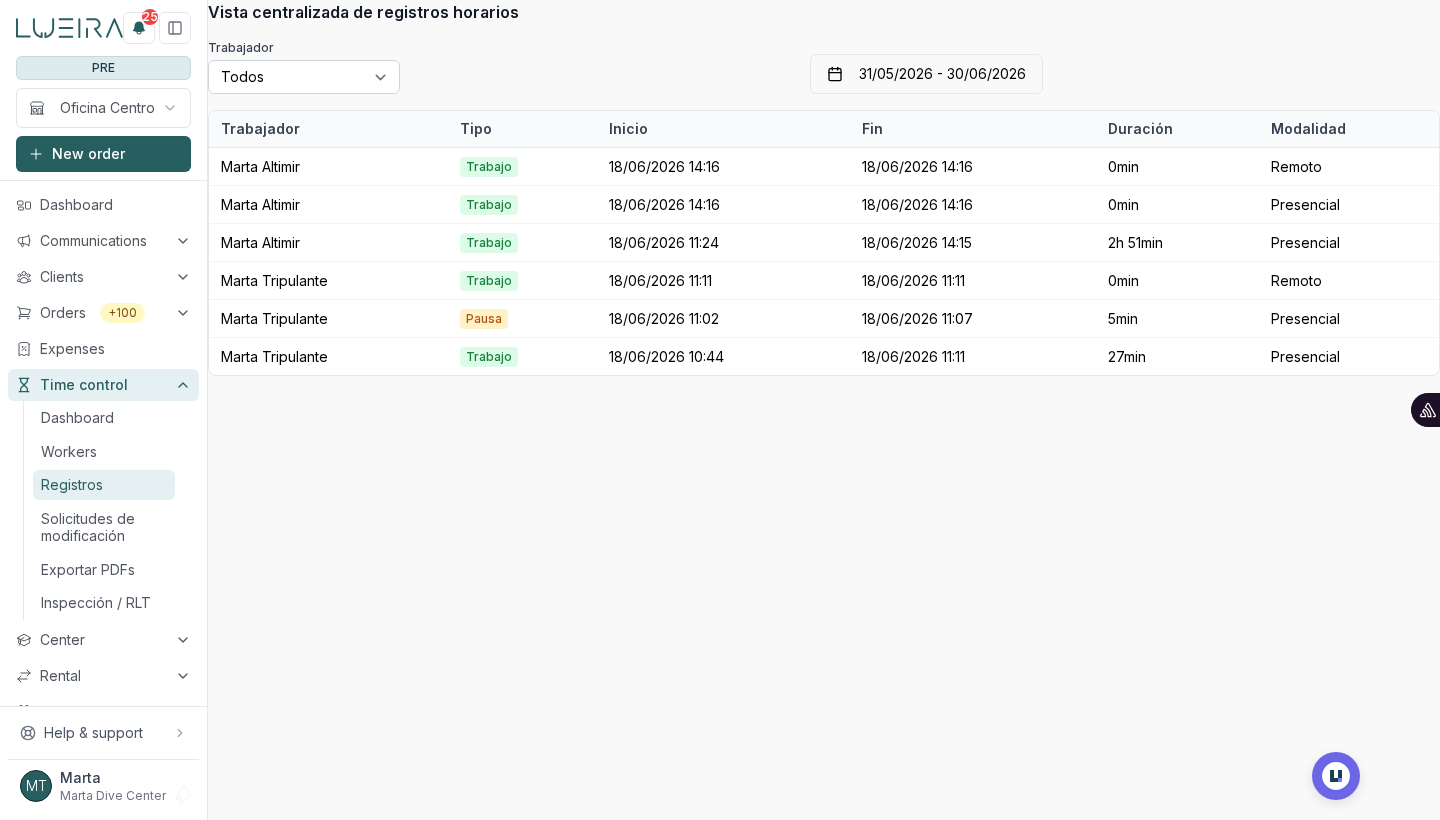
Filter
- Worker: all or a specific one.
- Date range: by default, the current month (in your company's time zone).
What the table shows
- Worker
- Type: Work or Break
- Start and End
- Duration
- Mode: On-site or Remote
If there are no records in the period, you will see "No records in the period."
What you can't do from here
- Edit a record or view its history: do it from the worker's profile (A worker's records).
- Download the report: use the Export records button in the worker's profile or Export PDFs (Export records as PDF).
Related guides
Related guides
- Time Tracking in LueiraIndex of the Time Tracking guides: how to clock in from the app or the shared station and how to manage records, requests, contracts and reports from Admin.
- Activating Time Tracking and who can use itWhat your account needs to have Time Tracking, who can enter the module and why you may not see some sections.
- Time Tracking dashboard in AdminWhich sections the Admin Time Tracking module has and what the summary cards show.
- Worker contracts and schedulesHow to create and edit a worker's contract with their working hours and weekly schedule, and how Lueira uses it to classify hours.
- A worker's records: shifts, editing and historyHow to view a worker's shifts, edit a record with its reason and check the change history.
- Review time entry change requestsHow to approve or reject the change requests that workers send from the app.