

Handling fees on ski passes: how they appear on the order and in the cart link
Where you see the handling fees on an order with ski passes, when they are recalculated and what the customer sees when you send them a cart link.
When a handling fees rule matches the ski passes in an order, Lueira adds a charge line to the order. Here you see where it appears, when it is recalculated and what the customer sees if you send them a cart link. If you haven't created the rules yet, start with Handling fees on ski passes: setting up the rules.
On the order
In the order details, just below the pass beneficiaries, the Handling fees line appears (the name is the "Description the customer sees" of your rule) with its amount. The Order summary on the right already includes that amount in the total and in the amount pending payment.
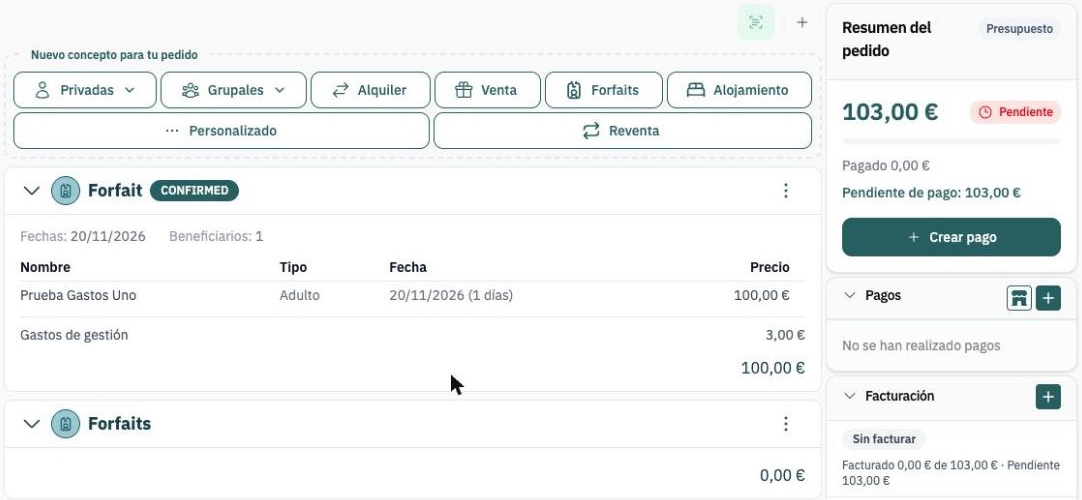
In the example: a 1-day pass for 1 person (€100) plus €3 in handling fees = €103. Note that the total shown at the bottom of the pass card is only the pass total (€100); the order total is the one in the Summary.
When are they recalculated?
They are calculated when you add a pass to the order (in the admin or from the online store) and when you remove it in the store: Lueira recounts the people in the order and updates, creates or removes the line.
If you cancel an already confirmed pass or change it later from the admin, check the order's handling fees line: it may not have updated by itself.
The customer cannot edit or delete the handling fees line in the store.
With the cart link
An order in Quote status with passes and handling fees can be sent with a cart link: the fees line does not prevent it from being generated. In the Payments section click the store icon (Send cart link) and choose Copy link or Send by email.
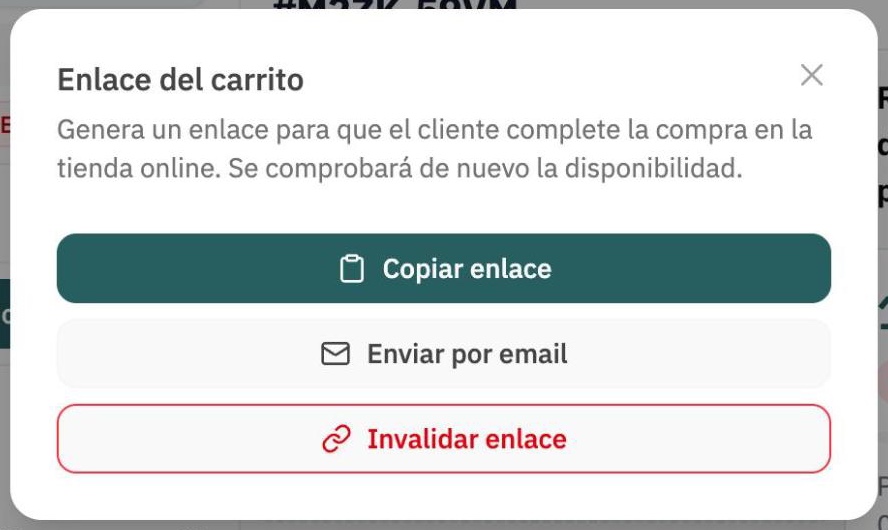
When the customer opens the link, they go straight to the online store payment with their purchase already prepared: they see the pass, the Handling fees line with its amount and the total (in the example, €103.00). The fees stay exactly as they were on the order. Everything else (the 20-minute reservation, the fact that it doesn't expire, invalidating it...) works the same as in any other cart link: Cart link: sending an order to be paid from the online store.
If you don't see the link button, check that the order is in Quote status and that it has no manual-price lines of other types or accommodation.
If you have any questions, don't hesitate to contact Lueira's support department!
Related guides
- Configuring Company Settings in LueiraIn this section you can configure all the properties of your school
- Settings (School / Center / Activities)Configure the parameters of your school, center or activities space: levels, meeting points, schedules, prices and more.
- Features: turn optional features on or off in your accountHow to turn Short courses, Private lesson vouchers, Material resources and Instructor ranking on or off from Settings > Company > Features.
- Several sites or centers in one Lueira accountHow to manage several sites (establishments) in the same account: create a site, give it its own online store link and decide whether it invoices with its own tax details.
- Diagnose: check your setup, an order or a productHow to use the Diagnose button and the Setup status screen to find out what is missing or wrong in your account, your store, an order, a pack or a product, and how to fix it.
- Create and manage locationsHow to create, edit and delete a location (a physical place where you operate) in Settings > Locations, what each field means and what to do if you cannot create one.