

Features: turn optional features on or off in your account
How to turn Short courses, Private lesson vouchers, Material resources and Instructor ranking on or off from Settings > Company > Features.
On this page
Features: turn optional features on or off in your account
From Settings > Company > Features you can turn certain optional features on or off yourself, without depending on the support team to enable them. Each switch is saved instantly, without needing to reload the page, and you can change it whenever you want.
To get there, go to your profile (bottom left corner of the panel) > Settings > Company block > Features.
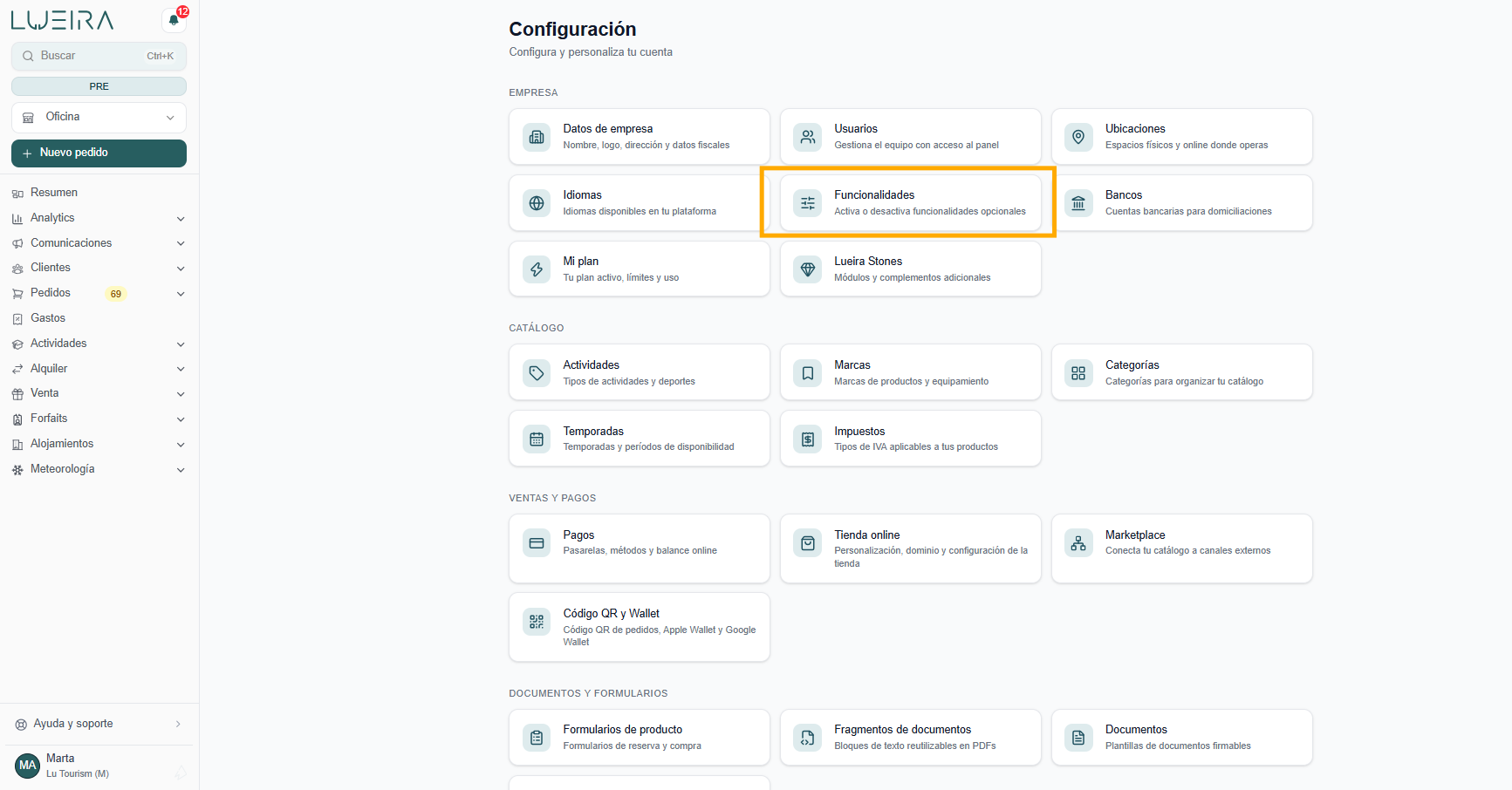
💡 You only see the switches that make sense for the modules you have active (School and/or Rental). If you see none, or one you expected is missing, your account may not have the corresponding module enabled — contact support if you think you should have it.
Available features
Short courses: sell short courses within group lessons, with their own segmentation criteria. Only visible if you have the School module enabled; off by default. 📘 See Short courses: seasonal courses with groups and a session calendar.
Private lesson vouchers: sell hour vouchers and let your customers pay for their private lessons with them. Only visible if you have the School module enabled; off by default. 📘 See Private lesson vouchers.
Material resources: assign the equipment each group lesson and each rental product needs. Visible if you have the School module and/or the Rental module enabled. 📘 See Material resources in group products.
Teachers ranking: prioritize, for each product, which teachers are assigned first when assigning automatically. Only visible if you have the School module enabled; off by default. 📘 See Teacher ranking per product.
If you have any questions, do not hesitate to contact the Lueira Support team!
Optional language in private lessons
By default, when you create a private lesson from the admin you must enter the language. This switch, inside the school block, lets you create them without a language: then any teacher of the activity can take the lesson. Only visible if you have the School module enabled; off by default. 📘 See Language of private lessons: required or optional.
Related guides
- Configuring Company Settings in LueiraIn this section you can configure all the properties of your school
- Settings (School / Center / Activities)Configure the parameters of your school, center or activities space: levels, meeting points, schedules, prices and more.
- Several sites or centers in one Lueira accountHow to manage several sites (establishments) in the same account: create a site, give it its own online store link and decide whether it invoices with its own tax details.
- Diagnose: check your setup, an order or a productHow to use the Diagnose button and the Setup status screen to find out what is missing or wrong in your account, your store, an order, a pack or a product, and how to fix it.
- Create and manage locationsHow to create, edit and delete a location (a physical place where you operate) in Settings > Locations, what each field means and what to do if you cannot create one.
- Payment methods and gateways in LueiraComplete guide to all the payment methods and gateways available in Lueira: LueiraPay (Stripe), Redsys, Bizum, PayPal and manual methods (cash, card, bank transfer, remittance, other).