

Sierra Nevada ski passes: connect your account and sync the catalogue
How to connect Sierra Nevada from Lueira and sync Cetursa's catalogue to bring in your passes. To set up how they are sold and how a customer buys them, see the general Passes guide.
This guide is part of the Passes module. Here you'll see how to connect your account with Sierra Nevada and sync its catalogue to bring ski passes into Lueira. If you'd rather sell your own passes without relying on Sierra Nevada, see the guide Your own passes in Passes: create and manage your own catalogue. Once your catalogue is ready, continue in the guide Ski passes: selling Sierra Nevada passes (or your own passes) in Lueira to decide how each pass is sold, sell it manually or let the customer buy it in your Online Store.
Step 1. Connect Sierra Nevada
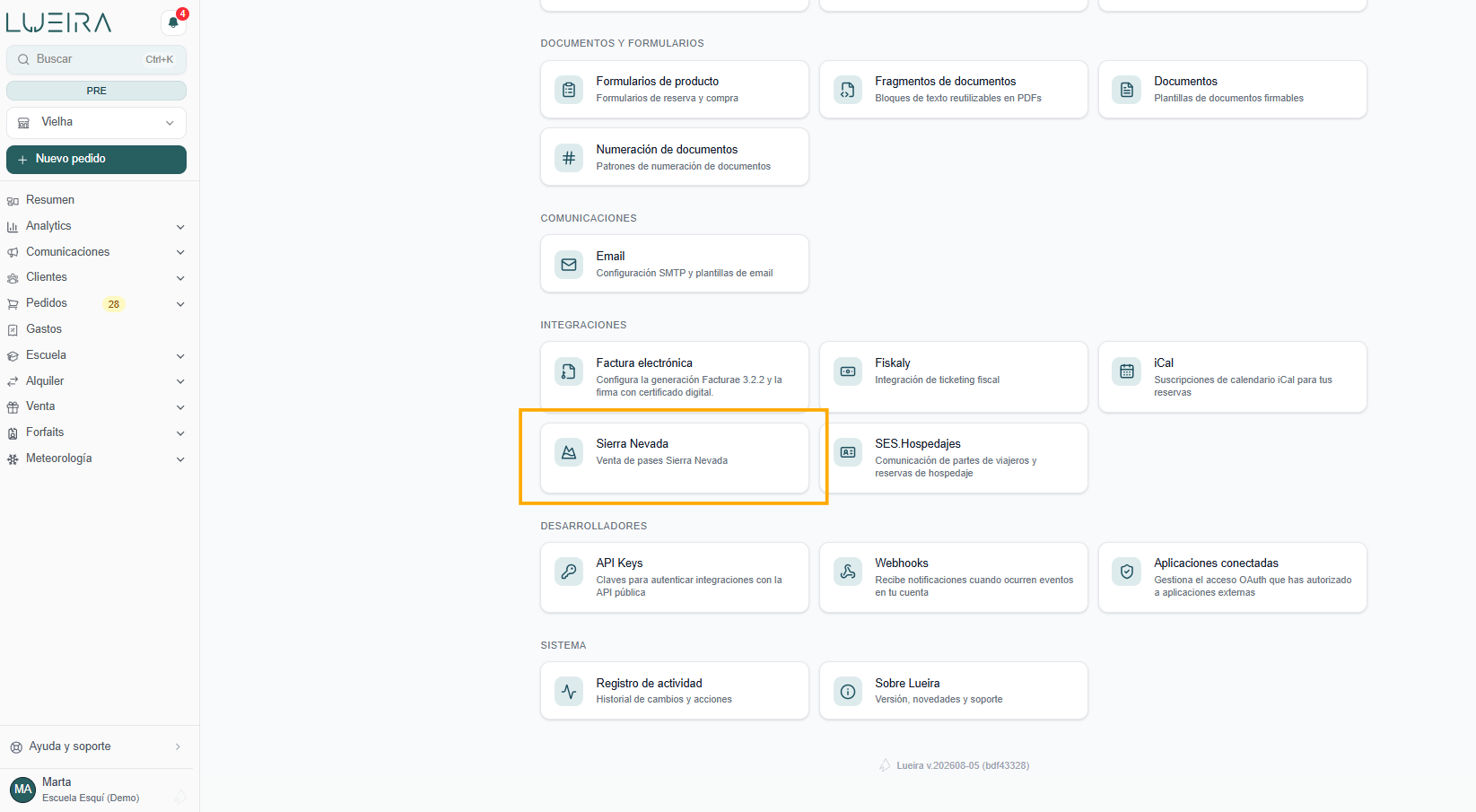
Go to Settings → Integrations → Sierra Nevada. There you will see the "Sierra Nevada pass sales" card: connect Cetursa's professionals web service to check availability and price, and to book, confirm, cancel and issue your passes directly from Lueira.
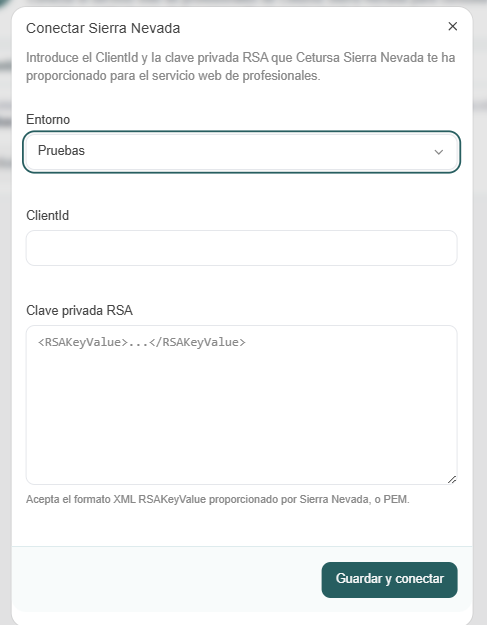
Click Connect and enter the details that Cetursa Sierra Nevada has given you: the Environment (Test or Production), the ClientId and the RSA private key (it accepts the XML <RSAKeyValue> or PEM format).
After saving, the card shows the connection status: Active, Configured, Pending authentication or Error, as well as the environment and the date of the last synchronisation.
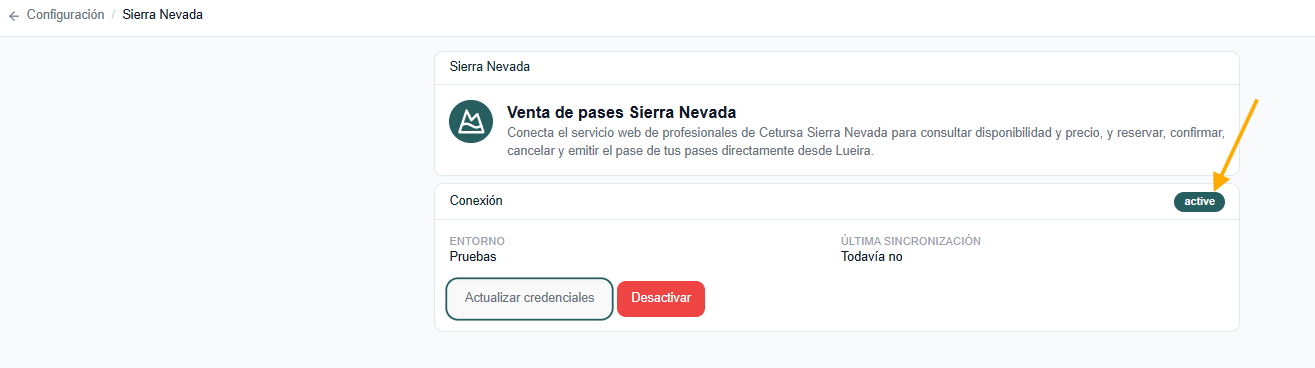
You can update the credentials at any time, or deactivate the connection without losing the saved configuration.
Step 2. Sync the Sierra Nevada catalogue
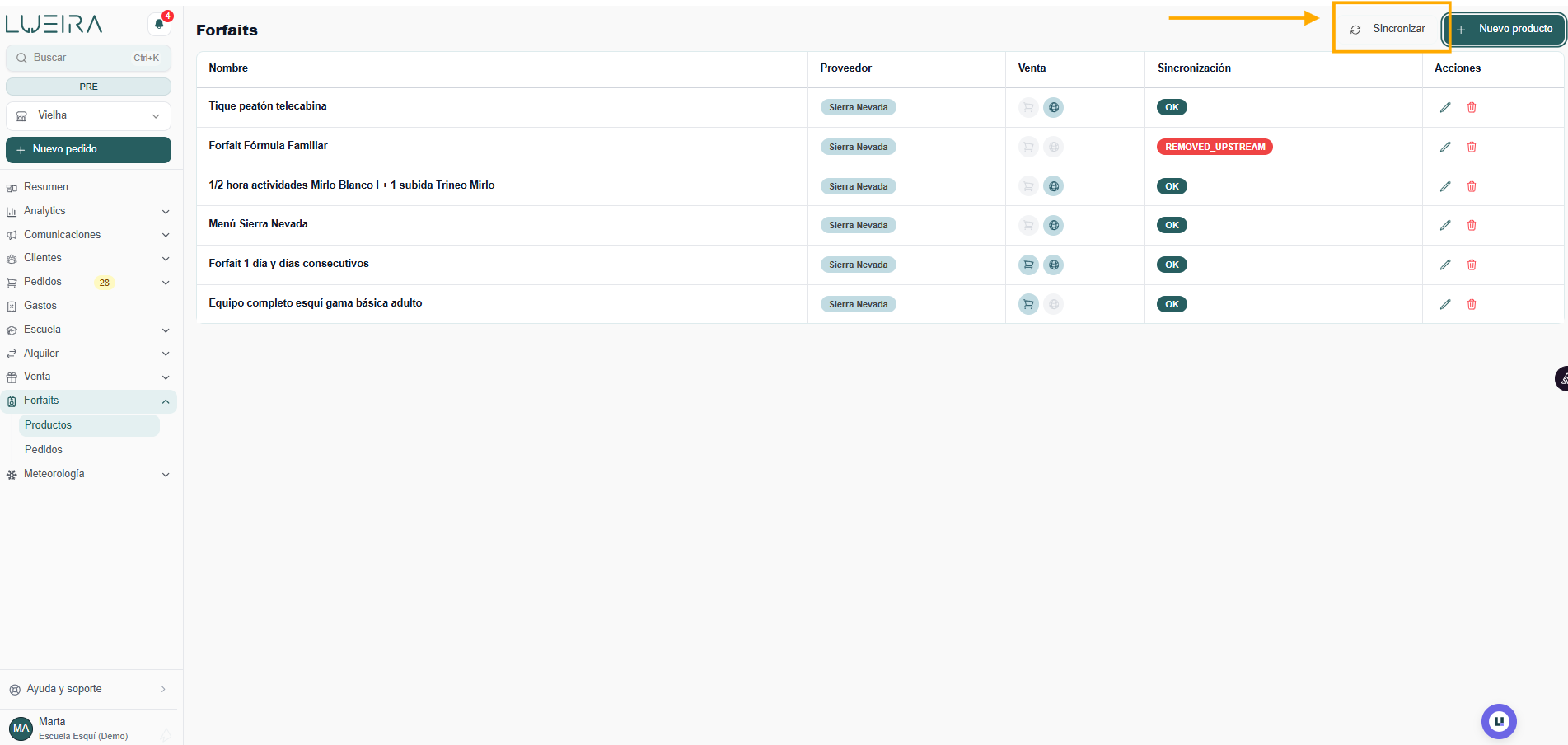
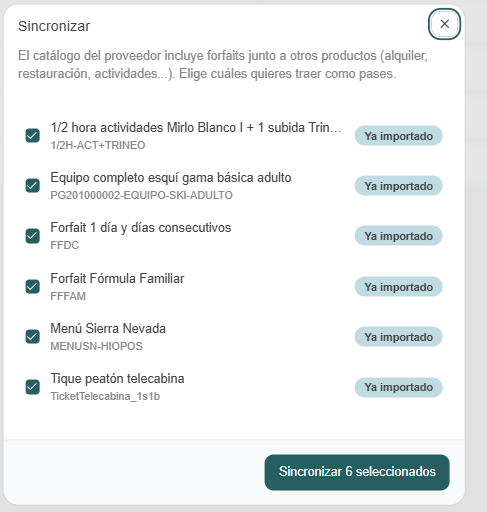
Go to the Passes → Products menu and click Sync. Cetursa's catalogue mixes ski passes with other products (rental, catering, activities...), so when you click it you choose which items you want to bring in as passes.
Once your catalogue is ready, go to the general Passes guide to decide how each pass is sold, sell it manually from an order or let the customer buy it in your Online Store.
If you have any questions, don't hesitate to contact Lueira's support department.
Related guides
- Configuring Company Settings in LueiraIn this section you can configure all the properties of your school
- Settings (School / Center / Activities)Configure the parameters of your school, center or activities space: levels, meeting points, schedules, prices and more.
- Features: turn optional features on or off in your accountHow to turn Short courses, Private lesson vouchers, Material resources and Instructor ranking on or off from Settings > Company > Features.
- Several sites or centers in one Lueira accountHow to manage several sites (establishments) in the same account: create a site, give it its own online store link and decide whether it invoices with its own tax details.
- Diagnose: check your setup, an order or a productHow to use the Diagnose button and the Setup status screen to find out what is missing or wrong in your account, your store, an order, a pack or a product, and how to fix it.
- Create and manage locationsHow to create, edit and delete a location (a physical place where you operate) in Settings > Locations, what each field means and what to do if you cannot create one.