

View and download your invoices in the Partners Portal
Where to find the invoices the company has issued to you, filter and download them as PDFs, and check your commission per order in the Commissions tab.
On this page
In the Partners Portal you can view and download the invoices the company you work with has issued to you, and check your commission per order, without having to ask for them.
Where to find them
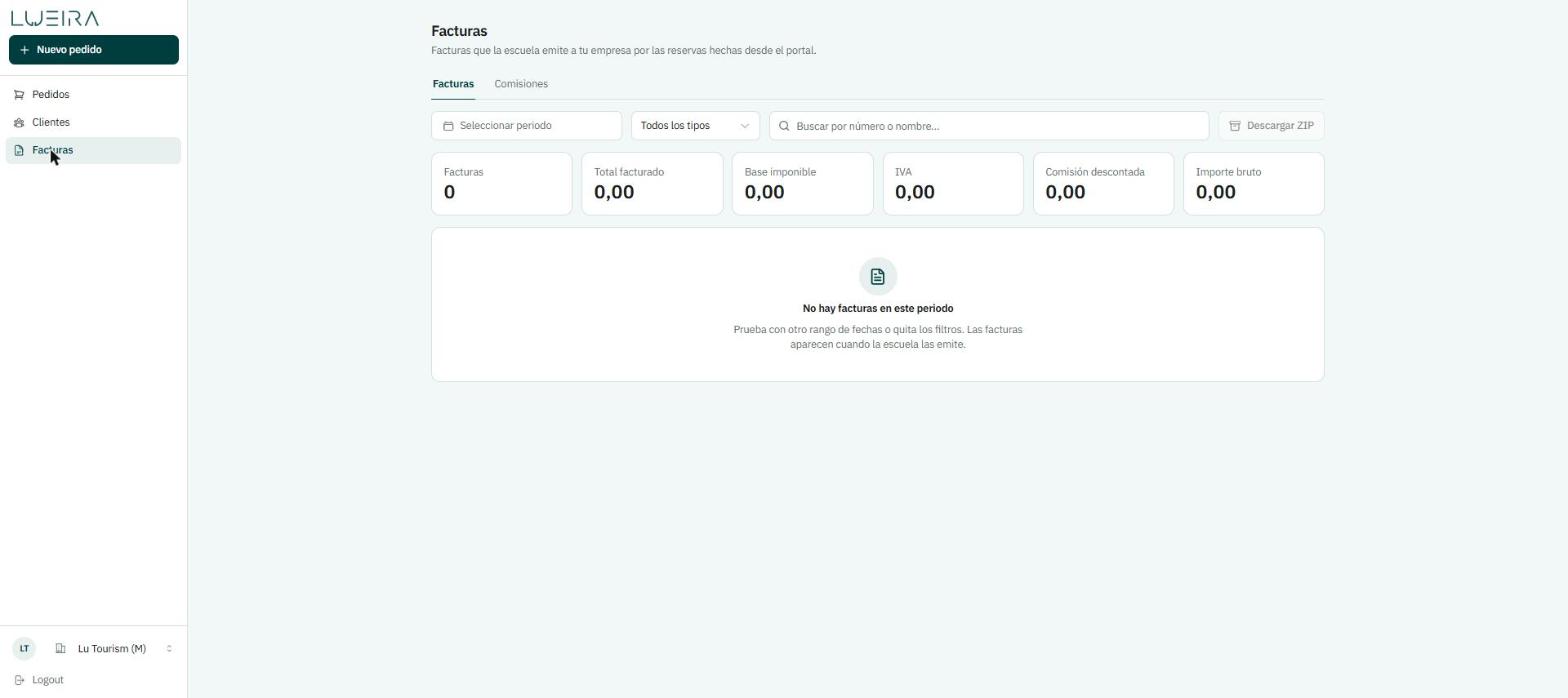
In the side menu, go to Invoices. The screen has two tabs, Invoices and Commissions, and both only show what belongs to the account (company) you are working with.
Invoices tab
- Choose a period, filter by type (invoice or credit note) or search by number or name.
- At the top you see the period's totals: number of invoices (credit notes shown separately), total invoiced, taxable base, VAT, deducted commission and gross amount.
- Click an invoice in the table to open its details: the order it belongs to, the customer, the internal reference, the amounts breakdown (base, VAT, commission and total) and, if the company shows that information, the collection status. From there you can view the order or download the PDF.
Download
- In the table, click the download icon on a row to get that invoice as a PDF without opening its details.
- Click Download ZIP to get all the period's invoices, with the chosen filters, in a zip.
Commissions tab
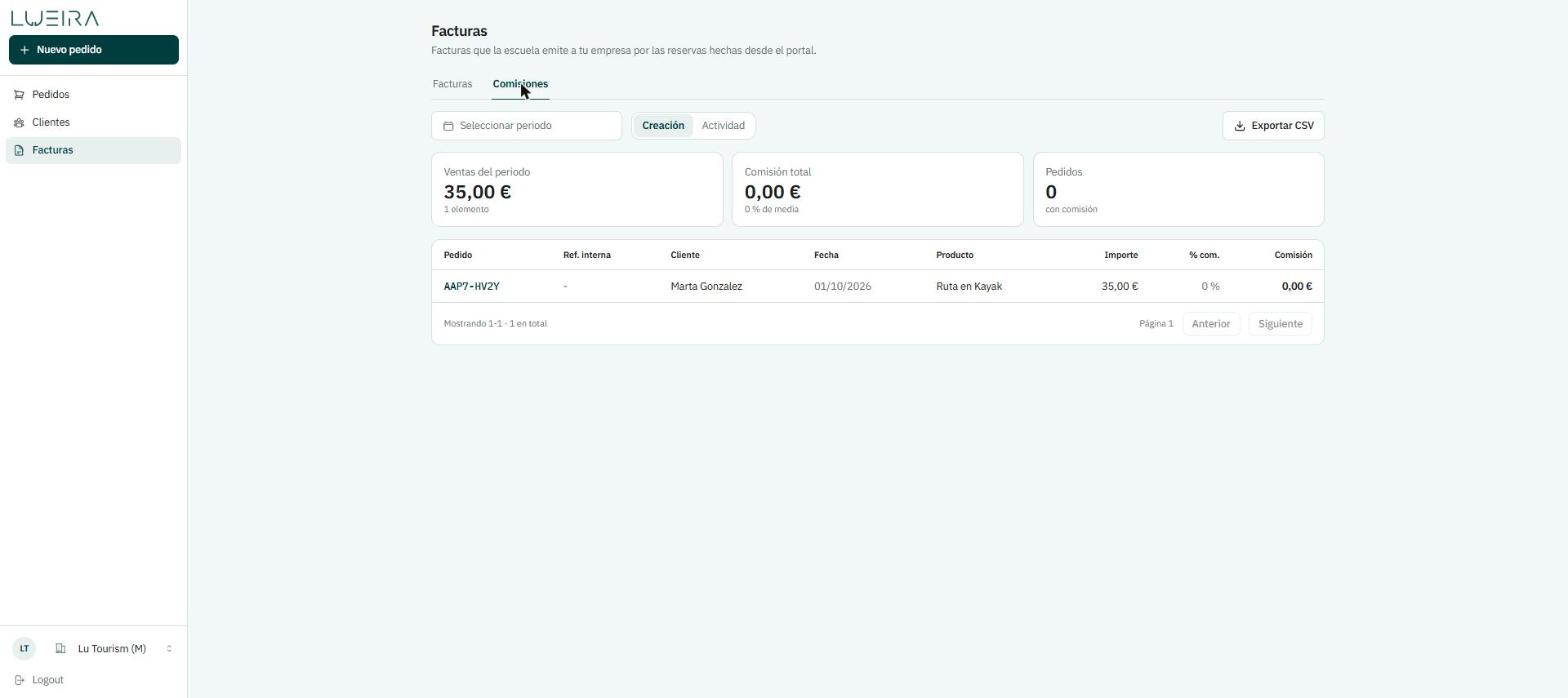
Shows the commission of every item sold in your orders, with the same period filter and a Creation / Activity toggle to count orders by the date they were created or by the booking date.
- At the top you see the period's Sales, the Total commission (with the average percentage) and the number of Orders with commission.
- The table shows, for each item: Order (links to the order), Internal reference, Customer, Date, Product, Amount, Commission % and Commission.
- Click Export CSV to download this data.
If you can't see an invoice
- Check the date range and the other filters.
- The company may still have it as a draft: ask them to issue it.
- Check you are in the right account (Choose and switch accounts).
Related guides
Related guides
- Partner PortalIndex of the Partner Portal guides: how to set it up, how partners log in and how they create bookings of each type.
- Give a partner access to the Partner PortalHow to enable a partner's access to the Partner Portal from Lueira and what you need to share with them so they can log in.
- Partner catalog: which products a partner can sellHow to limit the products a partner sees and sells in the Partner Portal with their catalog, and what happens if they don't have one.
- Partner prices: inherit, fixed price and pricing schemesHow to give each partner their own prices and VAT in their catalog: inherit the price, set a fixed one or use flat and tiered schemes.
- Find out about the bookings your partners makeWhere to see the bookings created from the Partner Portal and how to turn on the email notification.
- Log in to the Partner PortalHow a partner enters the portal with their email and a verification code, and what to do if something goes wrong.