

Partner prices: inherit, fixed price and pricing schemes
How to give each partner their own prices and VAT in their catalog: inherit the price, set a fixed one or use flat and tiered schemes.
On this page
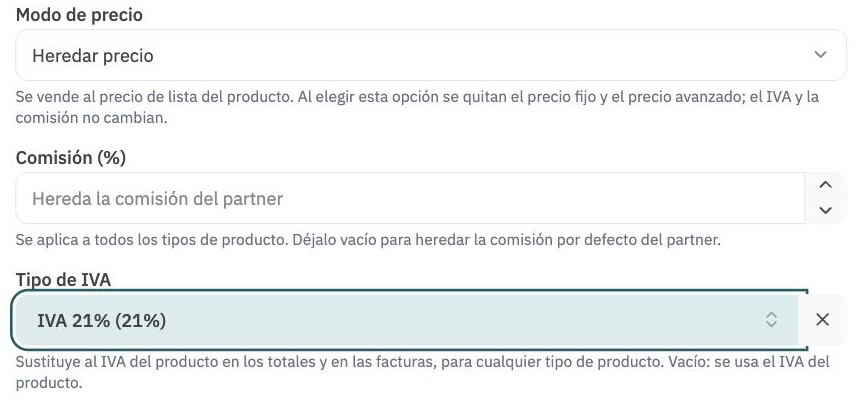
Each product in a partner's catalog can have its own financial terms: a price and a VAT rate different from those of the base product. This way you apply to each partner the rates you have agreed with them.
Where to set it up
In Orders → Partners, open the partner's record, go to the Catalog tab and click + Add product (or edit an existing one). When you choose the product, select the price mode.
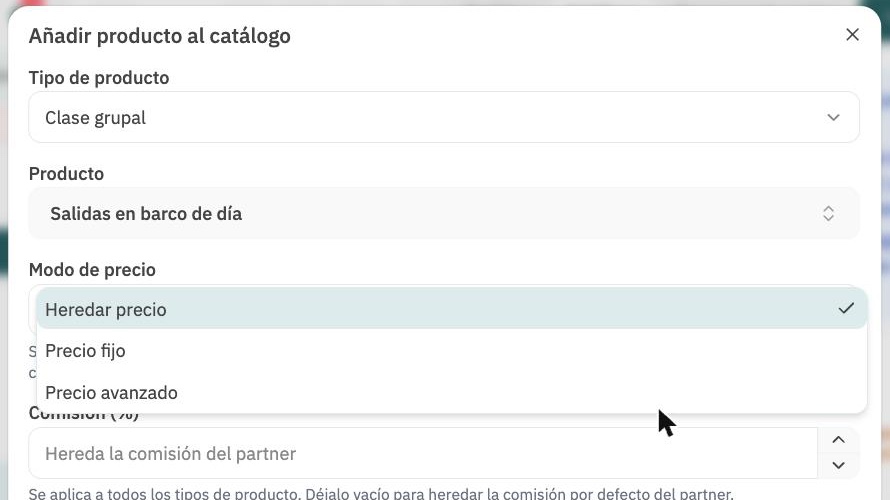
Price modes
- Inherit price: the product uses the price set in your company. This is the default option.
- Fixed price: you set a single price for this partner, independent of your company's price.
- Pricing scheme: you define different prices per category (adult, child…).
Pricing schemes: flat and tiered
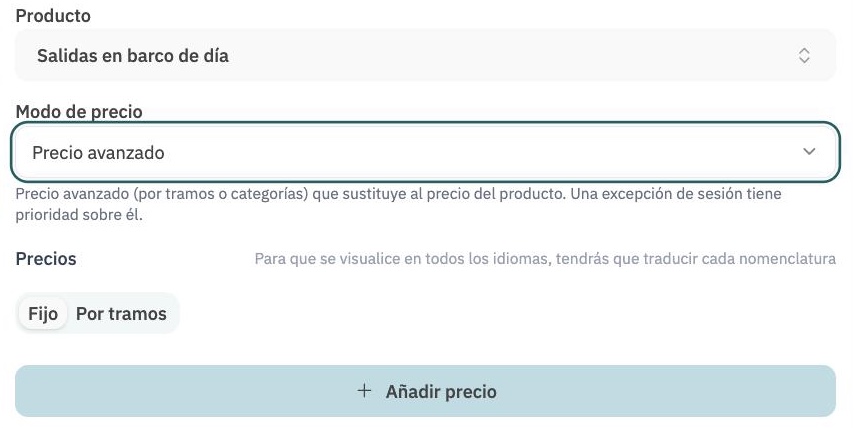
- Flat: one price per category, regardless of how many participants there are.
- Tiered: the price varies according to the number of participants. Each tier has a lower and an upper limit, and a price per category. It is designed to give volume discounts. The price of the tier that matches the total number of participants applies to all of them.
Product-specific VAT
Each catalog entry can have its own VAT rate. This is useful when the VAT applied to the partner is not that of the base product.
What the partner sees
The partner sees the prices already calculated with their terms when they create a booking. The portal shows the VAT breakdown only on rental bookings (“VAT included”).
Related guides
- Partner catalog: which products a partner can sell
- Partner groups (shared catalog and commission)
- Managing partners in Lueira (commissions)
Related guides
- Partner PortalIndex of the Partner Portal guides: how to set it up, how partners log in and how they create bookings of each type.
- Give a partner access to the Partner PortalHow to enable a partner's access to the Partner Portal from Lueira and what you need to share with them so they can log in.
- Partner catalog: which products a partner can sellHow to limit the products a partner sees and sells in the Partner Portal with their catalog, and what happens if they don't have one.
- Find out about the bookings your partners makeWhere to see the bookings created from the Partner Portal and how to turn on the email notification.
- Log in to the Partner PortalHow a partner enters the portal with their email and a verification code, and what to do if something goes wrong.
- Choose and switch accounts in the Partner PortalHow to choose the company a partner works with and how to switch company without logging out.