

Choose and switch accounts in the Partner Portal
How to choose the company a partner works with and how to switch company without logging out.
On this page
The same partner can work with several companies (each one is an "account"). Before booking, the portal asks which one you want to work with. Everything you see and do afterwards (products, prices, orders) belongs to that company.
Choose the account when you log in
After verifying the code, you reach the Select your Account screen: "Select the account you want to work with."
- Click the button of the company you want to work with (its logo and name are shown).
- The portal takes you to that company's Orders list.
This screen always appears, even if you only work with one company.
Switch account without logging out
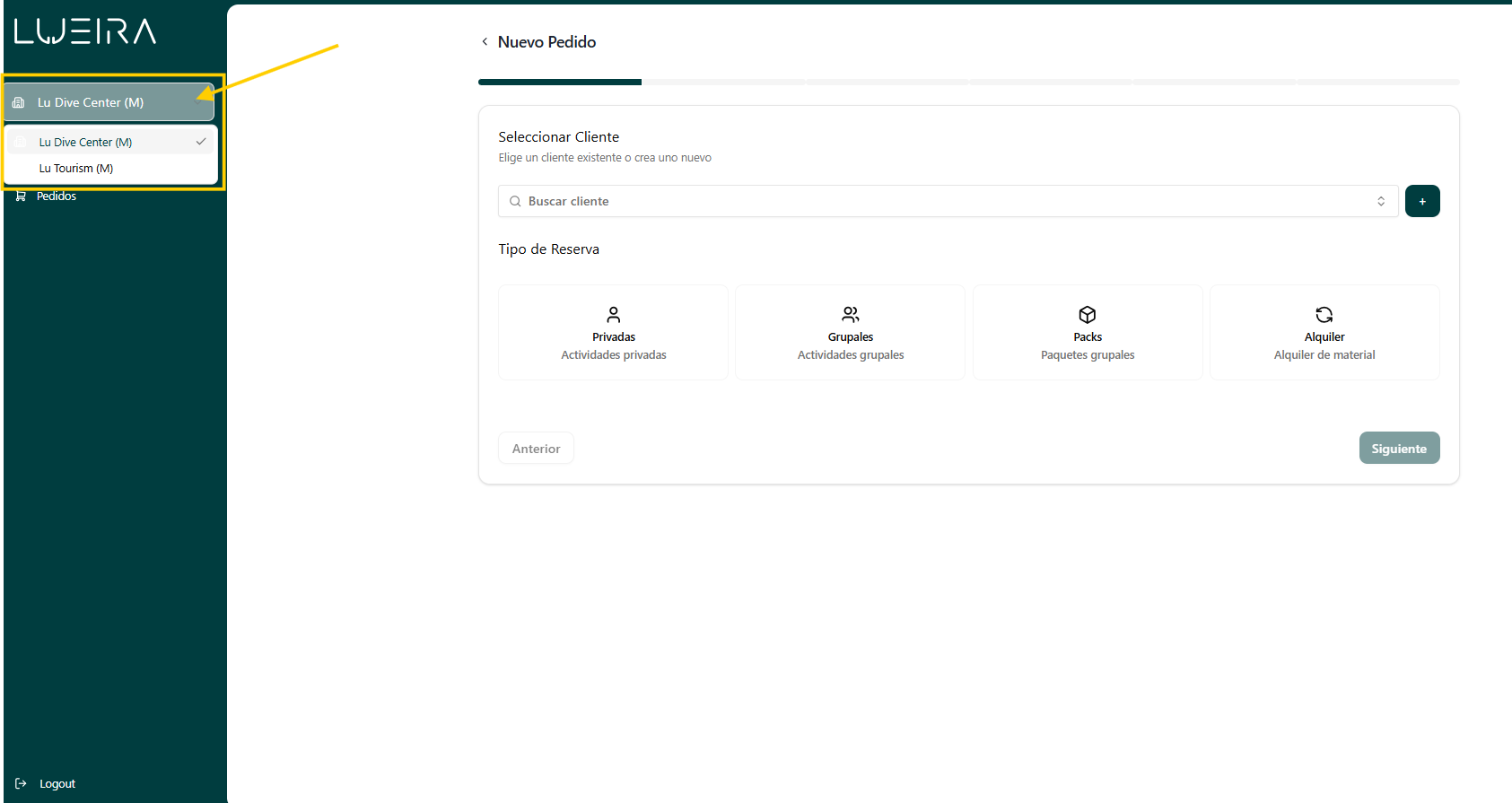
- At the top of the side menu, open the company selector.
- Choose another company.
The portal reloads the data and shows you the new company's data.
If the company you are looking for does not appear
- Check that you logged in with the email that company has on your partner record.
- If you see "We could not load your accounts. Please try again later.", try again after a while.
- If it still does not appear, ask that company to check that your access is enabled.
Related guides
Related guides
- Partner PortalIndex of the Partner Portal guides: how to set it up, how partners log in and how they create bookings of each type.
- Give a partner access to the Partner PortalHow to enable a partner's access to the Partner Portal from Lueira and what you need to share with them so they can log in.
- Partner catalog: which products a partner can sellHow to limit the products a partner sees and sells in the Partner Portal with their catalog, and what happens if they don't have one.
- Partner prices: inherit, fixed price and pricing schemesHow to give each partner their own prices and VAT in their catalog: inherit the price, set a fixed one or use flat and tiered schemes.
- Find out about the bookings your partners makeWhere to see the bookings created from the Partner Portal and how to turn on the email notification.
- Log in to the Partner PortalHow a partner enters the portal with their email and a verification code, and what to do if something goes wrong.