

Find out about the bookings your partners make
Where to see the bookings created from the Partner Portal and how to turn on the email notification.
On this page
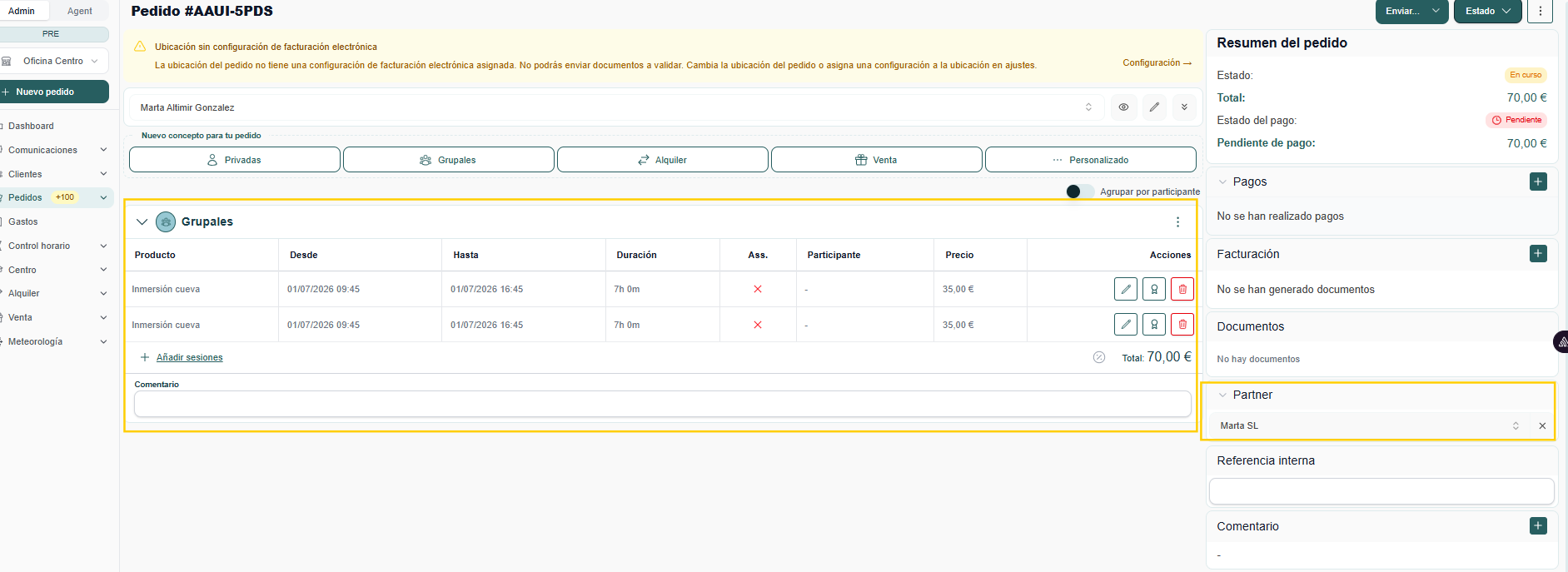
When a partner creates a booking in the Partner Portal, the order is also created in Lueira, linked to that partner. You can find it in several ways and, if you wish, receive an email every time a new one comes in.
Where to see the bookings
- In Orders, alongside the rest of your orders.
- On the partner's record (Orders → Partners), Orders tab: only that partner's bookings.
Receive an email notification
- Go to Settings → Email → Email settings.
- Turn on Notify of new Partner Portal bookings.
What the partner sees of their booking
The partner sees the booking in their own order list and in its detail. See View and search your orders in the Partner Portal.
Related guides
- Managing partners in Lueira (commissions, sales summary and order attribution)
- Email settings in Lueira
Related guides
- Partner PortalIndex of the Partner Portal guides: how to set it up, how partners log in and how they create bookings of each type.
- Give a partner access to the Partner PortalHow to enable a partner's access to the Partner Portal from Lueira and what you need to share with them so they can log in.
- Partner catalog: which products a partner can sellHow to limit the products a partner sees and sells in the Partner Portal with their catalog, and what happens if they don't have one.
- Partner prices: inherit, fixed price and pricing schemesHow to give each partner their own prices and VAT in their catalog: inherit the price, set a fixed one or use flat and tiered schemes.
- Log in to the Partner PortalHow a partner enters the portal with their email and a verification code, and what to do if something goes wrong.
- Choose and switch accounts in the Partner PortalHow to choose the company a partner works with and how to switch company without logging out.