

Log in to the Partner Portal
How a partner enters the portal with their email and a verification code, and what to do if something goes wrong.
On this page
Access to the Partner Portal does not use a password: the partner enters their email and receives a verification code by email.
Before you start
The company you work with must have enabled your access, and you must use the same email that appears on your partner record. If you are not sure, ask the company.
Steps
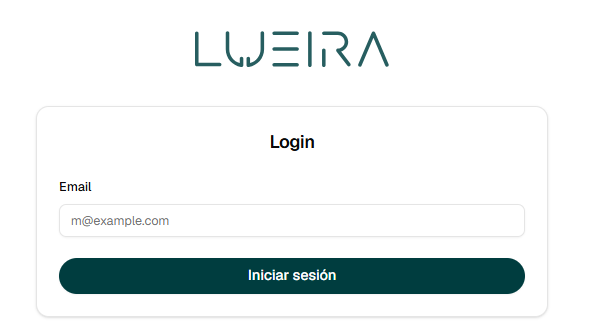
- Go to https://partners.lueira.com/login.
- Type your email and click Log in.
- You will receive a 6-digit code by email. If it does not arrive, check your SPAM folder.
- Type the code and click Verify and continue.
- Choose the company you want to work with (Choose and switch accounts).
For security, the portal never confirms whether an email is registered: it always shows "If the email is registered you will receive a code".
If the code does not arrive: resend it
Click Resend code. It is disabled for 60 seconds after each send ("Resend code in N s").
Messages you may see
- "The code is not correct. Check it and try again." Make sure you typed it correctly.
- "The code has expired. Request a new one." or "This code has already been used. Request a new one." Click Resend code and use the latest one you receive.
- "Too many attempts with this code. Request a new one." Request a new code.
- "You have requested too many codes. Wait a few minutes before trying again." Wait a few minutes.
- "Something went wrong. Check your email" The code could not be sent. Check the email address or ask the company to confirm that your access is enabled.
If your session expires
If you see "Your session has expired. Please log in again.", the portal logs you out and takes you back to the login screen. Log in again with a new code.
Log out
Click Logout at the bottom of the side menu.
Related guides
Related guides
- Partner PortalIndex of the Partner Portal guides: how to set it up, how partners log in and how they create bookings of each type.
- Give a partner access to the Partner PortalHow to enable a partner's access to the Partner Portal from Lueira and what you need to share with them so they can log in.
- Partner catalog: which products a partner can sellHow to limit the products a partner sees and sells in the Partner Portal with their catalog, and what happens if they don't have one.
- Partner prices: inherit, fixed price and pricing schemesHow to give each partner their own prices and VAT in their catalog: inherit the price, set a fixed one or use flat and tiered schemes.
- Find out about the bookings your partners makeWhere to see the bookings created from the Partner Portal and how to turn on the email notification.
- Choose and switch accounts in the Partner PortalHow to choose the company a partner works with and how to switch company without logging out.