

Record breaks in the Time Tracking app
How to start and end a break during your shift, which types there are and which ones count as working time.
On this page
While your shift is running you can record a break at any time. This leaves a record of when you stopped and why.
The break button only appears if your company uses the Time Tracking work mode. If you can't see it, update the app to the latest version and, if it still doesn't appear, check with your company's administration.
Start a break
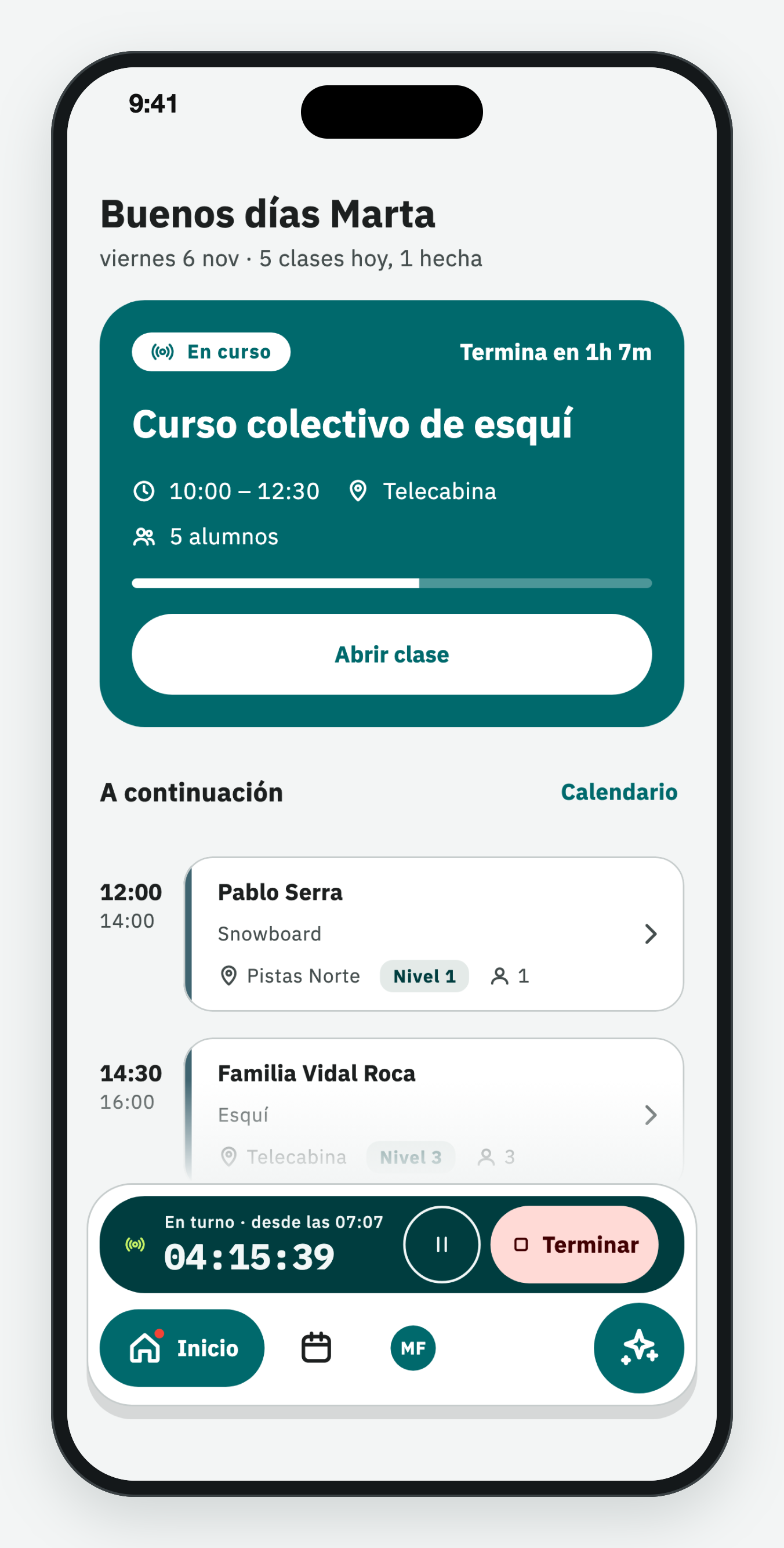
- While your shift is running, tap the break button (the round one, next to Finish; its name is “Start break”).
- Under Break type, choose one: Lunch, Short rest, Waiting time, Personal or Other.
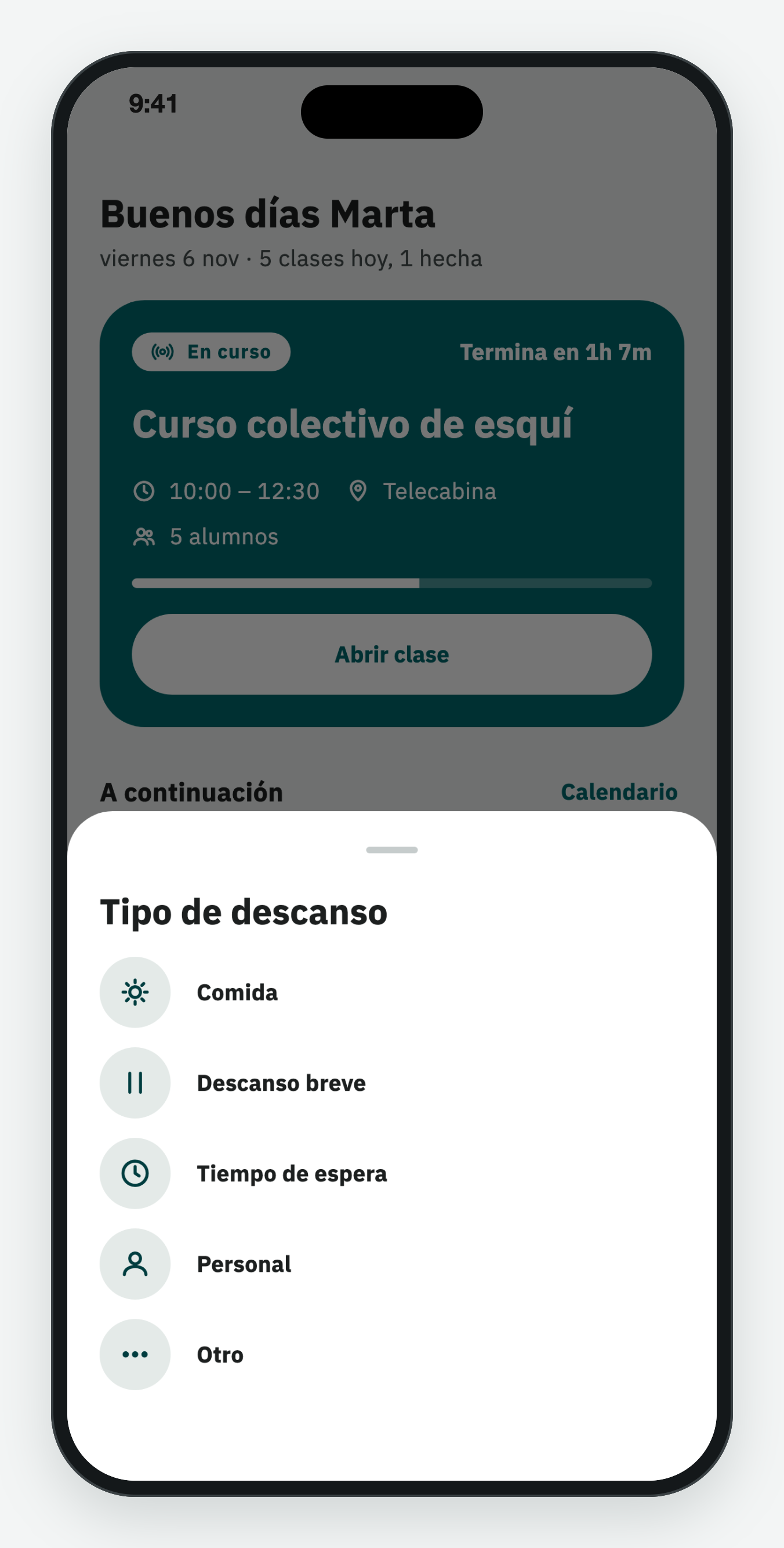
You will see “Break started”. The bar shows “On break · Lunch” (or the type you chose) with the break timer.
End the break
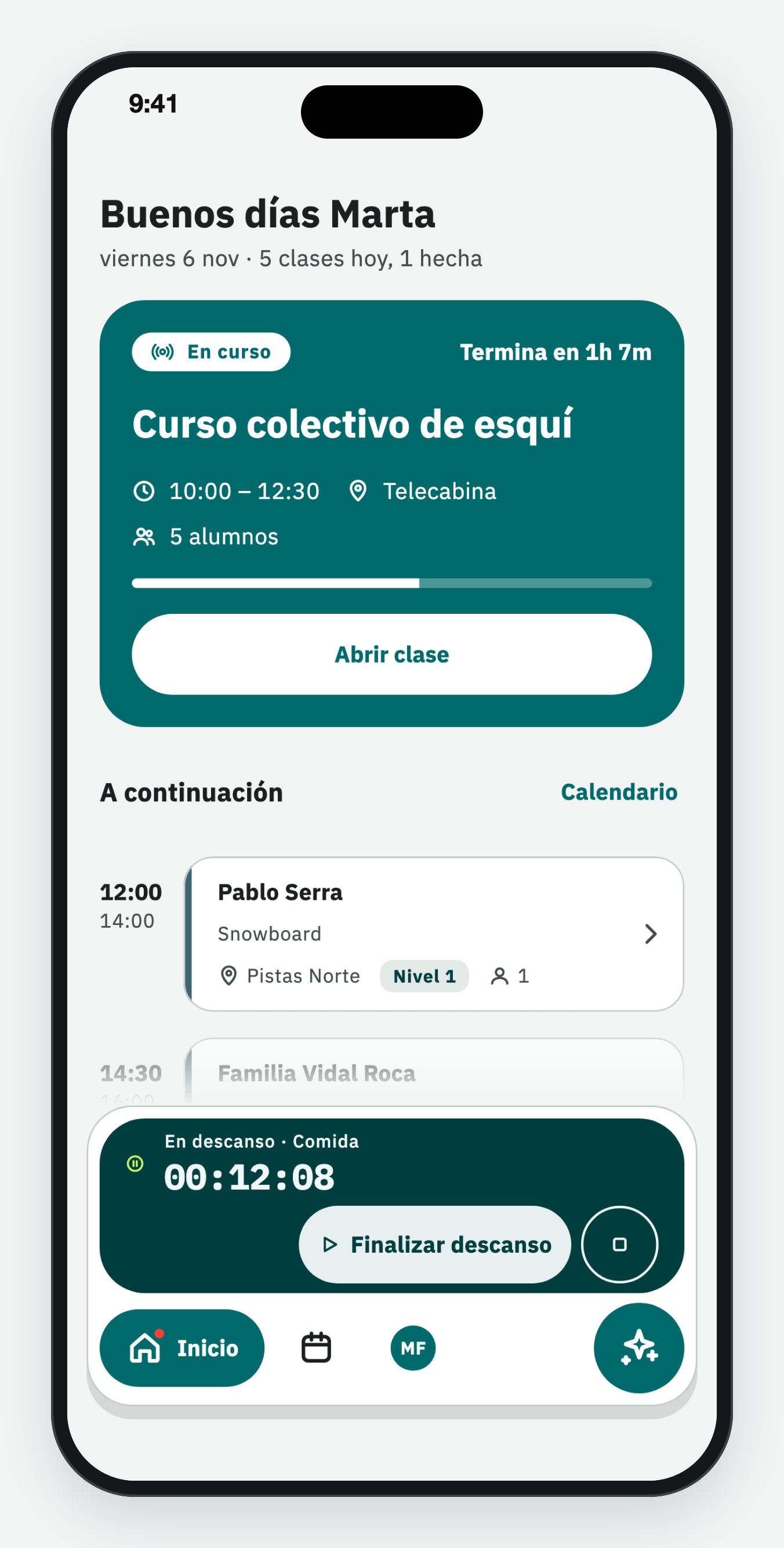
Tap End break to go back to your shift (“Break ended”).
Rules
- You can only start a break while a shift is running, and only one can be active at a time.
- If you tap Finish with a break open, the break is closed and the shift ends.
- If it fails, the app shows “Could not start the break” or “Could not end the break”. Try again.
- Without a connection, the break is saved on your phone and sent when the connection is back.
Does it count as working time?
Breaks are subtracted from your working hours, with one exception: Waiting time counts as working time. If your contract states that breaks count as working time, all types count. A break that counts appears with the “Counts as work” label in the shift detail, under Breaks.
You can see whether your contract counts breaks in Check your contract in the app.
Breaks outside a shift
If a break doesn't belong to any shift, it appears in your list of records for the day as “Breaks outside a shift”. When you tap it you can correct it just like a shift (Request a change).
Related guides
Related guides
- Time Tracking in LueiraIndex of the Time Tracking guides: how to clock in from the app or the shared station and how to manage records, requests, contracts and reports from Admin.
- Activating Time Tracking and who can use itWhat your account needs to have Time Tracking, who can enter the module and why you may not see some sections.
- Time Tracking dashboard in AdminWhich sections the Admin Time Tracking module has and what the summary cards show.
- Worker contracts and schedulesHow to create and edit a worker's contract with their working hours and weekly schedule, and how Lueira uses it to classify hours.
- View all Time Tracking recordsThe centralized view of the whole team's clock-ins: filters by worker and dates, and what each column shows.
- A worker's records: shifts, editing and historyHow to view a worker's shifts, edit a record with its reason and check the change history.