

Required instructor in private lessons
How to let your customers choose a specific instructor when booking a private lesson, with a per-hour surcharge: configuration in Settings, on the instructor and on the product.
On this page
- Required instructor in private lessons
- How it works
- Step 1: Set the per-hour surcharge
- Step 2: Mark which teachers can be chosen
- Step 3: Enable it on the private lesson product
- What the customer sees in the Online Shop
- What the person creating the order from Admin sees
- Related articles
- Manual orders: checks if the surcharge is not added
- If the surcharge is not added in a manual order
Required instructor in private lessons
By default, when a customer books a private lesson in the online shop, Lueira automatically assigns an teacher based on availability, without the customer seeing or being able to choose them. With Required teacher you can enable, for the products you want, the option for the customer to choose a specific teacher, applying a per-hour surcharge that is configured at school level.
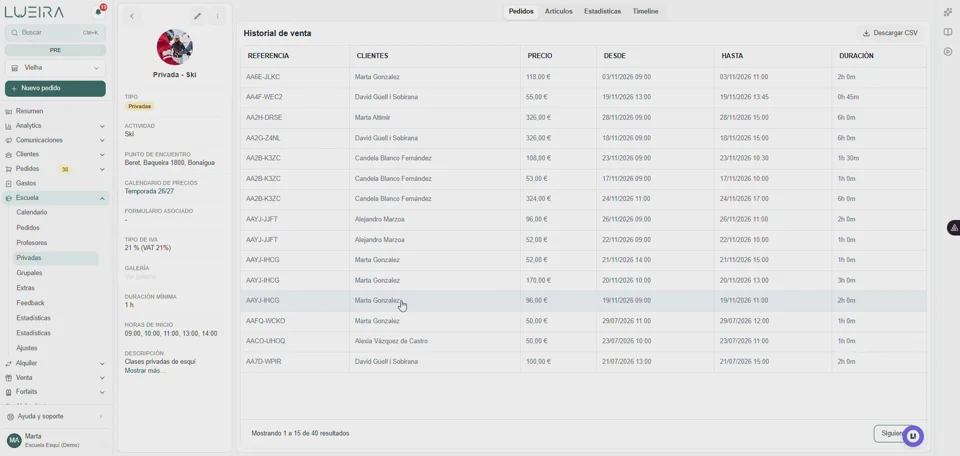 Profesor requerido en clases particulares
How it works
The default behaviour (automatic and invisible assignment) does not change: this feature is optional and you must explicitly enable it where you want to use it.
For a customer to be able to choose an teacher on a product, three settings are needed at the same time: the school-level surcharge, the teacher marked as "can be required" and the product with the option enabled.
In the online shop drop-down, only the teachers who also have real availability for that specific date and time appear.
Once the booking is confirmed, the teacher is fixed: there is no automatic mechanism to change them afterwards. If the customer wants to change them, you must handle it manually.
Step 1: Set the per-hour surcharge
The surcharge is defined only once per school (it does not vary by teacher or by product).
Go to Settings → Required instructor (you will find it next to "Vouchers" and "Qualifications").
Enter the per-hour surcharge that will be charged when a customer chooses a specific teacher.
Click Save.
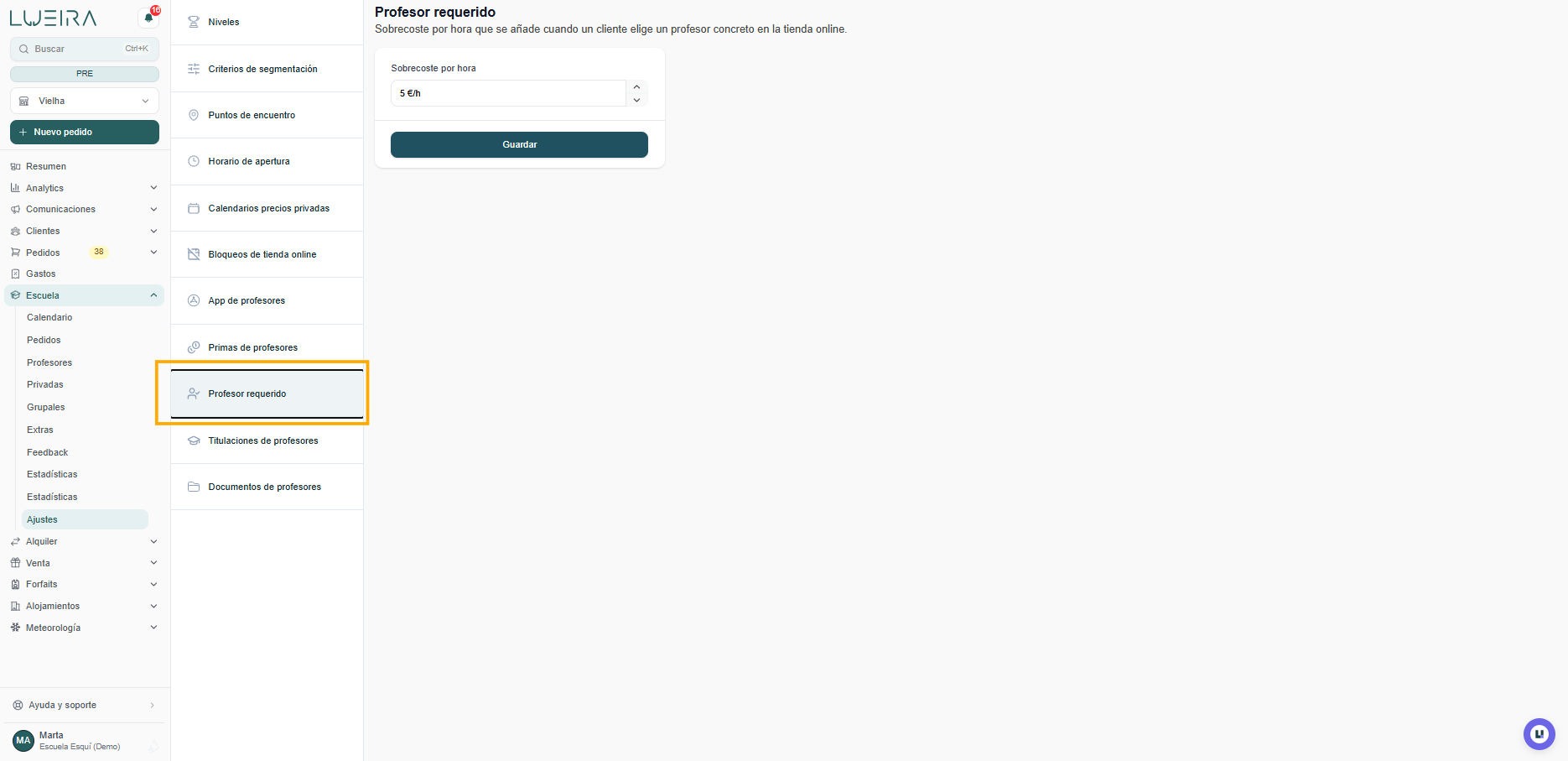
This amount is always added to the base price of the class; it never replaces it.
Step 2: Mark which teachers can be chosen
By default, no teacher can be required by a customer.
Go to School → Instructors and open the profile of the teacher you want to enable (or create them).
Turn on the "Can be required by customers" option.
Save the changes.
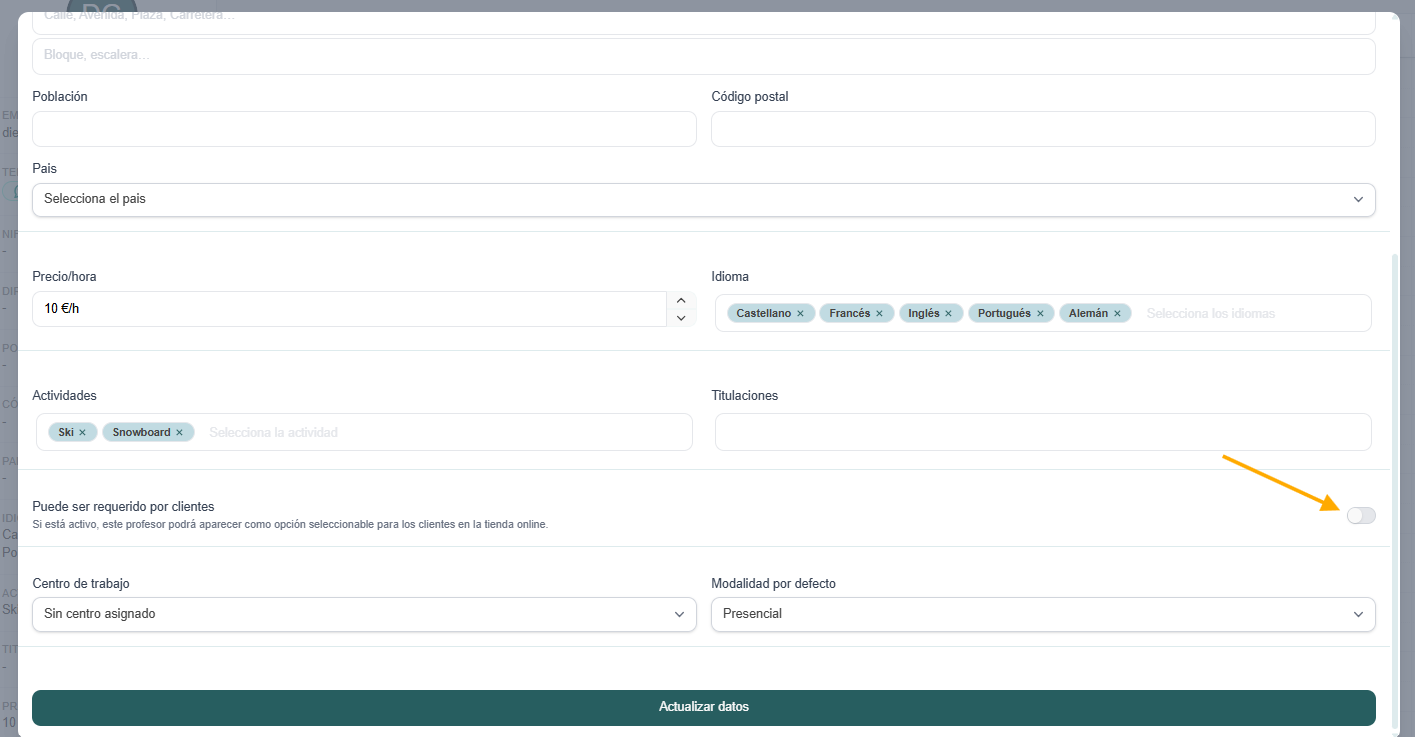
Step 3: Enable it on the private lesson product
The flag is configured at product level and always applies to the whole product (it does not vary by date, time or session).
Go to School → Products and open (or create) the private lesson product.
Tick the "Allow choice of required teacher" checkbox.
Save the product.
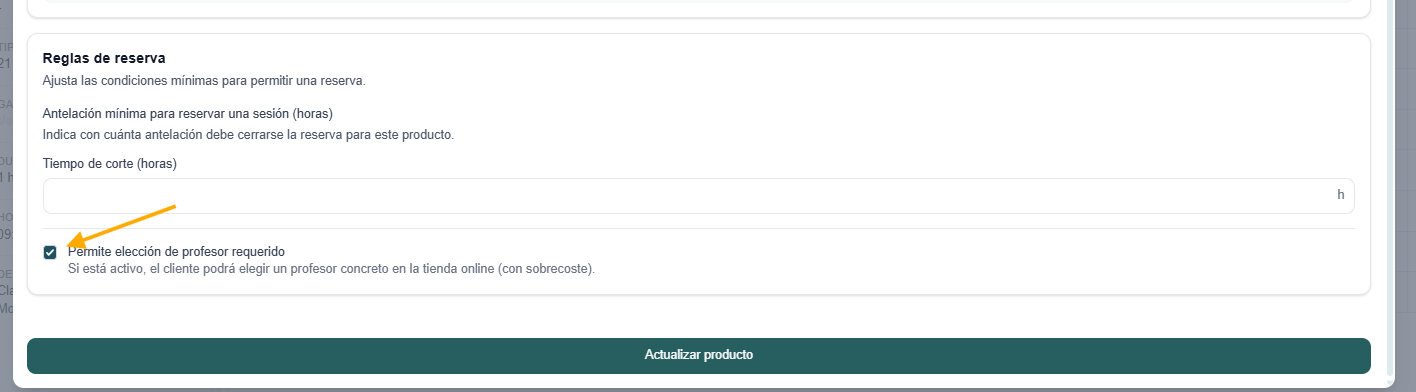
If you leave this checkbox unticked, the product keeps working exactly as before: automatic and invisible assignment, with no surcharge.
What the customer sees in the Online Shop
For a product with the option enabled, the customer will see an additional step when booking:
They set up the class as usual (date, time, participants...).
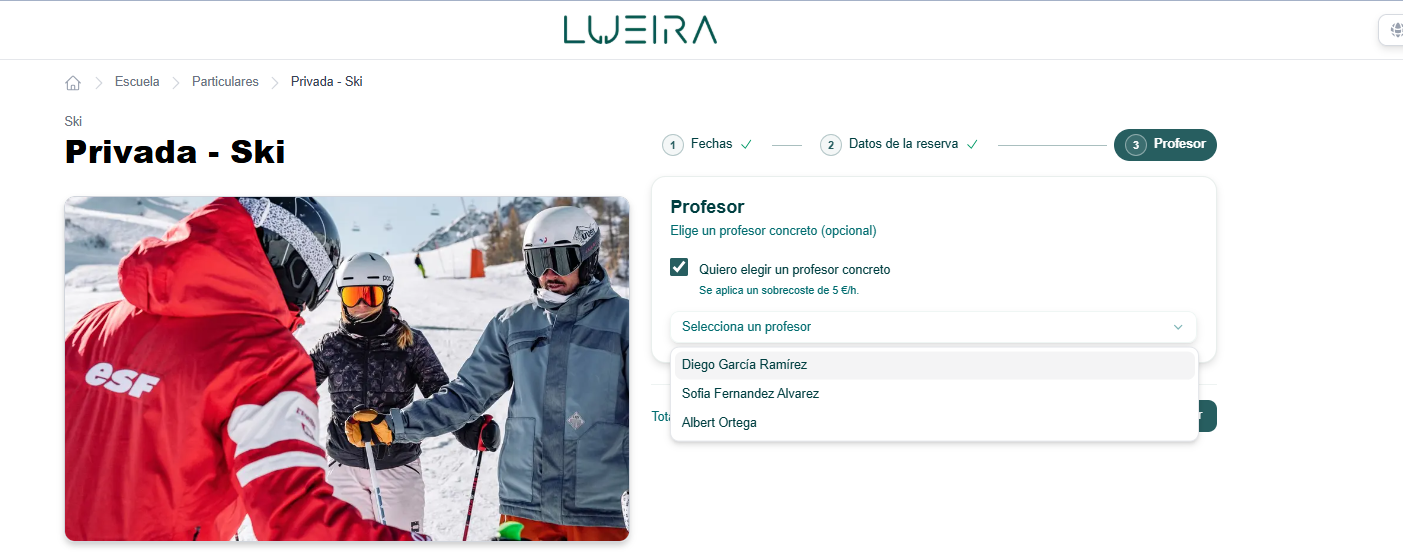
The option "I want to choose a specific teacher" appears, with a notice of the applicable per-hour surcharge. If they do not tick it, the booking follows the usual flow, with no surcharge and without showing the teacher.
If they tick it, a "Select an teacher" drop-down is shown with only the teachers available for that specific date/time, showing only their first name and surname (no photo, ratings or specialty). If none is available, a message says there are no teachers available for that time slot.
The price is shown itemised: base price of the class, a "Required teacher" line with the surcharge, and the total in the cart.
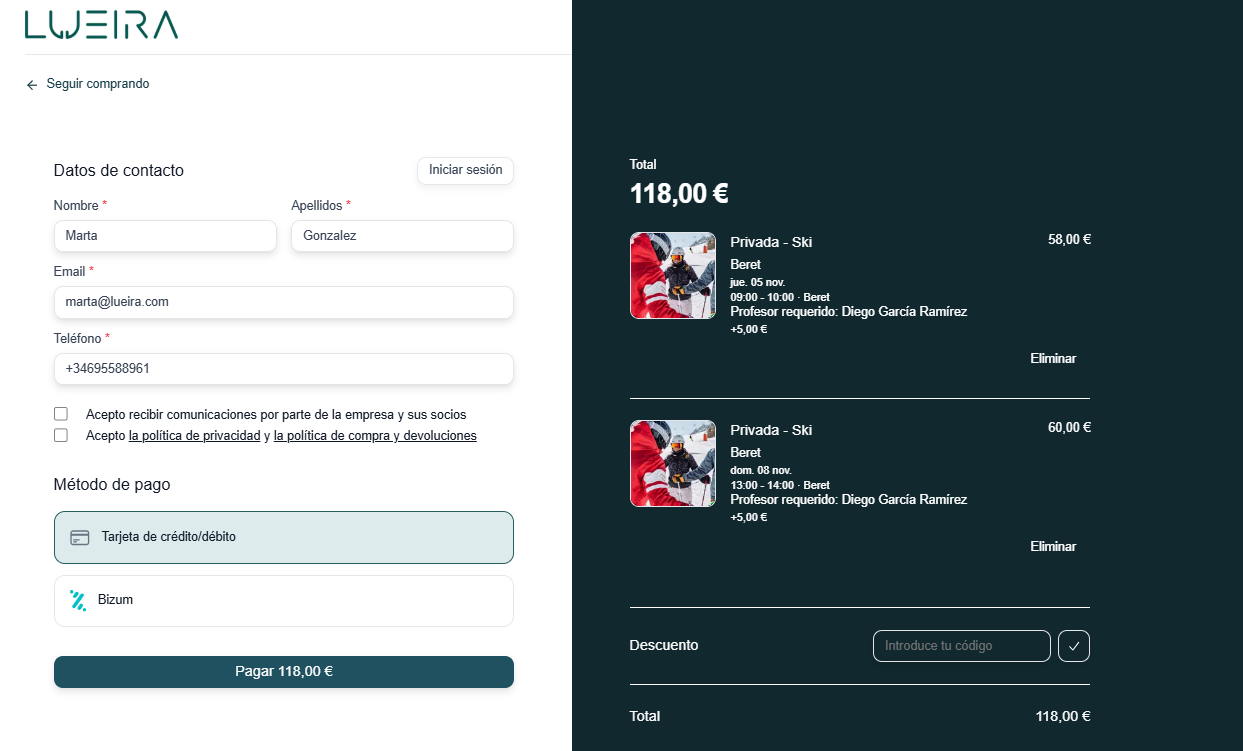
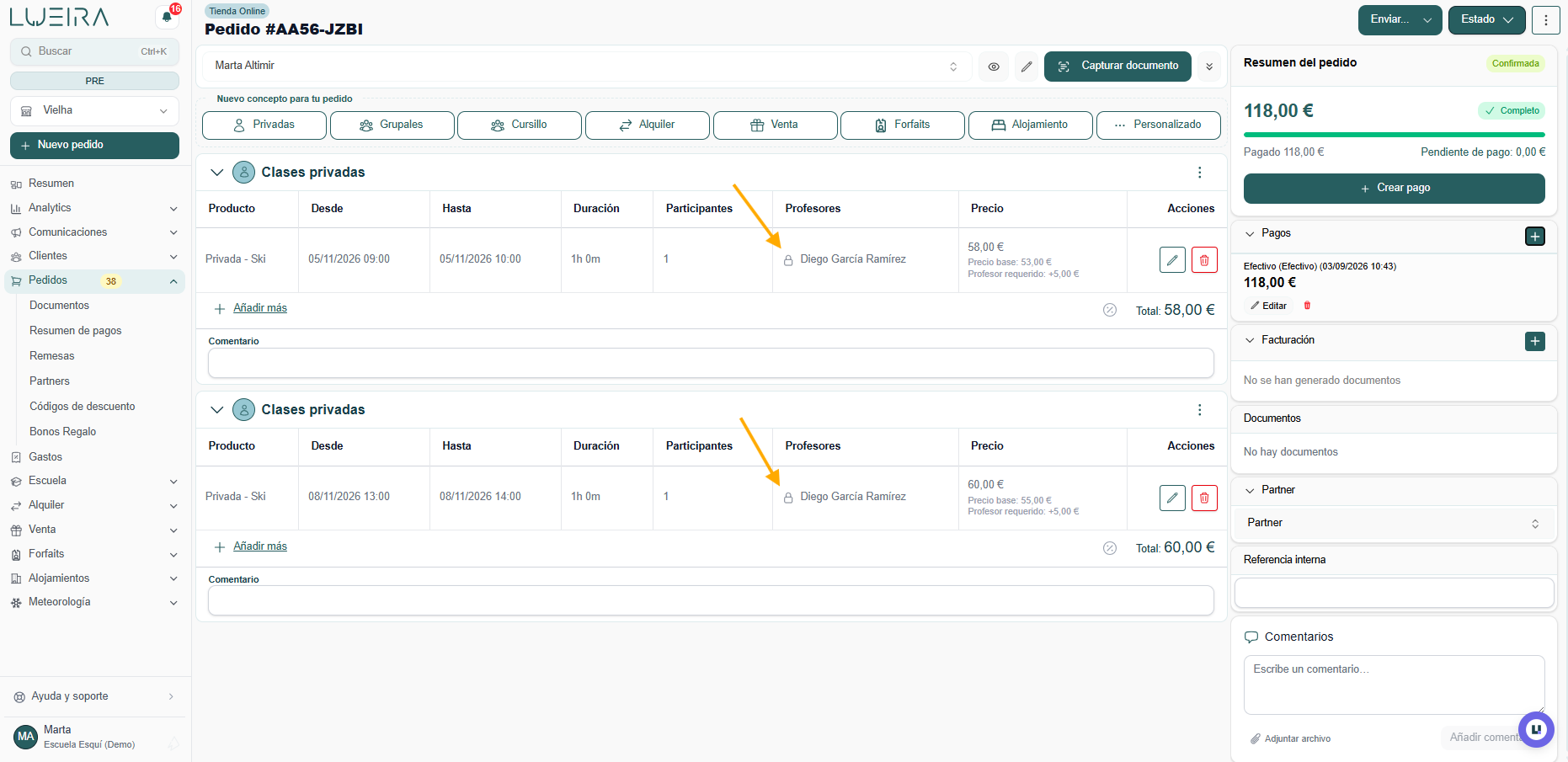
Once the booking is confirmed, the chosen teacher is linked to that class.
What the person creating the order from Admin sees
This same option is also available when manually creating or editing a private lesson order from Admin (previously it could only be applied from the Online Shop):
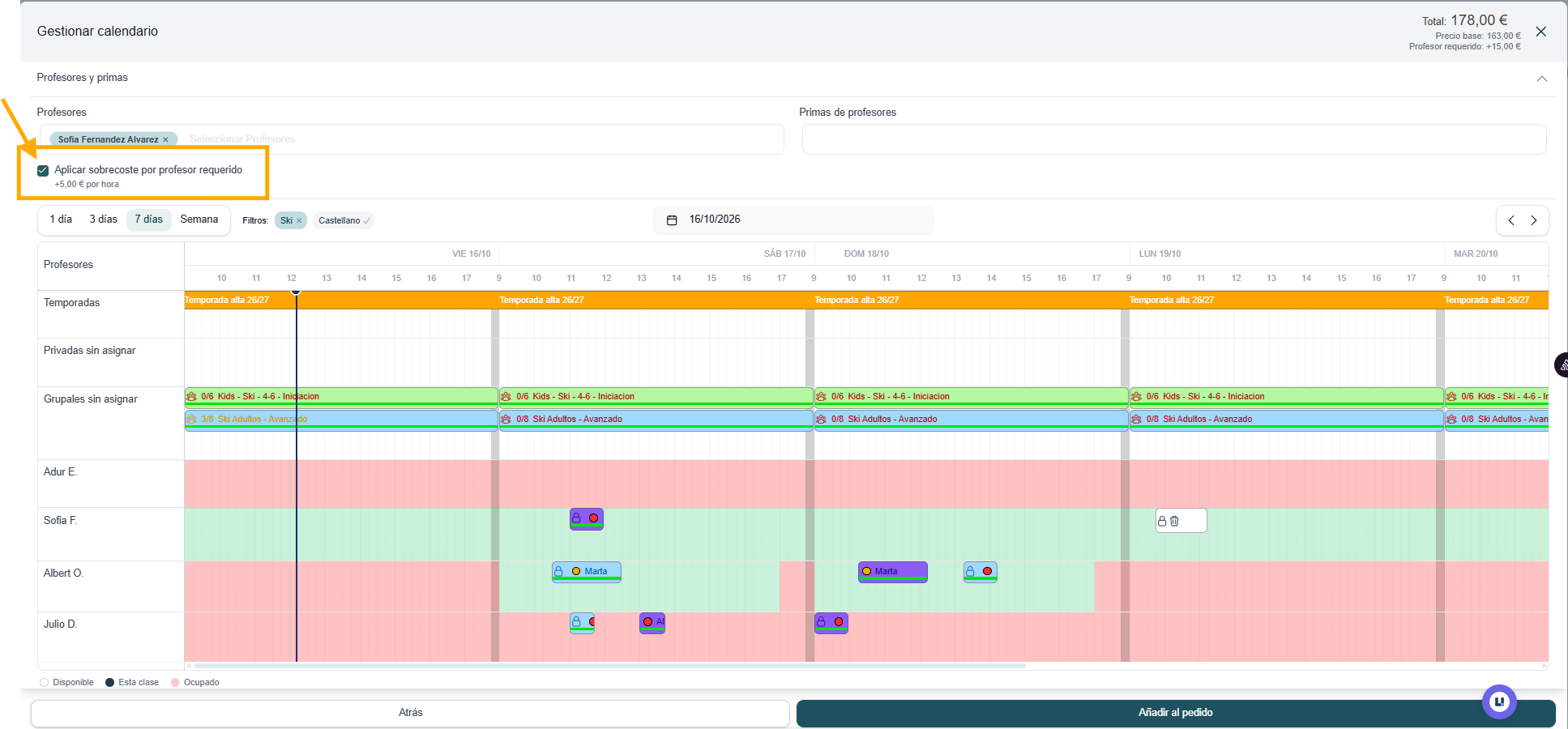
When creating or editing the order, in the section where you add the teacher (next to the "Teachers" and "Teachers bonuses" fields), the checkbox "Apply surcharge for required [teacher]" appears, with a notice of the per-hour amount that will be added.
Unlike the Online Shop, in Admin this checkbox is always shown as long as the class has at least one teacher assigned: the product does not need to have the required teacher option enabled, nor does the teacher need to be marked as "Can be required by customers". The person creating or editing the order from Admin decides, case by case, whether to apply the surcharge. It is not available for sessions paid with a voucher.
If you do not tick it, the order price is just the base price of the class. If you tick it, the per-hour surcharge configured for the school is added, and the order Total shows the base price and the surcharge separately.
If you remove from the order the only teacher who was assigned, the surcharge is removed automatically.
Once the order is created, this information remains visible in its details, just as in the Online Shop.
Related articles
Managing instructors in Lueira — how to create and manage teachers.
Adding school products — creating and configuring private and group products.
Private product pricing — how the base price of the class, on which this surcharge is applied, is calculated.
Manual orders: checks if the surcharge is not added
If the surcharge is not added in a manual order
In orders created from Admin, the surcharge is not applied automatically: you have to tick the required teacher surcharge checkbox on each class. If you do not see it or the price does not change, check the following:
That you have entered an amount in Settings → Required teacher. If the per-hour surcharge is empty, the checkbox does not appear in the order.
That the class has at least one teacher assigned.
That the class is not paid with a voucher.
⚠️ Lueira does not automatically recalculate orders that were already created. If you need to apply the surcharge to an existing class, edit it and tick the checkbox; if the option does not appear, contact the Lueira support team.
💡 The surcharge in this guide is what the customer pays. What the instructor earns for a required class is configured separately, in the "Required" bonus: see Required classes and salary bonuses for instructors.
Videos about this guide
Related guides
- School navigationHere you will find everything the School section offers
- Which product type do I need? Group, private, pack, voucher or multi-day courseGuide to choosing the right product for what you sell: private lessons (price per hour or rates), several sessions priced by number of sessions, fixed dates, hour voucher, multi-day course or a single student with a group schedule.
- Add School productsComplete guide to creating and configuring private and group products in the School section: form fields, session availability and creating sessions in the calendar.
- Product sheet: Data, Translations, Settings, Extras and Related ProductsReference guide to the tabs of the product creation/editing form (private, group, rental or sale): what each one contains and links to the specific guides.
- How do I set up a new season?We show you how to set up a new ski season in Lueira
- How can I set up the new season of my ski school in LueiraWe show you how to set up a new ski season in Lueira