

School navigation
Here you will find everything the School section offers
On this page
School navigation
The School section brings together everything you need to manage your private and group lessons: the teachers' planning, orders, products, packs, feedback for your customers, statistics and settings.
The "School" button in the side menu takes you to the main screen, the planning, where you will see the teachers with their availability and all the lessons assigned to them. When you expand it, you will find these submenus:
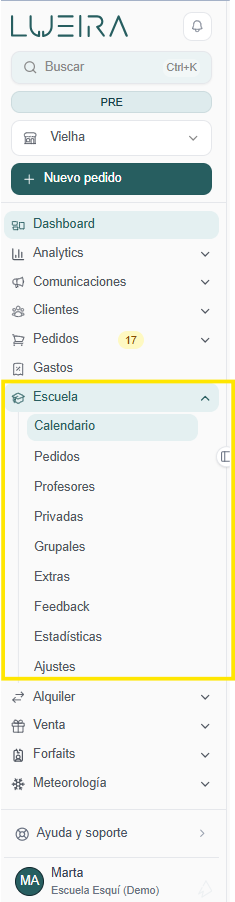
Calendar
Calendar is the planning screen. You can choose the view that suits you best and see each teacher's availability and bookings. You can also move bookings from one teacher to another and even from one day to another.
School orders
School orders contains the detailed table of private lesson and group lesson orders.
Next to the search box you have the "Filters" button, which opens a side panel to quickly find what you are looking for. The options are the same in both lists:
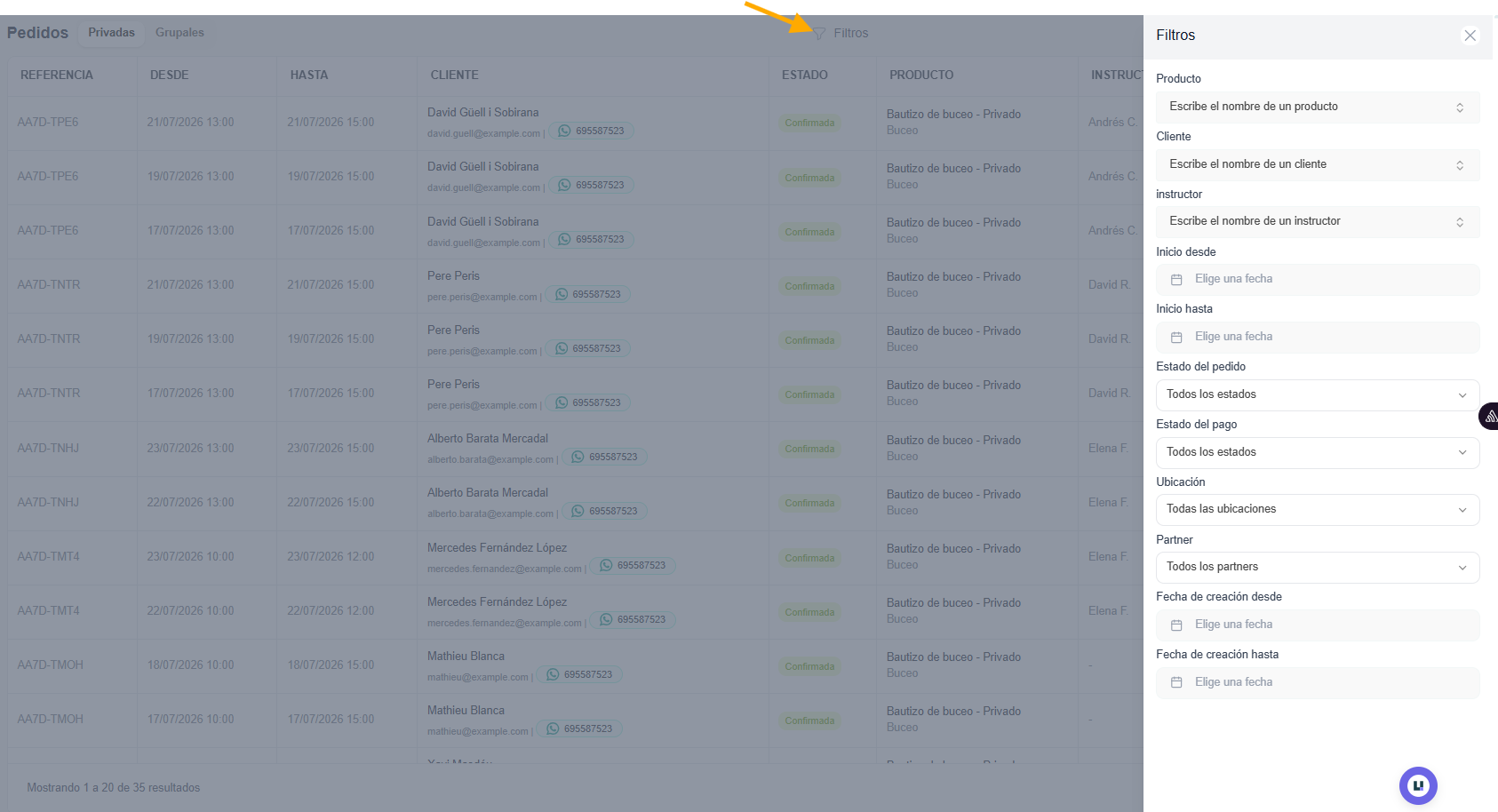
Product: type the name and select the product you want to find.
Customer: filter by the customer of the order.
Teacher: shows the bookings assigned to a specific teacher.
Start date (from / to): narrows the bookings down by the day the lessons start.
Order status and payment status: for example, to find orders with a pending or partial payment.
Source: Online Store, AI Agent, Marketplace/OTA or the point of sale where the order was created.
Partner: orders linked to a specific partner, or those without any.
Creation date (from / to): by the day the order was created.
You can combine as many filters as you need. When filters are active, the button shows how many you have applied, for example "Filters (3)", and every time you change a filter the list goes back to the first page.
💡 Filters are kept in the page address, so if you open an order and come back to the list, or copy the link to send it to a colleague, you will see the same filtered list.
Teachers
In Teachers you can sort the teachers according to your preferences, open the detail of each one and check their planning, availability and time records.
Products
In Products you can view, create and configure both private lesson and group lesson products, as well as create the sessions associated with group products.
Packs
In Packs you can group your group lessons into sessions to sell fixed or consecutive vouchers. In this guide we explain how to create School packs.
Feedback
In Feedback you can customise the badges you want to award your customers for the goals they achieve. You can also add your customer's feedback and photo gallery. In this guide you will learn how to create badges and feedback.
Statistics
In Statistics you will find the summaries of hours worked by your teachers. You can filter by the dates you want and you will see the summary of private, required and group hours each teacher has taught in that period.
School settings
From School settings you will configure levels, meeting points, segmentation criteria, opening hours, calendars and rates for private products, the teachers' app, bonuses, qualifications and team documents, and online store blocks, among other things. See the complete Settings guide (School / Center / Activities) for the detail of each section.
If you have any questions, don't hesitate to contact the Lueira support team!
Related guides
- Which product type do I need? Group, private, pack, voucher or multi-day courseGuide to choosing the right product for what you sell: private lessons (price per hour or rates), several sessions priced by number of sessions, fixed dates, hour voucher, multi-day course or a single student with a group schedule.
- Add School productsComplete guide to creating and configuring private and group products in the School section: form fields, session availability and creating sessions in the calendar.
- Product sheet: Data, Translations, Settings, Extras and Related ProductsReference guide to the tabs of the product creation/editing form (private, group, rental or sale): what each one contains and links to the specific guides.
- How do I set up a new season?We show you how to set up a new ski season in Lueira
- How can I set up the new season of my ski school in LueiraWe show you how to set up a new ski season in Lueira
- Lesson calendarHow to use the Lesson calendar: modes (Teachers/Instructors/Guides and Boat departures), the 3 available views (Calendar, Grid, List), filters, lesson reassignment and printable summaries.