

I can't clock in: solutions to common problems
What to do if you can't sign in, you don't appear in the list to clock in, you can't sign out or your PIN is locked.
On this page
- I can't sign in to the app, or the code from the email gives an error
- I don't appear in the list to clock in
- I don't see the clock-in bar in the app
- I don't see the break button, the monthly summary or "My contract"
- I can't sign out or switch school
- When I sign out it warns me about records that are not synced
- I can't start or end a break
- My clock-in station PIN doesn't work
- I clocked in wrongly or forgot to clock in
- If you still can't clock in
- Related guides
If you can't clock in, start here.
I can't sign in to the app, or the code from the email gives an error
Check that you have the latest version of the app installed from Google Play or the App Store (if the app shows "Update required", tap Update now). Use the code from the most recent email you received and sign in with the same email the school used to register you. If it says "Email not found", ask your school to check your profile.
I don't appear in the list to clock in
To clock in you must be registered as a teacher, instructor or guide, or as a worker in the Time Tracking module, with the same email you sign in with. If you do other tasks and don't teach activities, ask the administrator to register you as a worker.
Each person needs their own email: the same email cannot be used on two profiles.
I don't see the clock-in bar in the app
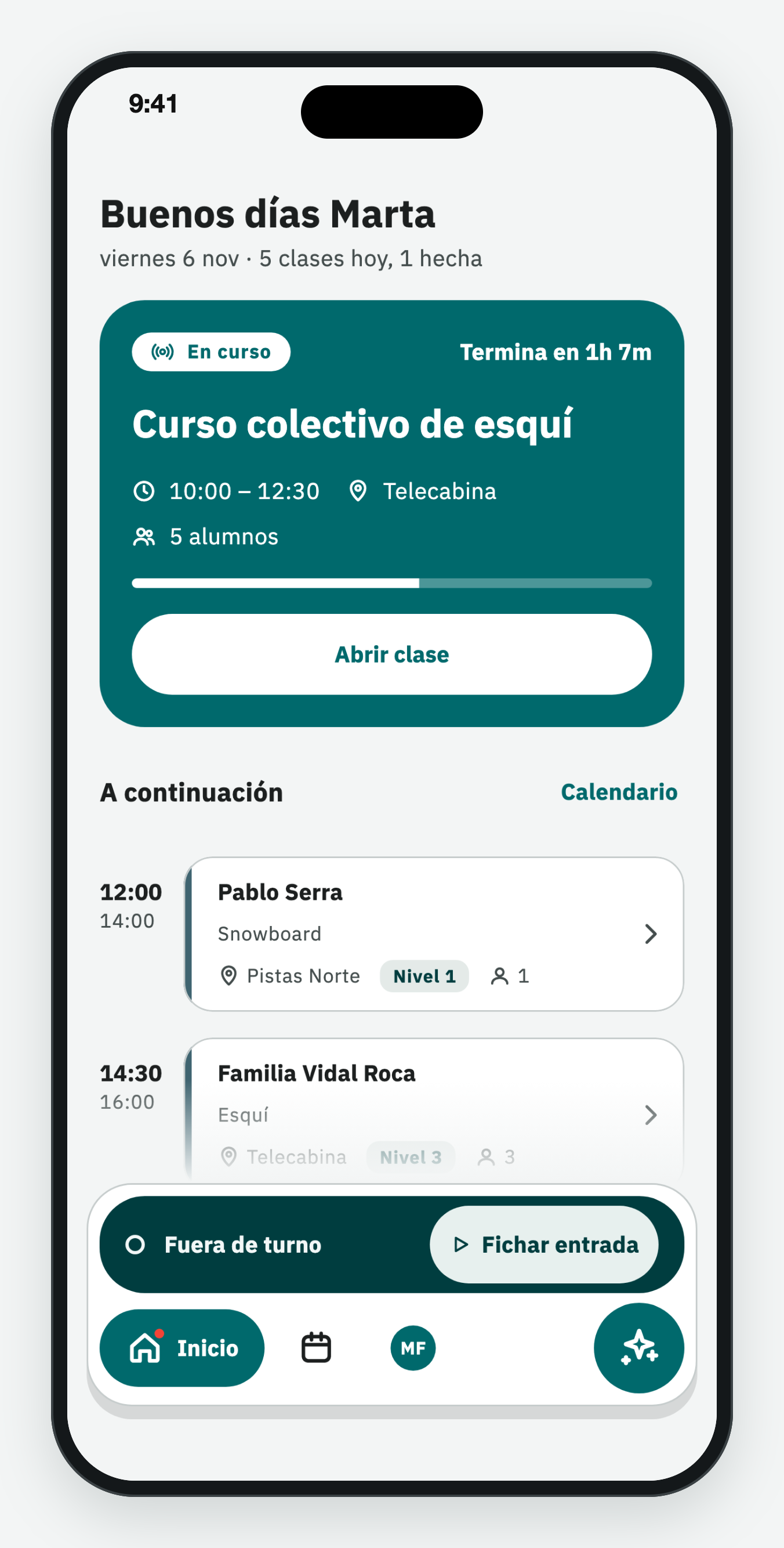
Clocking in appears in the bottom bar ("Off duty" and Clock in) only if your company has Time Tracking turned on. Ask your company's administration (Activating Time Tracking and who can use it). If you are a worker without classes and it is not turned on, your Home shows "Time tracking isn't available".
I don't see the break button, the monthly summary or "My contract"
These features are available when your company uses Time Tracking with working-time schemes. If you don't see them, update the app to the latest version from Google Play or the App Store. If you still don't see them, ask your administrator or write to us with your email and the app version.
I can't sign out or switch school
You have a workday in progress. End it first with Finish. You will see the messages "You can't log out while a time log is running" or "You cannot change schools with an active time log".
When I sign out it warns me about records that are not synced
The app has not been able to send a clock-in, break or comment (usually because of no connection). Connect to the internet, wait a moment and try again. If you choose Log out anyway, anything pending is lost.
I can't start or end a break
You need a workday in progress, and there can only be one active break. If you see "Could not start the break" or "Could not end the break", check your connection and try again.
My clock-in station PIN doesn't work
After 5 failed attempts, the PIN is locked for 30 minutes. Wait, or ask your administrator or support to reset it (Clocking in from the clock-in station).
I clocked in wrongly or forgot to clock in
Request a change to the record and explain the reason.
If you still can't clock in
Write to us with the person's email and the device they are trying from.
Related guides
Related guides
- Time Tracking in LueiraIndex of the Time Tracking guides: how to clock in from the app or the shared station and how to manage records, requests, contracts and reports from Admin.
- Activating Time Tracking and who can use itWhat your account needs to have Time Tracking, who can enter the module and why you may not see some sections.
- Time Tracking dashboard in AdminWhich sections the Admin Time Tracking module has and what the summary cards show.
- Worker contracts and schedulesHow to create and edit a worker's contract with their working hours and weekly schedule, and how Lueira uses it to classify hours.
- View all Time Tracking recordsThe centralized view of the whole team's clock-ins: filters by worker and dates, and what each column shows.
- A worker's records: shifts, editing and historyHow to view a worker's shifts, edit a record with its reason and check the change history.