

Web purchase link in Knowledge articles
Add to a Knowledge article the URL of your website where that product is bought (one per language) so the WhatsApp Agent sends it to the customer.
On this page
What the purchase link is for
Each article in Communications > Knowledge has an optional field called Web purchase URL. It is for products that are not booked through Lueira (for example, an activity sold by an external provider or that only exists on your website): when a customer asks about them on WhatsApp, the WhatsApp Agent answers with the information from the article and sends this link so they can buy there.
If the product does exist in Lueira, there is no need to fill it in: the WhatsApp Agent books it directly. For the full picture, see What the WhatsApp Agent sells and what it does when it can't.
How to add the link
Go to Communications > Knowledge.
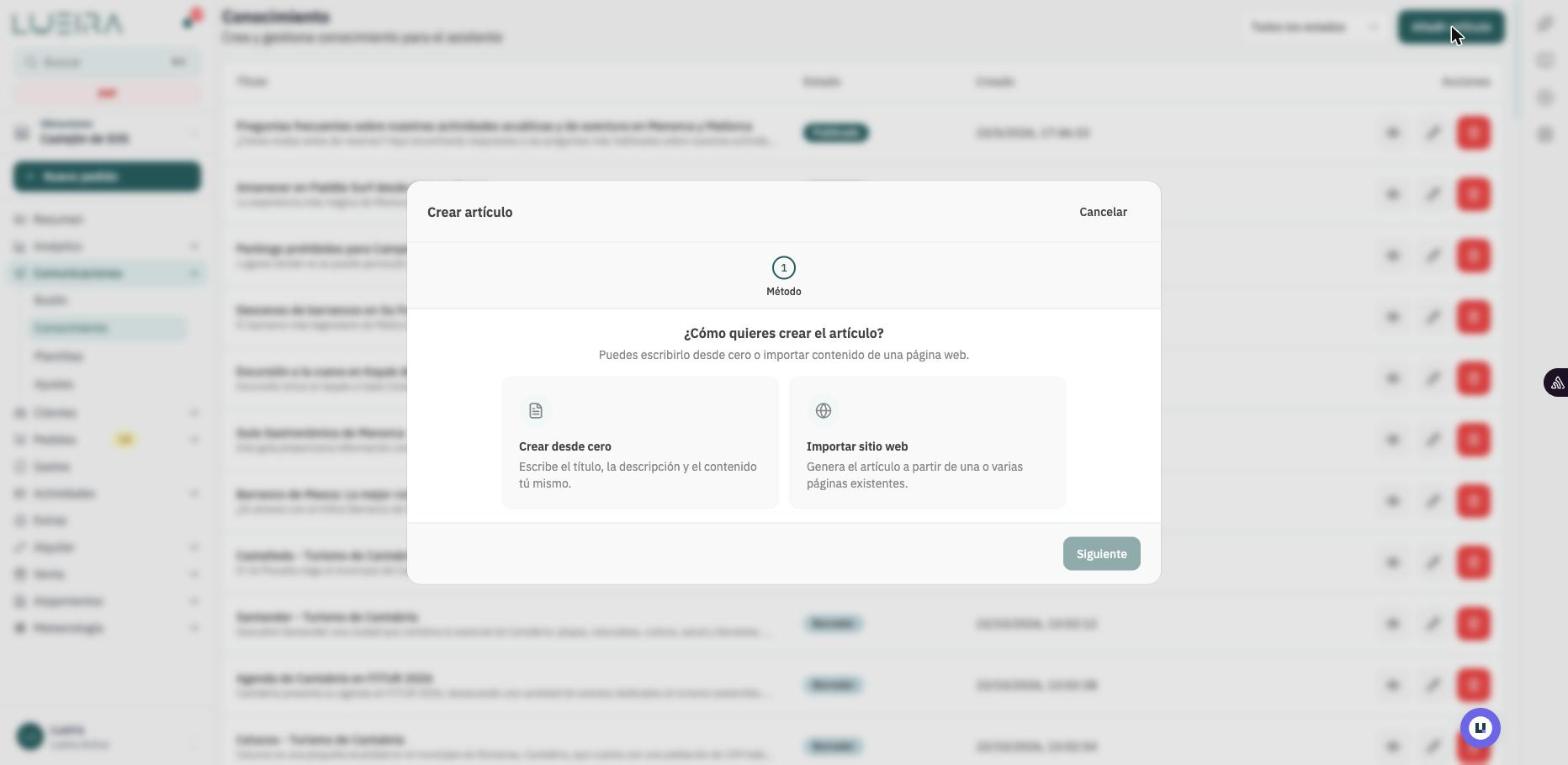
Click Add article (or the pencil on an existing article). For a new one, choose Create from scratch.
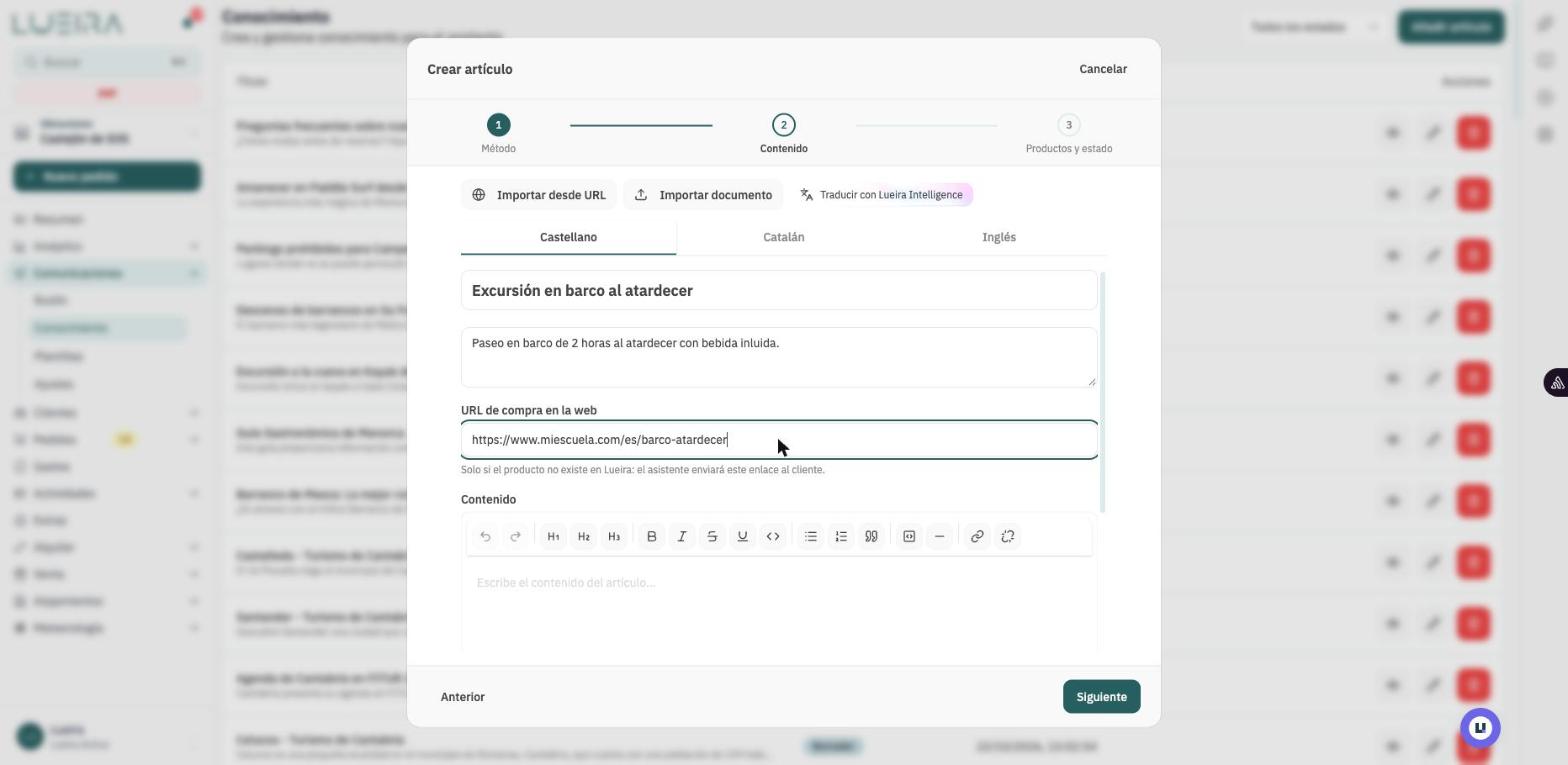
In the Content step, write the title, description and content. Between the description and the content is the Web purchase URL field: paste the full address, including
https://.
Click Next, leave the article as Published and click Create article (or Save if you are editing it).
If the URL isn't valid, you will see the warning "The purchase URL is not valid. Use a full http(s) link" and you won't be able to save.
A different link per language
If your website has a different address for each language, put it in the tab for that language (Spanish, Catalan, English…). In the tabs of the other languages the field has the same name and its help text says "Purchase URL in this language (if different)".
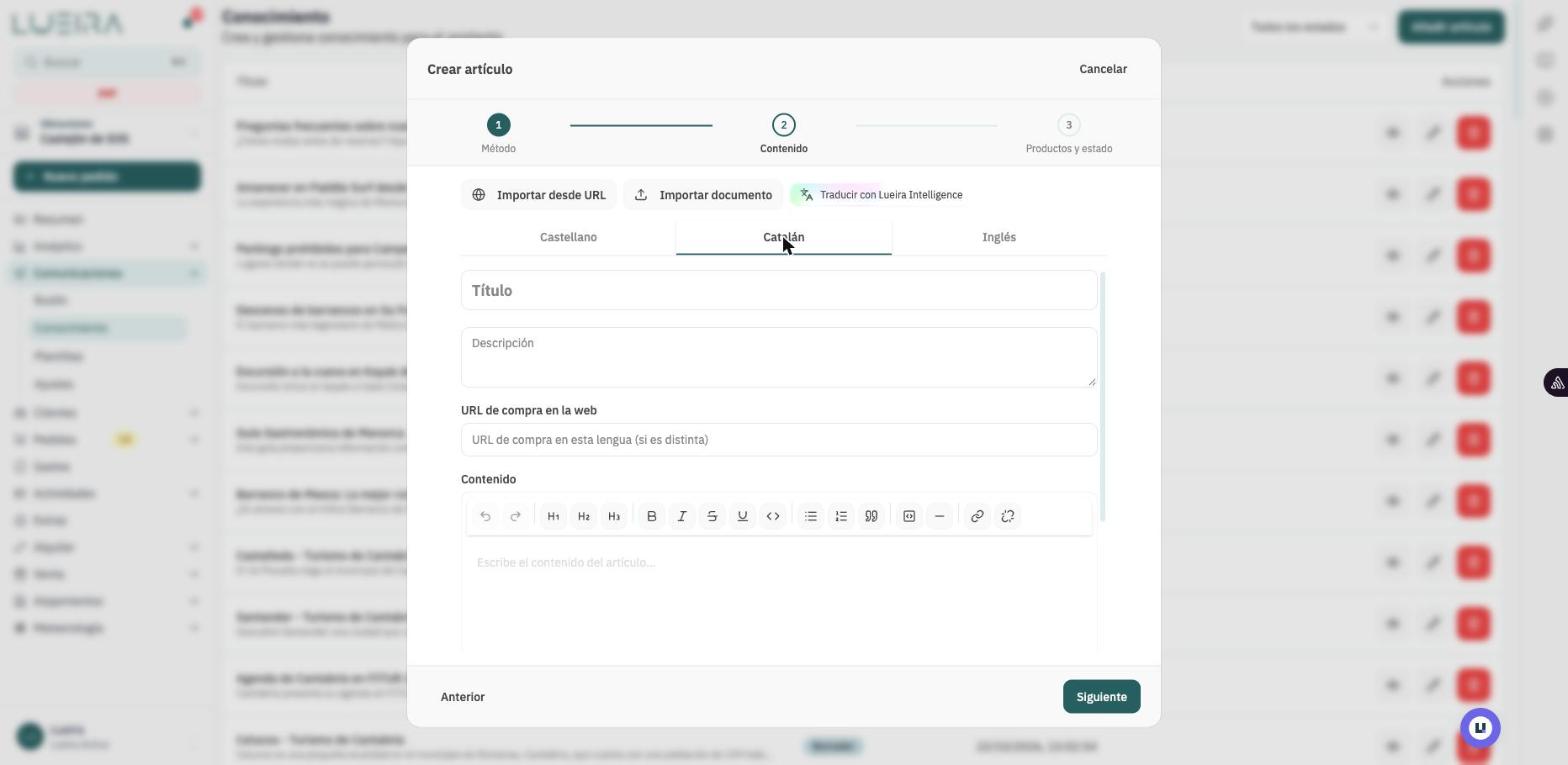
The WhatsApp Agent chooses like this:
If the customer writes in a language that has a URL, it sends that one.
If there isn't one, it sends the default URL (the one for the article's main language).
Leave a tab empty if the address is the same as the main language's.
Tips and common mistakes
One link per product. Create one article per external product so the customer receives the exact link, not a generic one.
Published. The WhatsApp Agent doesn't read an article in Draft.
Full link. Without
https://it won't save.Update the link if your website changes. The WhatsApp Agent sends exactly what is saved.
If you change an article's link, the WhatsApp Agent uses the new one from the next conversation.
Related guides
- Communications in LueiraThe Communications module brings together everything you need to talk to your customers by email and WhatsApp: templates, the WhatsApp Agent, the unified inbox and the knowledge base that feeds the WhatsApp Agent.
- Before connecting WhatsApp: prerequisites in MetaStep-by-step guide to preparing your Meta business portfolio, business verification, display name and number, and to choosing between the WhatsApp Business app (coexistence) and a dedicated number (Cloud API).
- Connect WhatsApp in LueiraHow to connect your WhatsApp Business number to Lueira: choose between connecting the WhatsApp Business app or a dedicated number, and complete the process in Meta in under 2 minutes.
- One WhatsApp number per locationIf your account has several locations, each one can have its own WhatsApp number. Requirements, how to connect them and what is shared between numbers.
- WhatsApp AgentSet up the WhatsApp Agent, which automatically replies to your customers' WhatsApp messages, uses your articles as its source of information and can create orders directly from the chat.
- What the WhatsApp Agent sells and what it does when it can'tThe WhatsApp Agent only books what exists as a product in your store. For everything else it sends the customer the purchase link from your website. Here you can see how it works and how to set it up.