

WhatsApp Agent Knowledge: how to create articles it uses well
How to create, link to products, translate and publish the Knowledge articles the WhatsApp Agent draws its answers from.
On this page
What Knowledge is
The WhatsApp Agent doesn't make up answers: it searches the Knowledge articles you publish in Communications > Knowledge. The more specific each article is, the better it answers.
The screen lists your articles with their status (Published or Draft) and creation date. From the top right corner you can filter by status, and each row has the view, edit and delete actions.
Create an article step by step
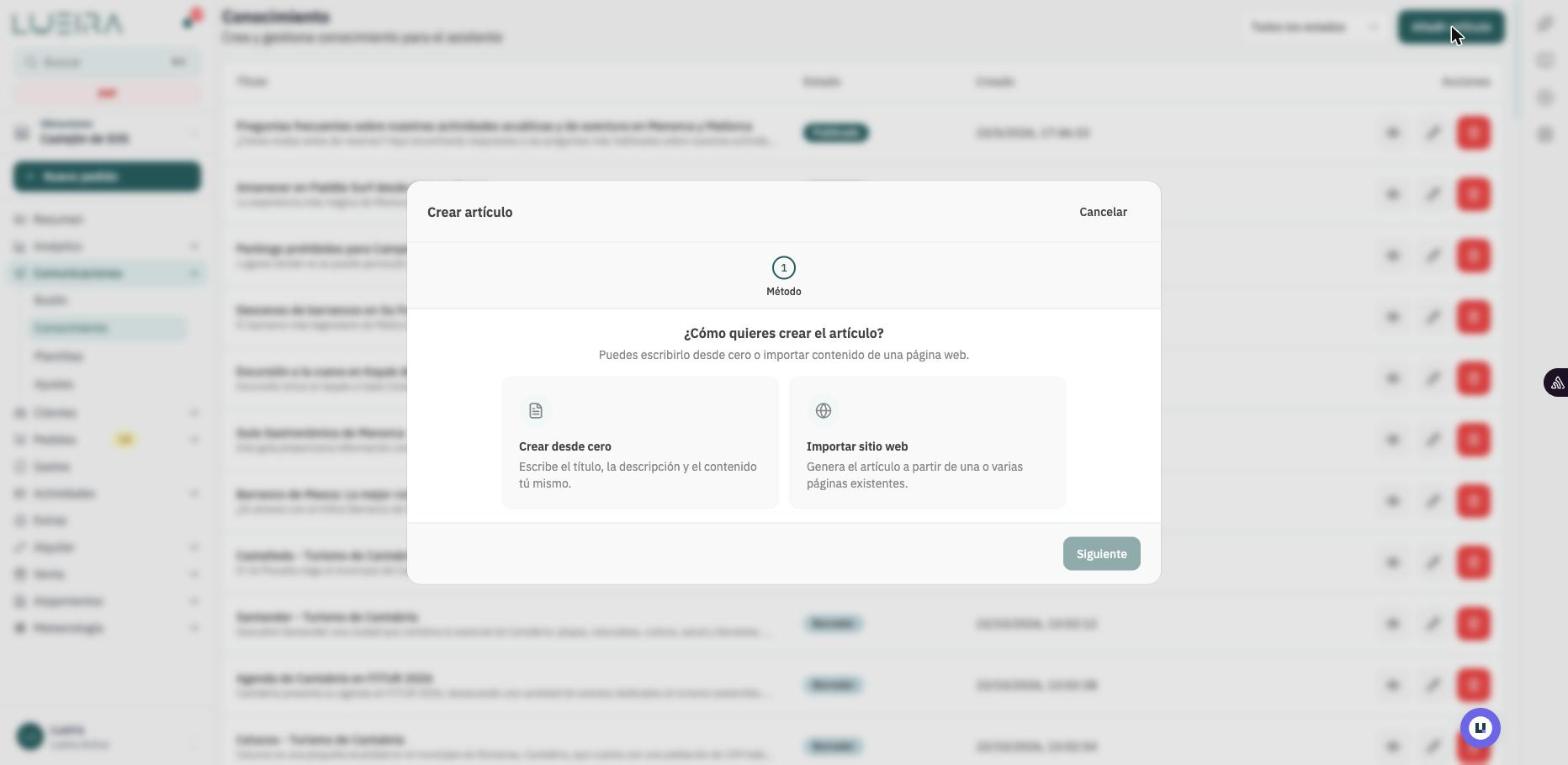
Click Add article. The creation wizard has three steps:
1. Method
Choose Create from scratch (you write the title, description and content) or Import website (the article is generated from one or more pages of your website).
2. Content
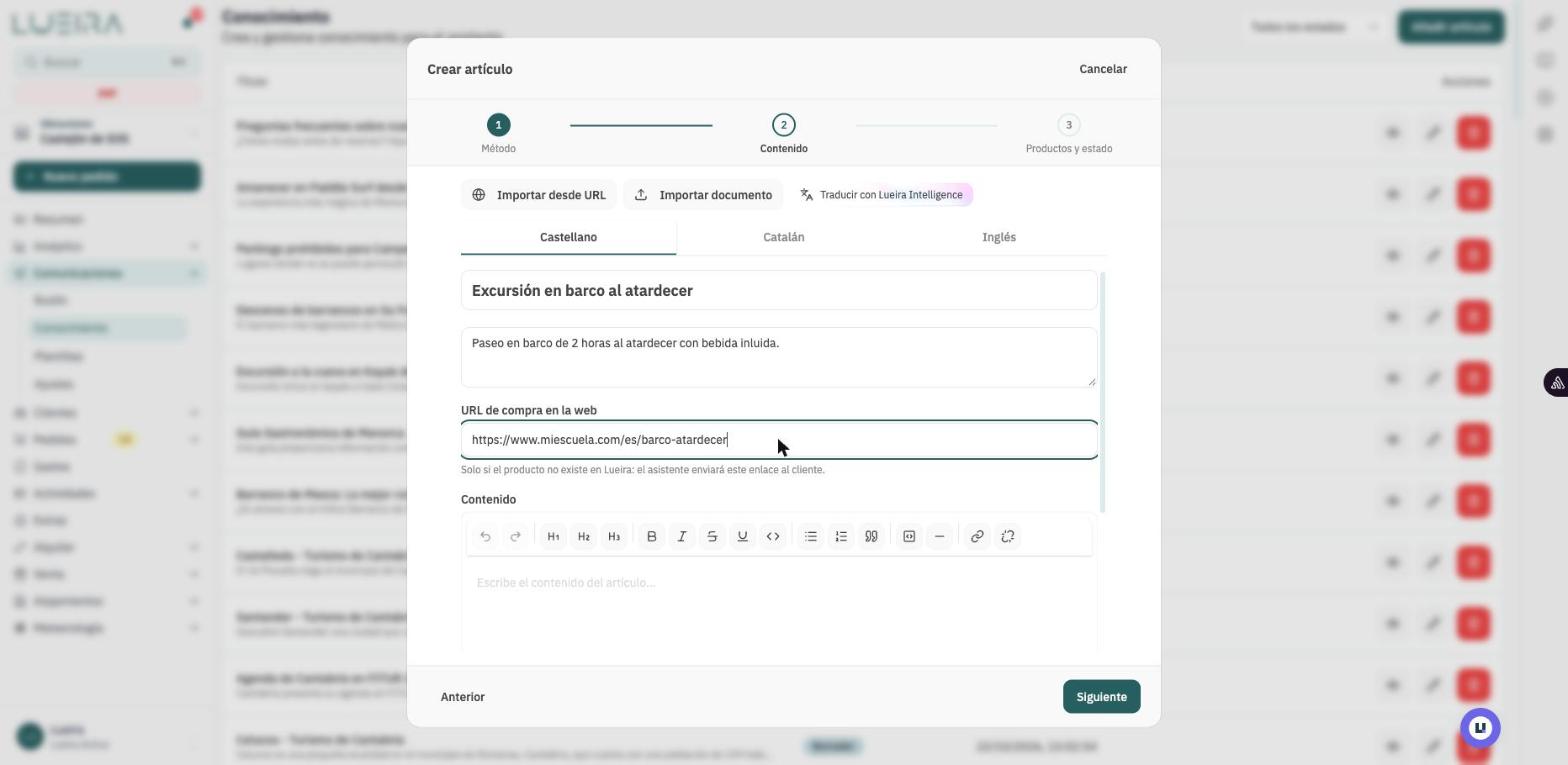
For each language (Spanish, Catalan, English) fill in Title, Description (a one-sentence summary), Web purchase URL (optional, see this guide) and Content. At the top you have Import from URL, Import document and Translate with Lueira Intelligence, which translates the article into the other languages.
3. Products and status
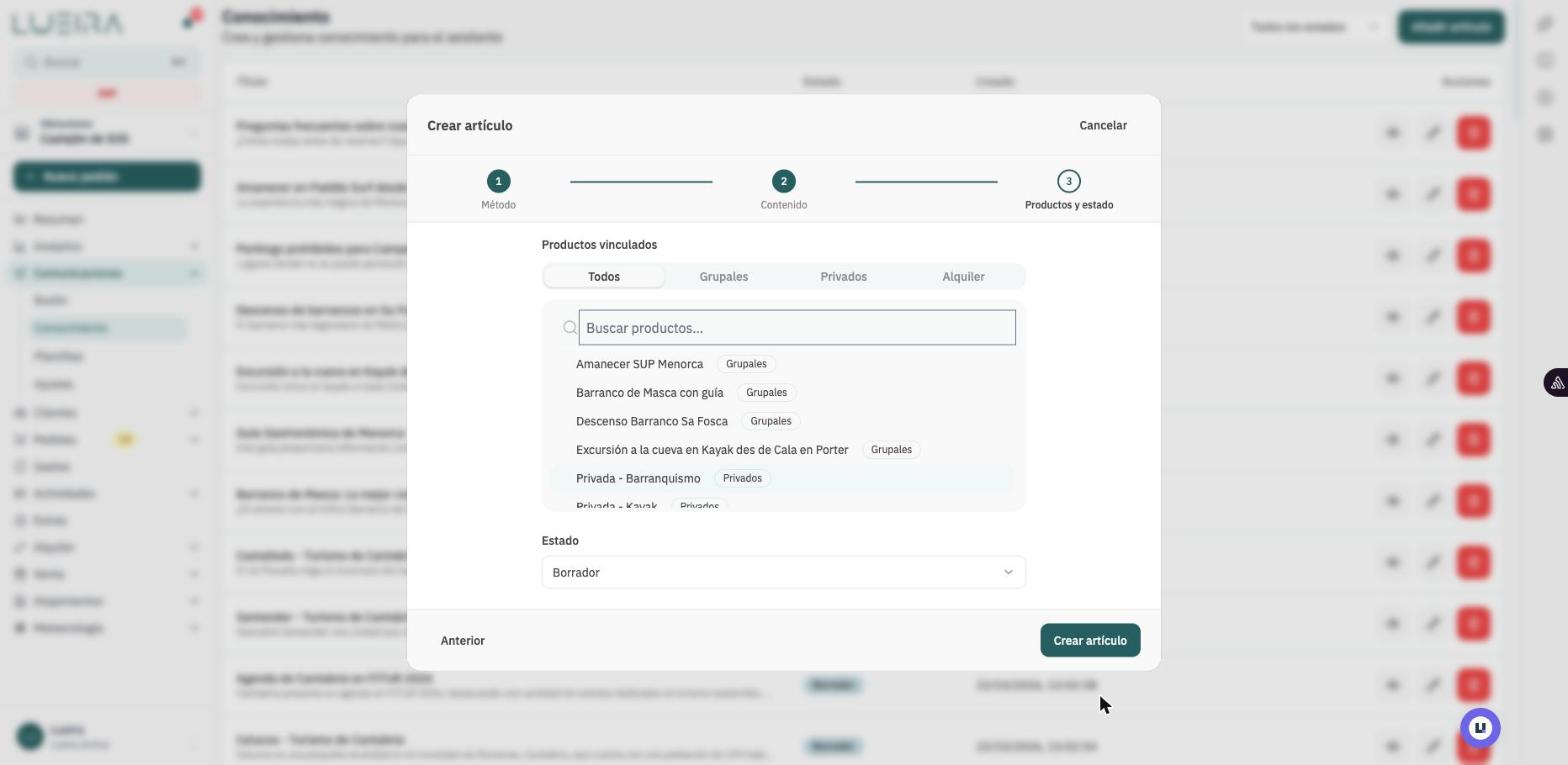
You can link products (Group, Private or Rental) to the article with the search box and choose the Status: Draft (the WhatsApp Agent ignores it) or Published (it uses it).
Which articles you should have
One article for each activity or product: exact price, duration, what is included, what to bring, meeting point, ages and required level.
A frequently asked questions article: cancellations, what happens if it rains, minimum ages, accessibility, payment methods.
A contact and location article.
For what you don't sell in Lueira, an article with its purchase URL: the WhatsApp Agent will send it to the customer.
If your account has several locations, the WhatsApp Agent searches first in the articles of the location the customer is writing to, so it's a good idea to keep the information for each one up to date.
Related guides
- Communications in LueiraThe Communications module brings together everything you need to talk to your customers by email and WhatsApp: templates, the WhatsApp Agent, the unified inbox and the knowledge base that feeds the WhatsApp Agent.
- Before connecting WhatsApp: prerequisites in MetaStep-by-step guide to preparing your Meta business portfolio, business verification, display name and number, and to choosing between the WhatsApp Business app (coexistence) and a dedicated number (Cloud API).
- Connect WhatsApp in LueiraHow to connect your WhatsApp Business number to Lueira: choose between connecting the WhatsApp Business app or a dedicated number, and complete the process in Meta in under 2 minutes.
- One WhatsApp number per locationIf your account has several locations, each one can have its own WhatsApp number. Requirements, how to connect them and what is shared between numbers.
- WhatsApp AgentSet up the WhatsApp Agent, which automatically replies to your customers' WhatsApp messages, uses your articles as its source of information and can create orders directly from the chat.
- What the WhatsApp Agent sells and what it does when it can'tThe WhatsApp Agent only books what exists as a product in your store. For everything else it sends the customer the purchase link from your website. Here you can see how it works and how to set it up.