

Adding a Rental Pack to an order
Step-by-step guide on how to add a rental pack
On this page
Adding a Rental Pack to an order
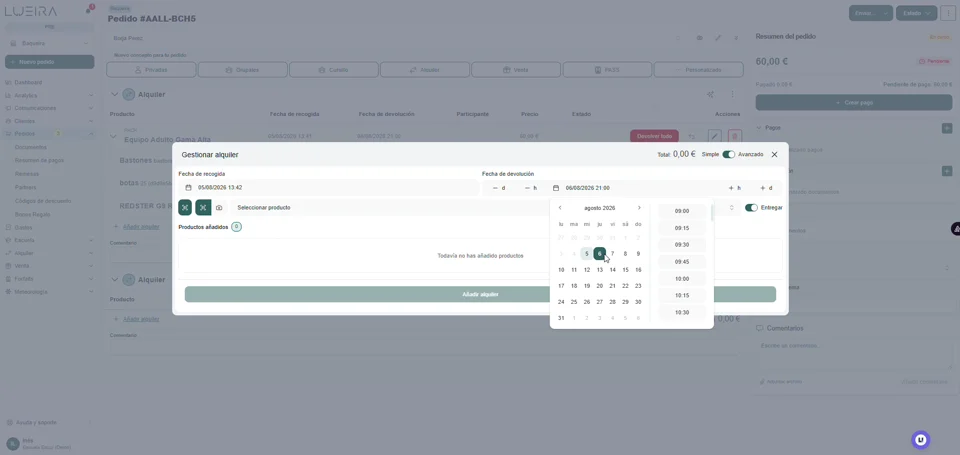 Crear un pedido de un pack de alquiler
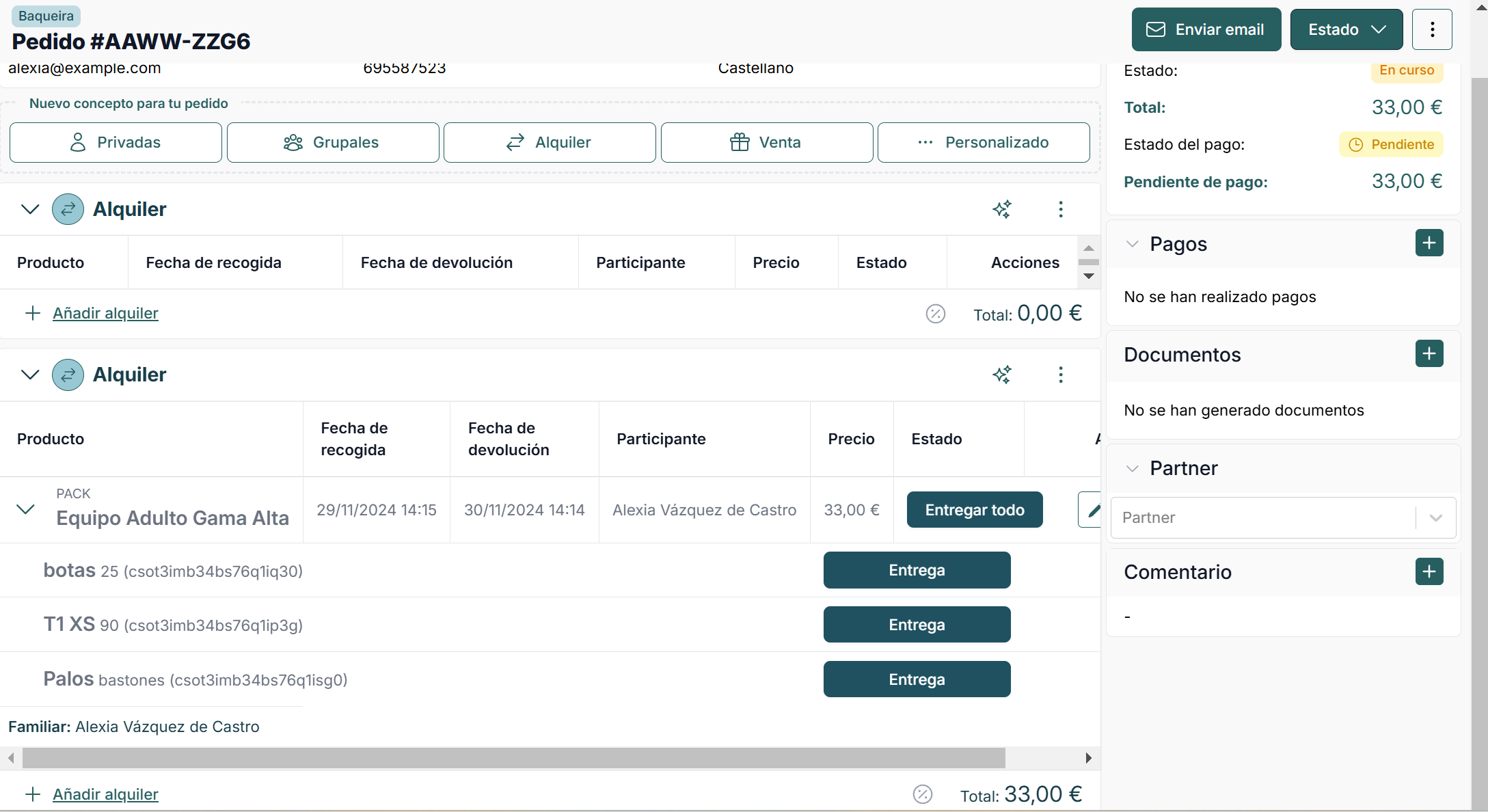
To add a rental pack to an order, we add a new order, select the rental option and add the pack we want.
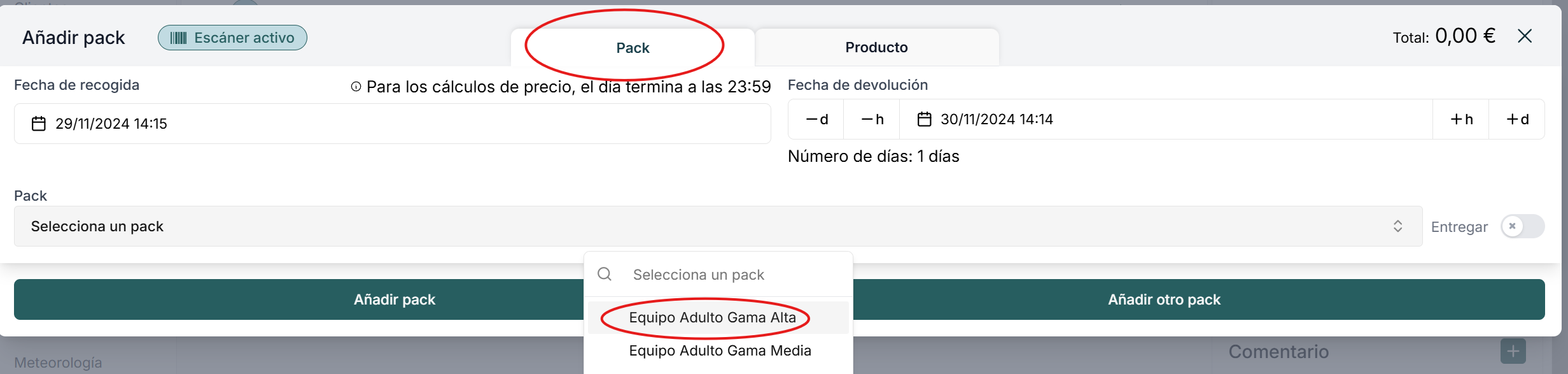
Once we have added the pack and the pickup and delivery dates, we can select a product from the pack manually or by scanning the barcode.
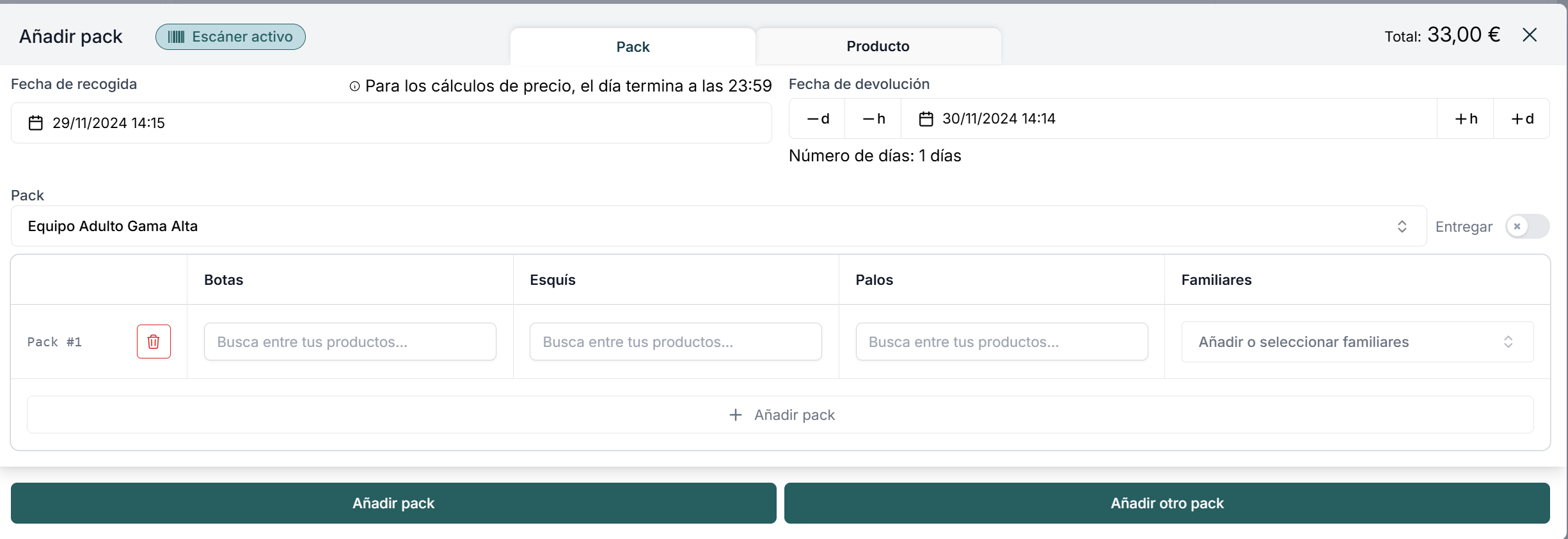
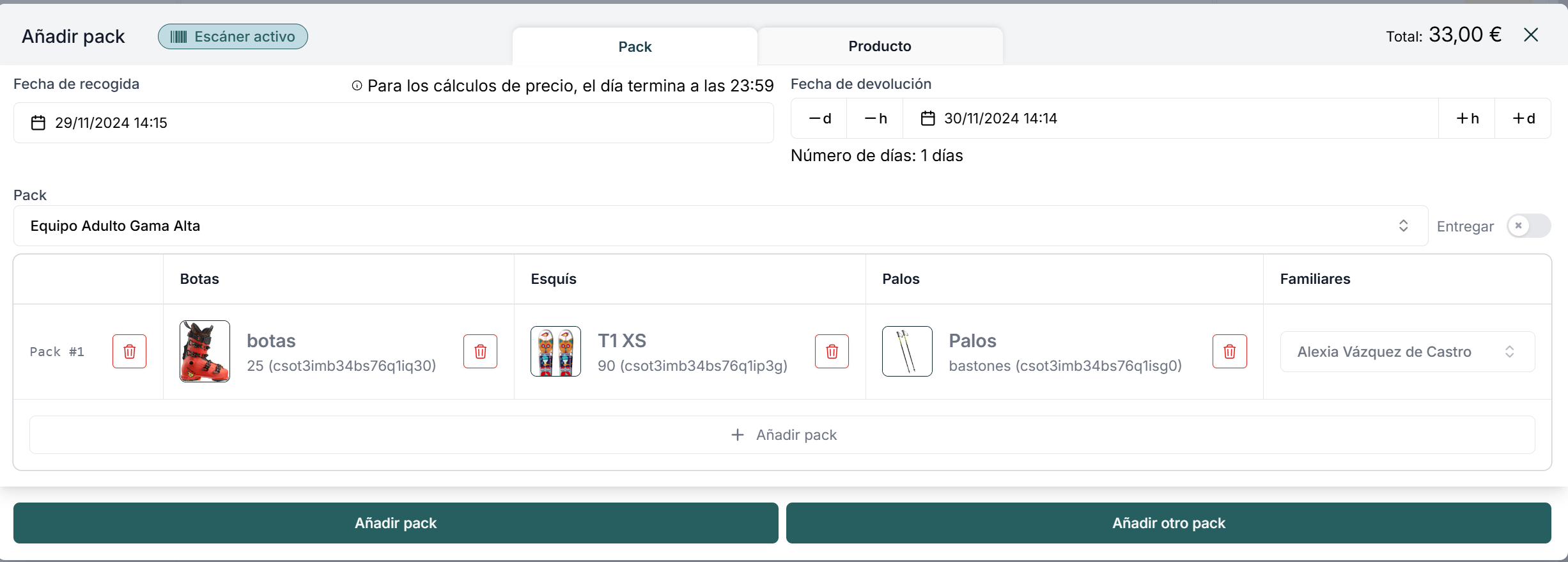
Once we have the products selected, it will give us the option to deliver them at that moment. If not, we can deliver them later by opening the order.
If you have any questions, do not hesitate to contact the Lueira support team!
Pack or product: which one to choose
Pack or product: which one to choose
When you press Rental in an order, a window opens with two tabs:
Pack: a complete set of equipment (for example, skis + boots + helmet) at the pack price. You choose the pack and then assign the specific unit of each component by searching for it or scanning its barcode.
Product: each item separately, at its own price.

Use Pack when the customer takes the equipment you sell as a pack, and Product when they only take a few loose items or items that are not part of any pack.
When the same equipment fits in several packs
If you have several packs that share items (for example, a ski pack with skis and boots and another complete pack that also includes a helmet, goggles or jacket), always check that the pack added to the order is the one that matches the equipment the customer is taking. If it is not, delete the line and add the correct pack from the Pack tab, or add the loose items from the Product tab.
Charging separately for items grouped in a pack
If, when you scan several items, Lueira groups them into a pack and the customer must pay for them separately, look next to the pack for the Break pack option so that each item's price is applied individually. If you cannot find this option in your order, contact the Lueira support team.
📘 To find out when an item is automatically marked as delivered, see Adding, delivering and returning rental orders.
Related guides
- Add and manage rental productsHow to create rental products, set up their variations and items, manage how they behave in the online store, and how customers can book several units at once.
- Add Packs to rentalIn this section we will show you how to create product packs
- Configure a rental packHow to create a pack, assign it a pricing schema and configure its visibility in the online store and the catalog.
- Add and configure product groups in a packHow to add the product groups that make up a pack (skis, boots…), their form and the visibility of their variations in the online store.
- How do I delete a barcode from a rental item?How to remove the barcode from a rental item, and how that differs from deleting the item or the product variation.
- Forms in rental packs: what is asked and how to avoid repeated questionsA rental pack can ask for a participant form, a check-in form and a form for each element. Here you can see which is which and why identical questions are not repeated.