

Bulk editing of session prices in group products
How to change the price of many sessions of a group product at once: from the list, from the calendar, or when updating the product price.
This guide complements Group product pricing. Use it when you need to change the price of many sessions at once (for example, when changing season or after correcting the product price), instead of opening session by session.
There are three places from which you can launch bulk editing:
From the session list
In the List tab of the group product there is an Edit… menu with two options:
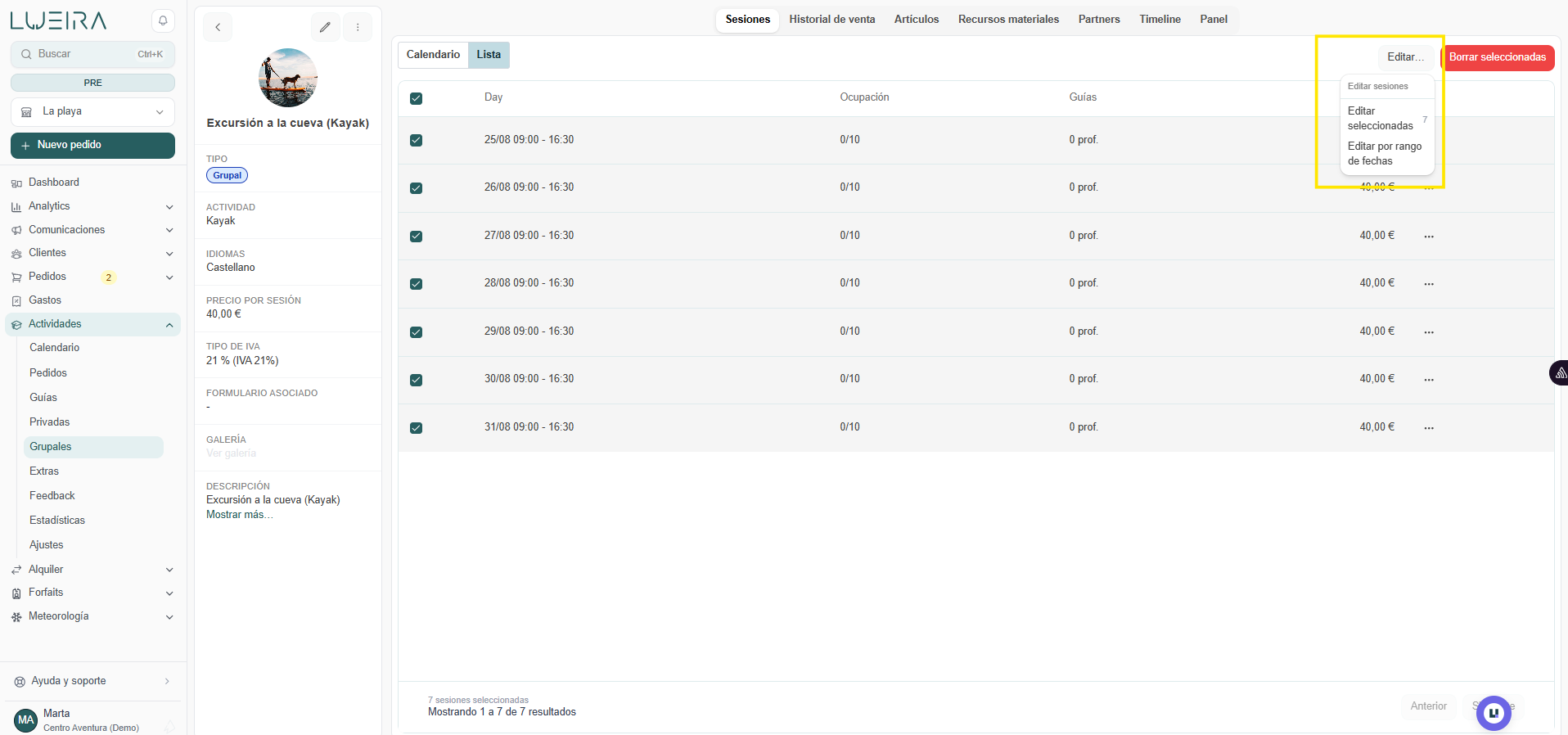
Edit selected — applies the changes only to the sessions you have ticked in the table. The number next to the option shows how many are selected.
Edit by date range — opens the bulk edit modal so you can specify the range to which you want to apply the changes.
From the calendar
When you drag a range of days over the product's session calendar, Lueira distinguishes two cases:
If there are no sessions in the range, the session creation modal opens (as before).
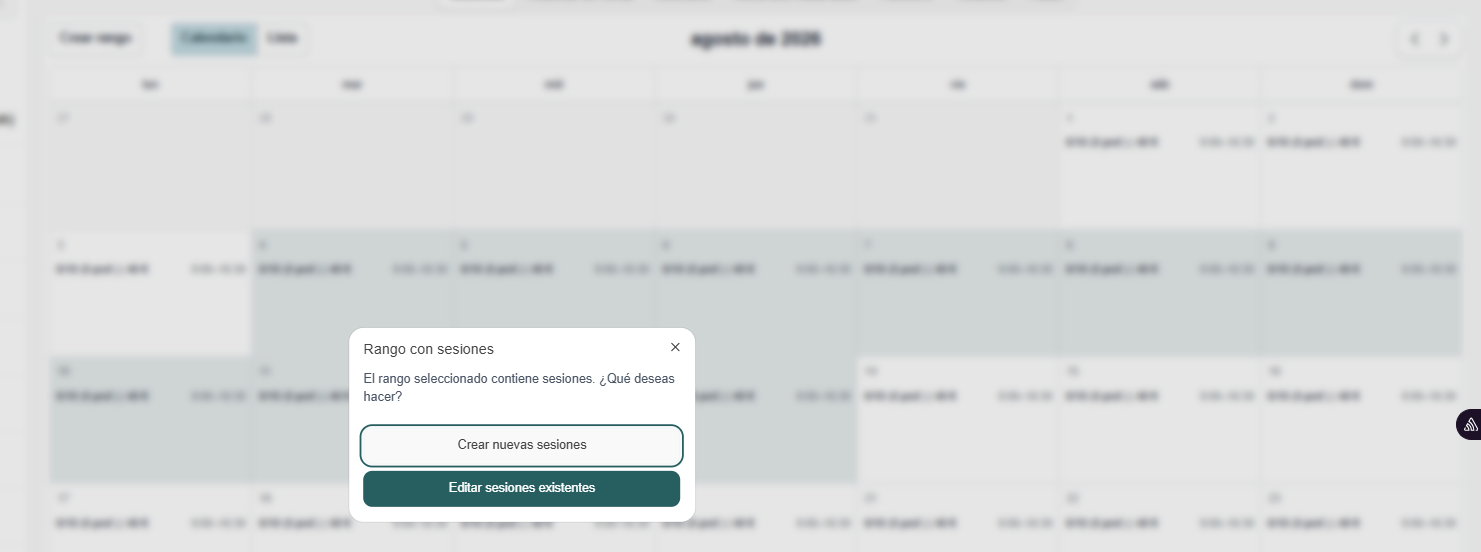
If sessions already exist in the range, a "Range with sessions" dialog appears asking what you want to do:
Create new sessions — continues with the normal creation flow.
Edit existing sessions — opens the bulk edit modal with the range already pre-filled.
After changing the product price
When you edit a group product and change its price, on saving Lueira asks whether you also want to apply the change to the existing sessions:
"Product price updated — Do you also want to update the session prices?"
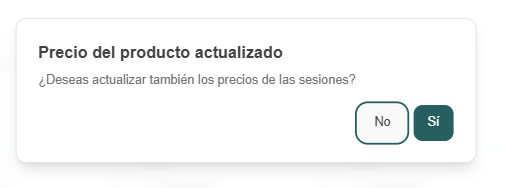
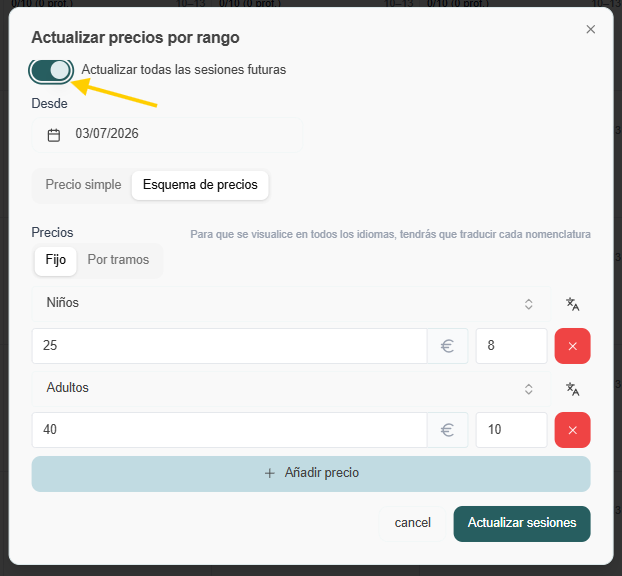
If you click Yes, the bulk edit modal opens already loaded with the new price so you can choose the range (or all future sessions).
If you click No, the change stays on the product only and the sessions already created keep their previous price.
If you have any questions, don't hesitate to contact Lueira's support team!
Related guides
- School navigationHere you will find everything the School section offers
- Which product type do I need? Group, private, pack, voucher or multi-day courseGuide to choosing the right product for what you sell: private lessons (price per hour or rates), several sessions priced by number of sessions, fixed dates, hour voucher, multi-day course or a single student with a group schedule.
- Add School productsComplete guide to creating and configuring private and group products in the School section: form fields, session availability and creating sessions in the calendar.
- Product sheet: Data, Translations, Settings, Extras and Related ProductsReference guide to the tabs of the product creation/editing form (private, group, rental or sale): what each one contains and links to the specific guides.
- How do I set up a new season?We show you how to set up a new ski season in Lueira
- How can I set up the new season of my ski school in LueiraWe show you how to set up a new ski season in Lueira