

Group product pricing
How to set the price of group lesson products: simple price per session or pricing schemes (flat and tiered), session-specific prices and bulk editing by date range.
On this page
A group product is created from Products → New group product. Each product is made up of sessions (the specific instances with a date and time) and can have its price configured in two different ways:
Simple price — a single price per session.
Pricing scheme — prices differentiated by category (adult, child, etc.) and/or by number of participants.
Simple price
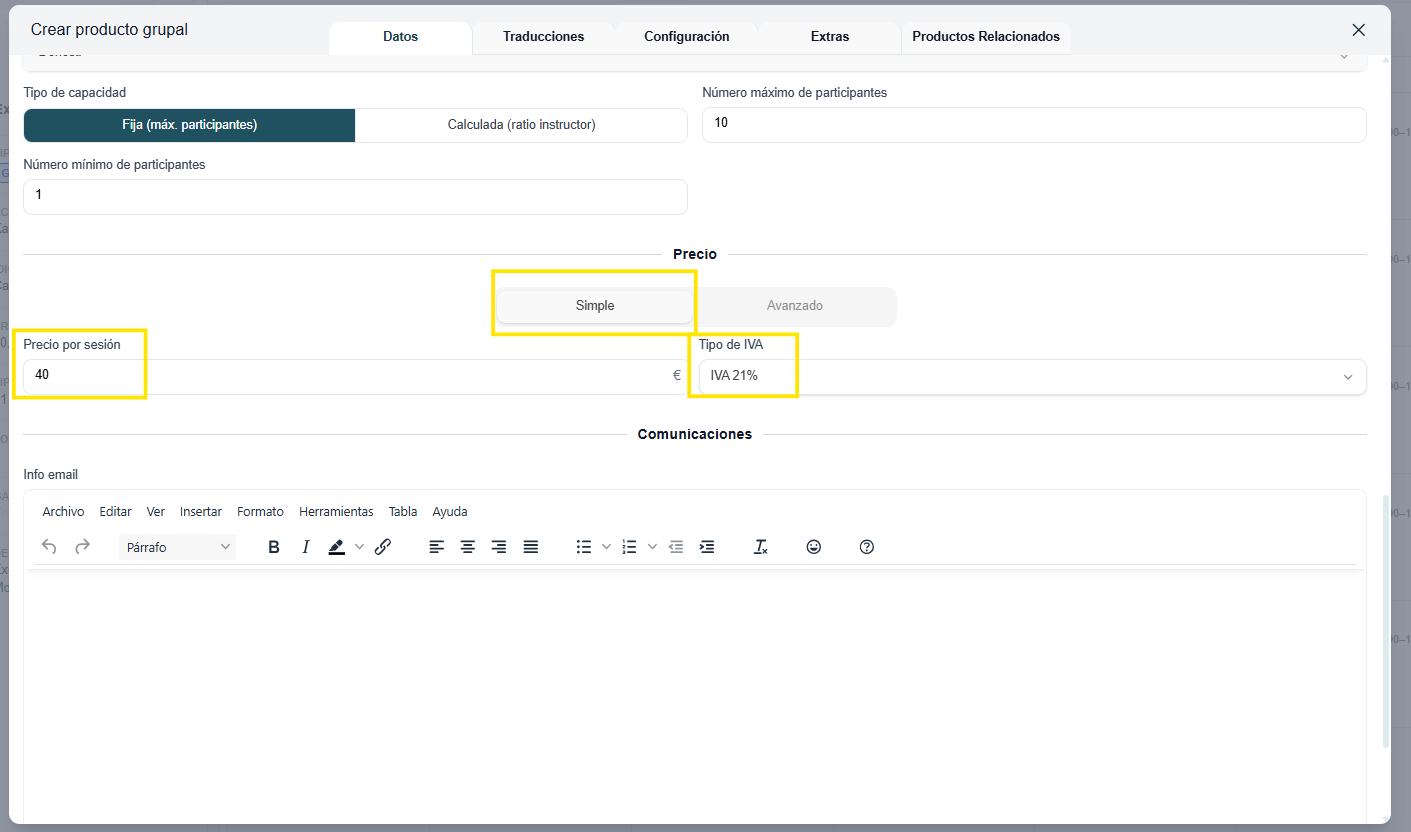
A simple price is a single price per session, with no distinction by category or by number of participants.
Steps:
Inside the group product, in the Price section, leave the Simple tab selected.
Enter the price per session and select the VAT type.
Pricing scheme (advanced pricing)
A pricing scheme lets you differentiate prices within the same product, instead of a single simple price. A scheme has a name, one or more categories — the groups of participants you will charge different prices to (e.g. Adult, Child, Senior) — and can be of two types: fixed or tiered. Categories are defined at account level and reused across all schemes; at booking time, the customer chooses how many participants there are in each category.
Fixed scheme
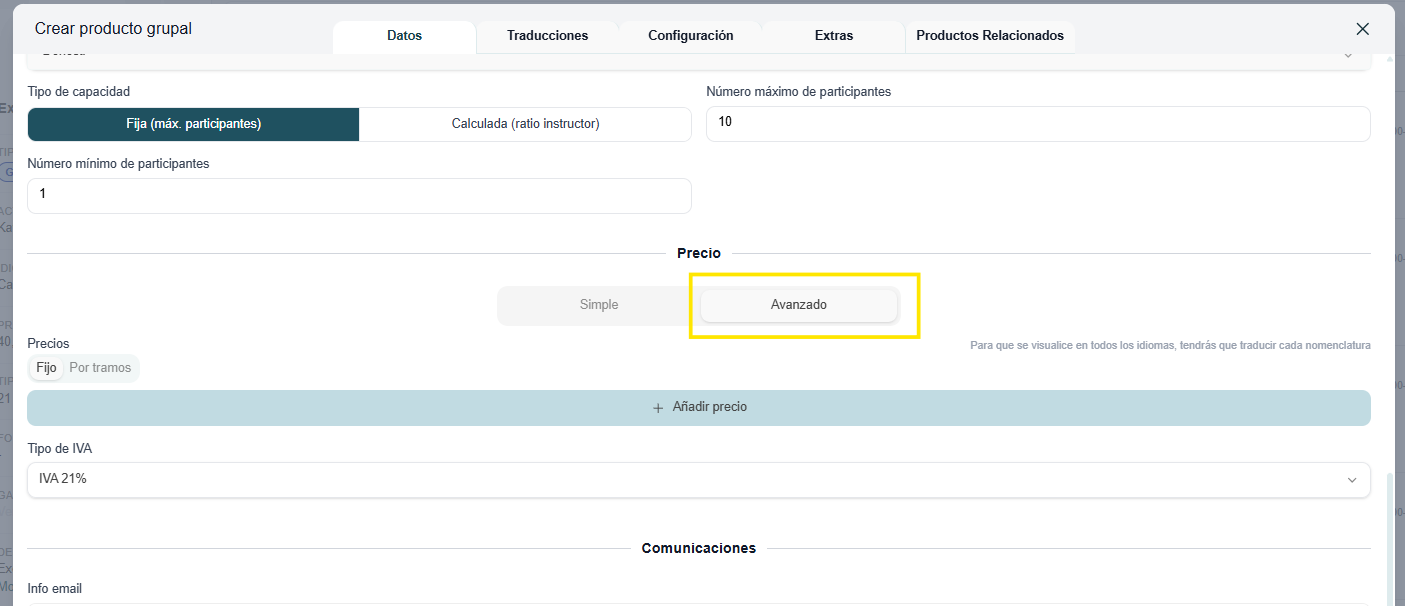
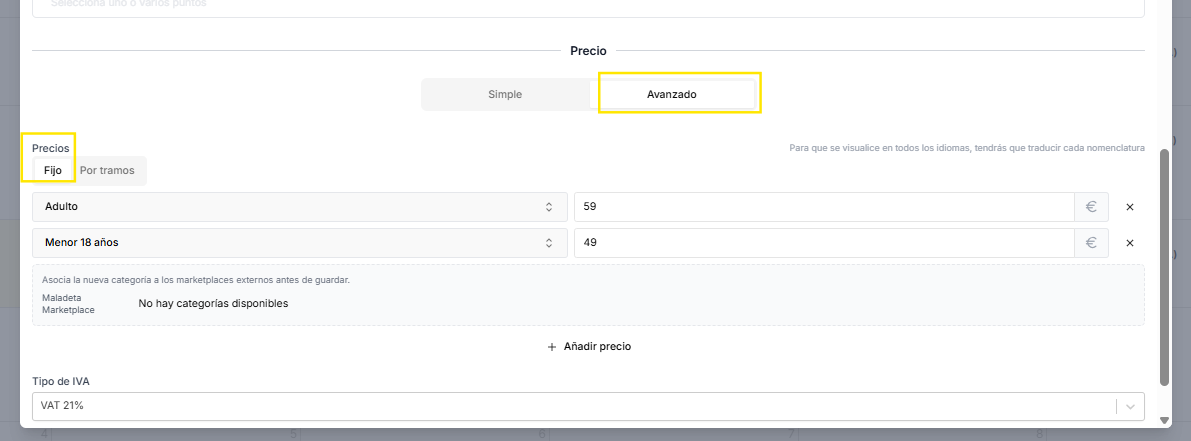
In a flat scheme you assign a fixed price per category, independent of the total number of participants. For example: Adult — €59, Child — €49.
Steps:
Inside the group product, in the Price section, click Advanced.
Leave the Fixed tab selected.
Type or select the name of the first category (e.g. Adult) and its price.
Click "+ Add price" to add each additional category (e.g. Child) with its own price.
Tiered scheme
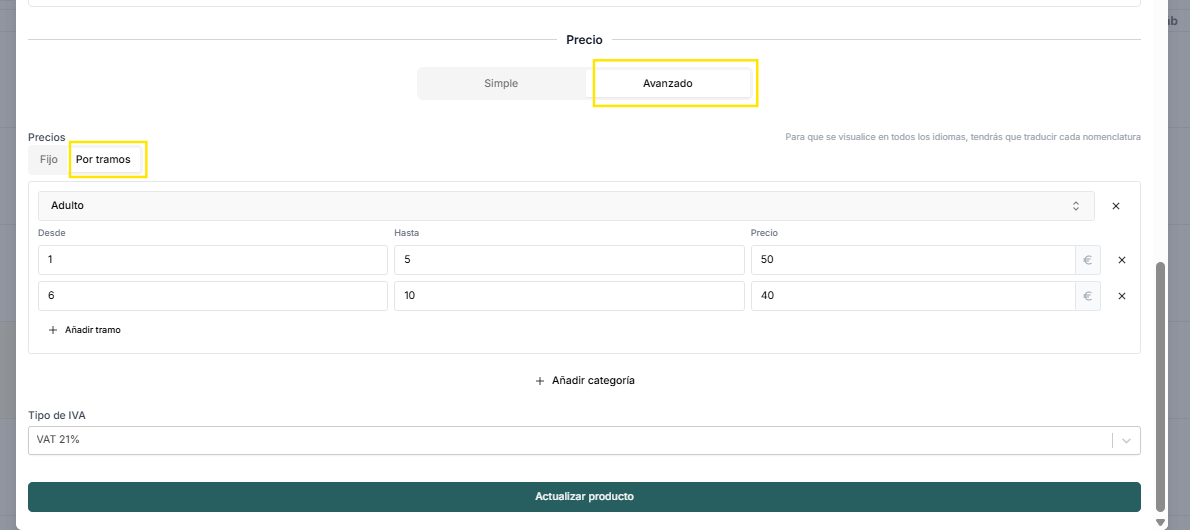
In a tiered scheme the price varies depending on the number of participants. For each category you define tiers with a lower limit, an upper limit and a price per participant. It is ideal for applying volume discounts. For example, for the Adult category: from 1 to 5 people, €50/person; from 6 to 10 people, €40/person.
Steps:
Inside the group product, in the Price section, click Advanced and select the Tiered tab.
Click "Add category" and type its name (e.g. Adult).
In the first tier, define the lower limit, the upper limit (leave it empty for "no limit") and the price per participant.
Click "Add tier" within that same category to define the next tier (e.g. from 6 to 10 people).
Repeat from step 2 with "Add category" for each additional category (e.g. Child).
🔧 Do you need to translate category names, limit how many units of a category can be booked, or map them to a connected marketplace? See Group pricing schemes: advanced configuration.
Session-specific prices
The price configured on the product (simple or scheme) applies by default to all its sessions. If you need a different price for a specific session (a special date, a one-off event, or a weekend rate), you can override the price at session level. For example: you want the product "Adult Ski — Beginner" to cost €45 on weekdays and €50 on weekends.
Steps:
Open the specific session you want to modify.
There, define the simple price, or select a pricing scheme different from the product's.
Save the changes. If the session defines nothing, it inherits the product's price.
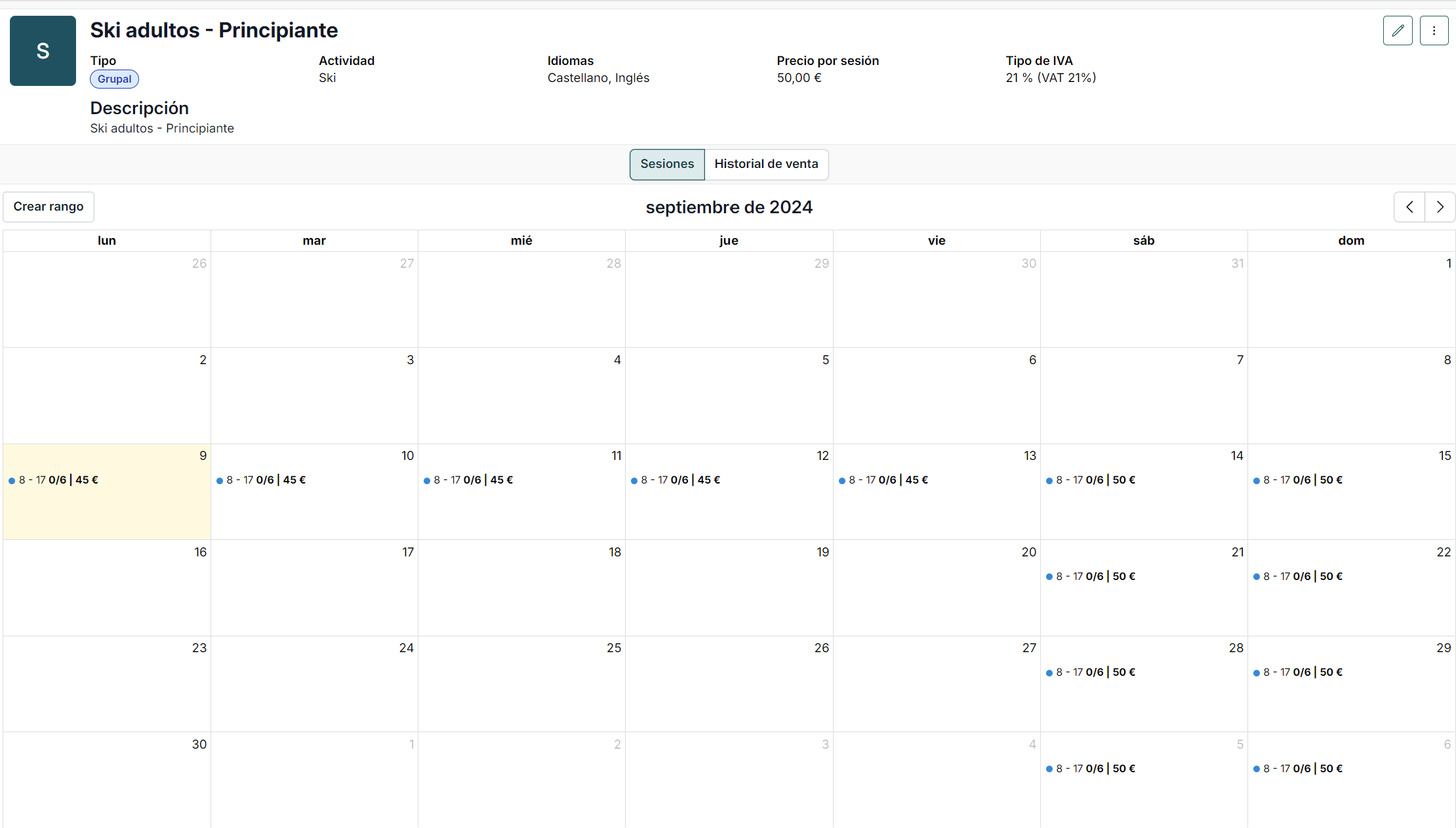
🔧 Do you need to change the price of many sessions at once (for example, when changing season)? See Bulk editing of session prices in group products.
Related guides
- School navigationHere you will find everything the School section offers
- Which product type do I need? Group, private, pack, voucher or multi-day courseGuide to choosing the right product for what you sell: private lessons (price per hour or rates), several sessions priced by number of sessions, fixed dates, hour voucher, multi-day course or a single student with a group schedule.
- Add School productsComplete guide to creating and configuring private and group products in the School section: form fields, session availability and creating sessions in the calendar.
- Product sheet: Data, Translations, Settings, Extras and Related ProductsReference guide to the tabs of the product creation/editing form (private, group, rental or sale): what each one contains and links to the specific guides.
- How do I set up a new season?We show you how to set up a new ski season in Lueira
- How can I set up the new season of my ski school in LueiraWe show you how to set up a new ski season in Lueira