

Field mapping and Participant Form
How to map form fields to participant data and how the new Participant Form works in the Online Shop.
On this page
Index
1. Mapping fields to participant data
For the top-level fields of a form (not nested inside a conditional section) that are not static text, the field editor includes an additional section called "Maps to participant field".
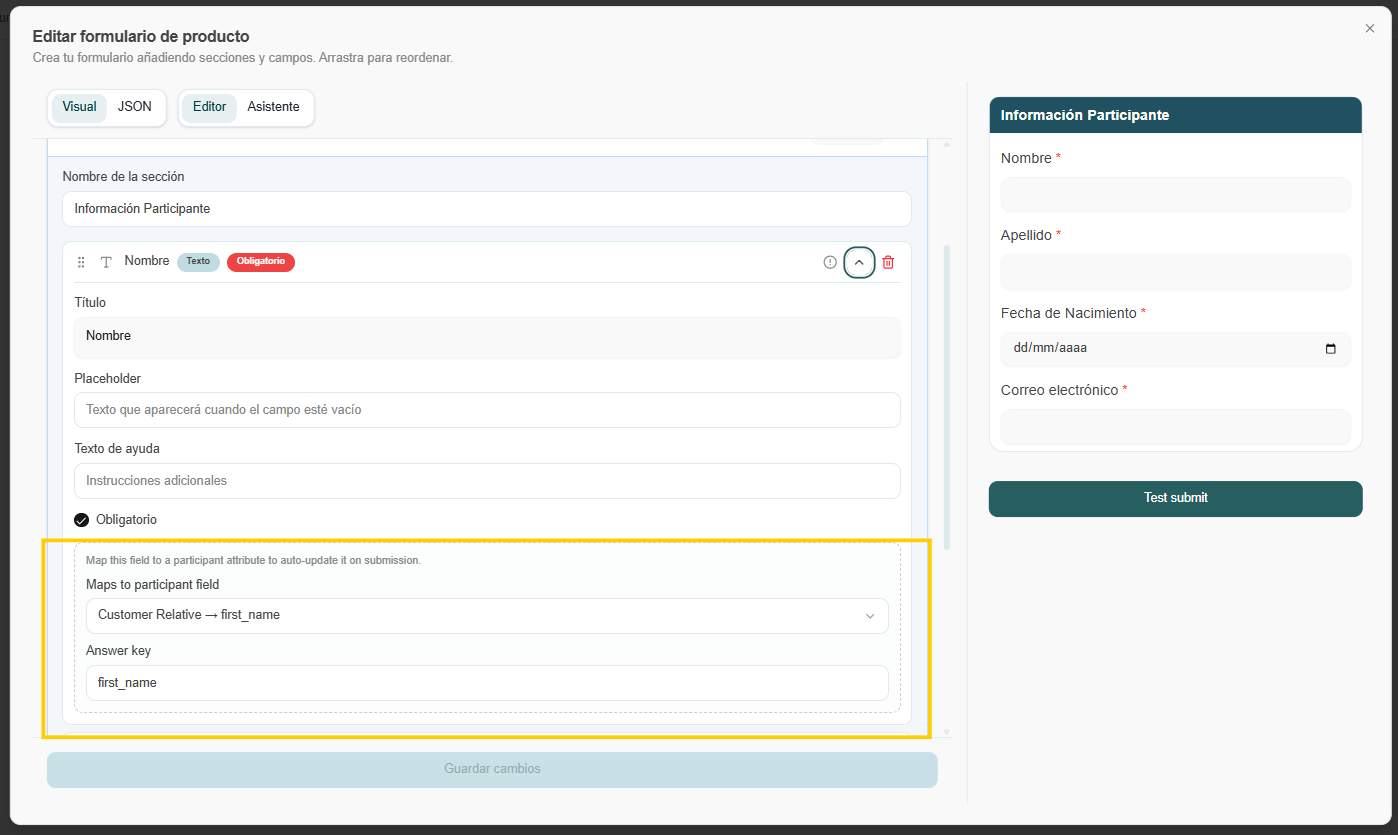
It is a dropdown with the available participant data (for example, name, email, etc.).
When you choose a target, the "Answer key" of that field is filled in automatically. You can also type that key manually if you prefer.
👉 What is it for? When the mapping is configured, the answer given by the customer or participant in that field can be used to automatically update the corresponding data in the participant profile, instead of remaining isolated only as a form answer.
For example: if you map a "Date of birth" field to the corresponding participant data, that information is also available in their profile, without having to enter it twice.
2. Participant Form
In addition to Check-out and Check-in (see Link to products), there is a third form role: the Participant Form.
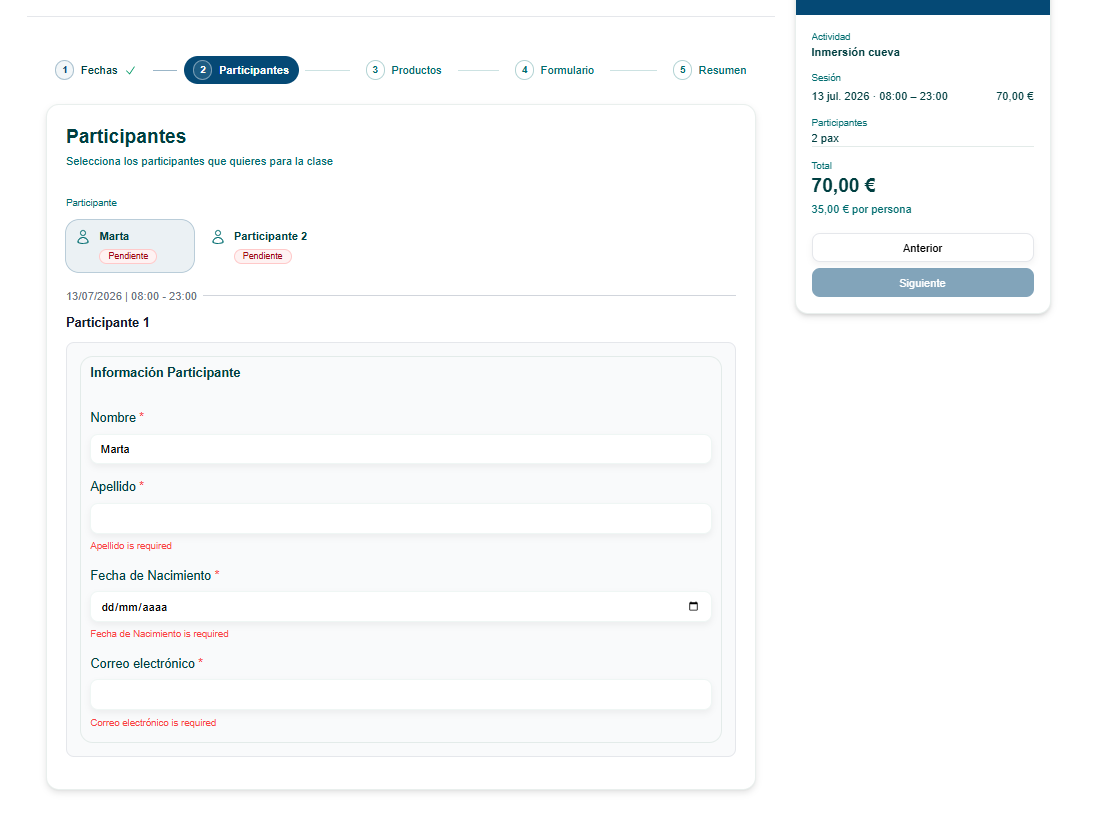
The Participant Form is shown individually for each participant in the booking, within the purchase process itself in the Online Shop.
It is useful when you need specific data about each person who will take part in the activity and not only about the customer who buys: for example, equipment sizes, experience level, date of birth.
How to link it
It is linked from the product edit window (configuration tab), in the "Participant Form" field ("Form shown for each participant during online booking").
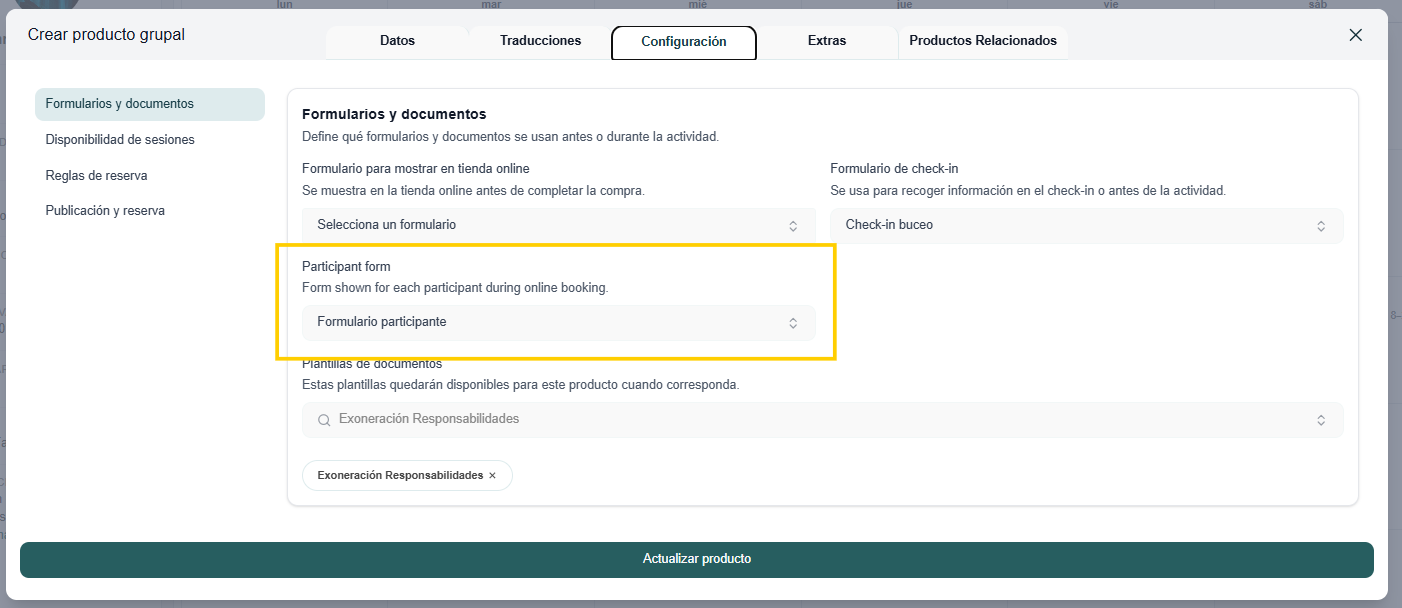
Current status in the Online Shop
Each participant in the session sees and fills in their own form within the purchase process.
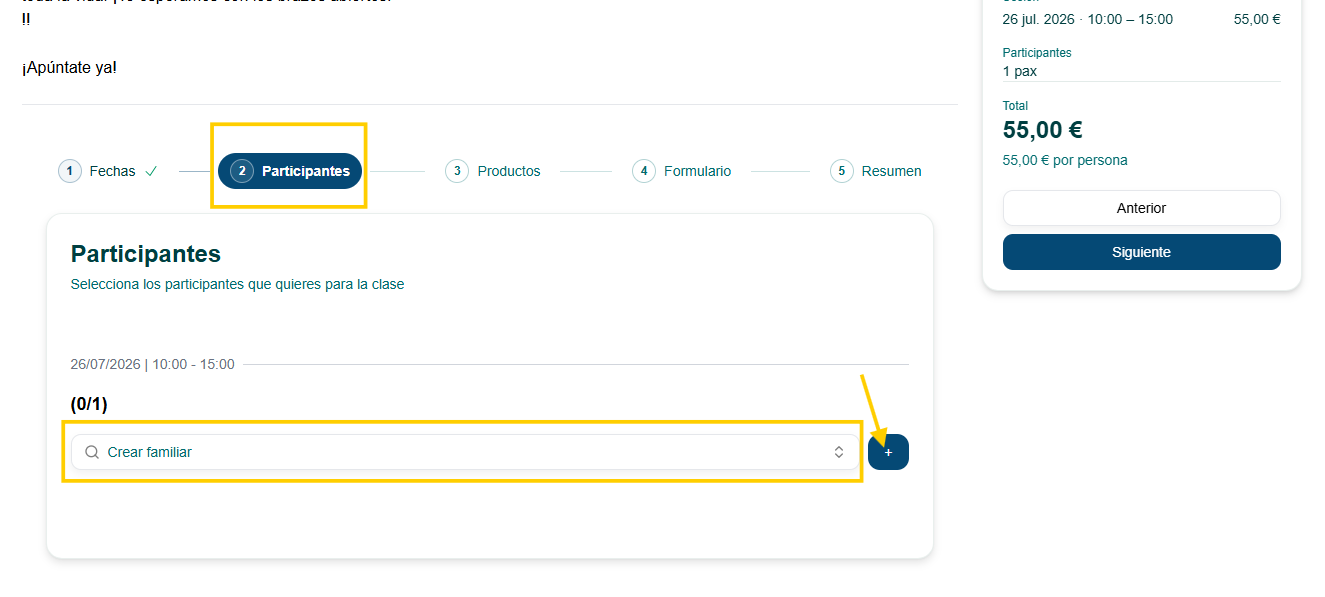
Participant Form per relative in the Customer Portal
When the customer has logged in to the Customer Portal and the product has a Participant Form linked, it is filled in individually for each relative selected as a participant (instead of a single generic form), with these particularities:
The form appears pre-filled with the data already saved for that relative (first name, surname, phone, email, date of birth...), thanks to the field mapping.
If a new relative is added during the purchase of a product with a Participant Form, that form opens directly (instead of the generic "Add relative" form): when it is submitted, the relative is created with the data entered.
You cannot move forward in the booking until the Participant Form of each selected relative is complete and valid.
When the purchase is completed, the mapped answers for each relative also update their relative profile in the Customer Portal (just as happens with the internal participant profile).
Where the answers are saved
Each Participant Form answer is saved associated with the corresponding participant (relative), just as with a Check-in.
You can view it from the customer's profile, in the participants section:
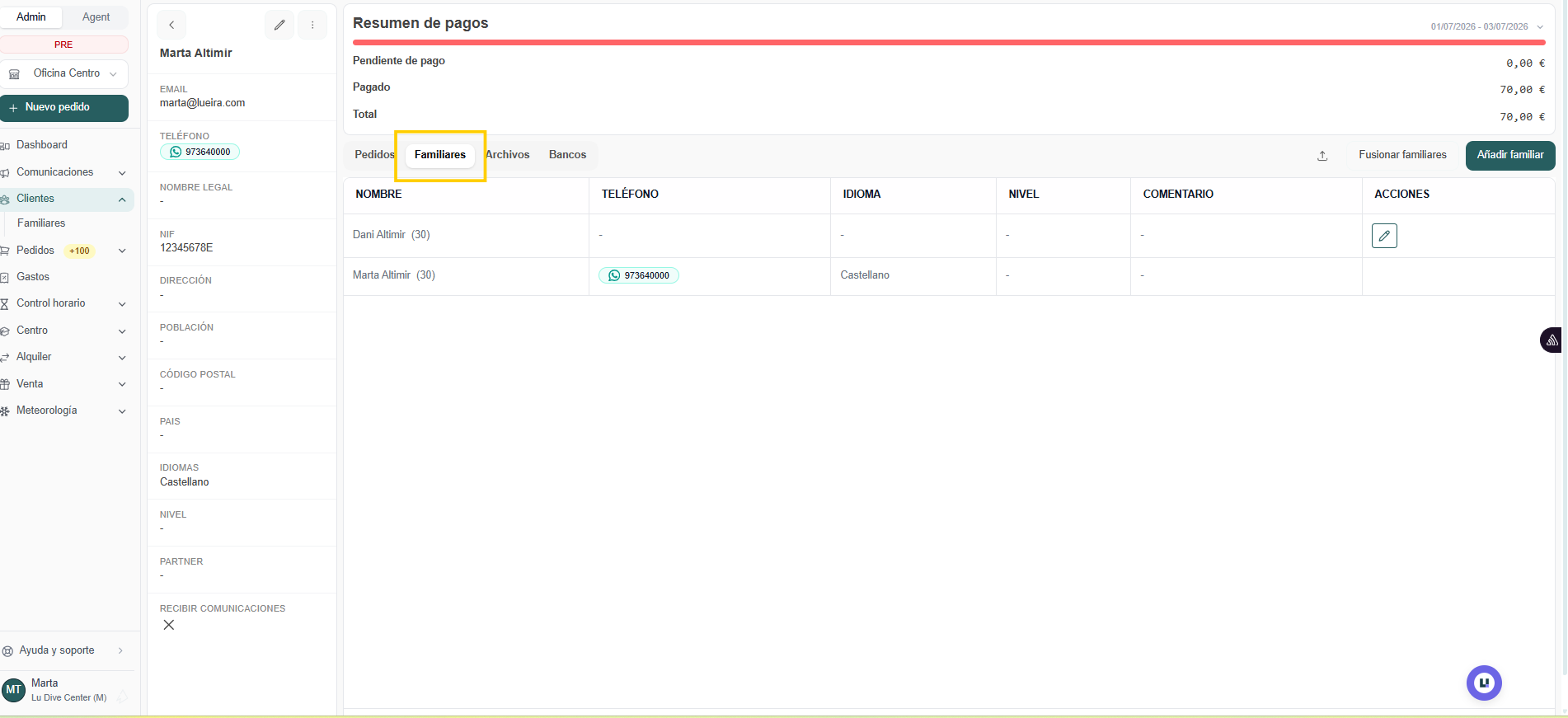
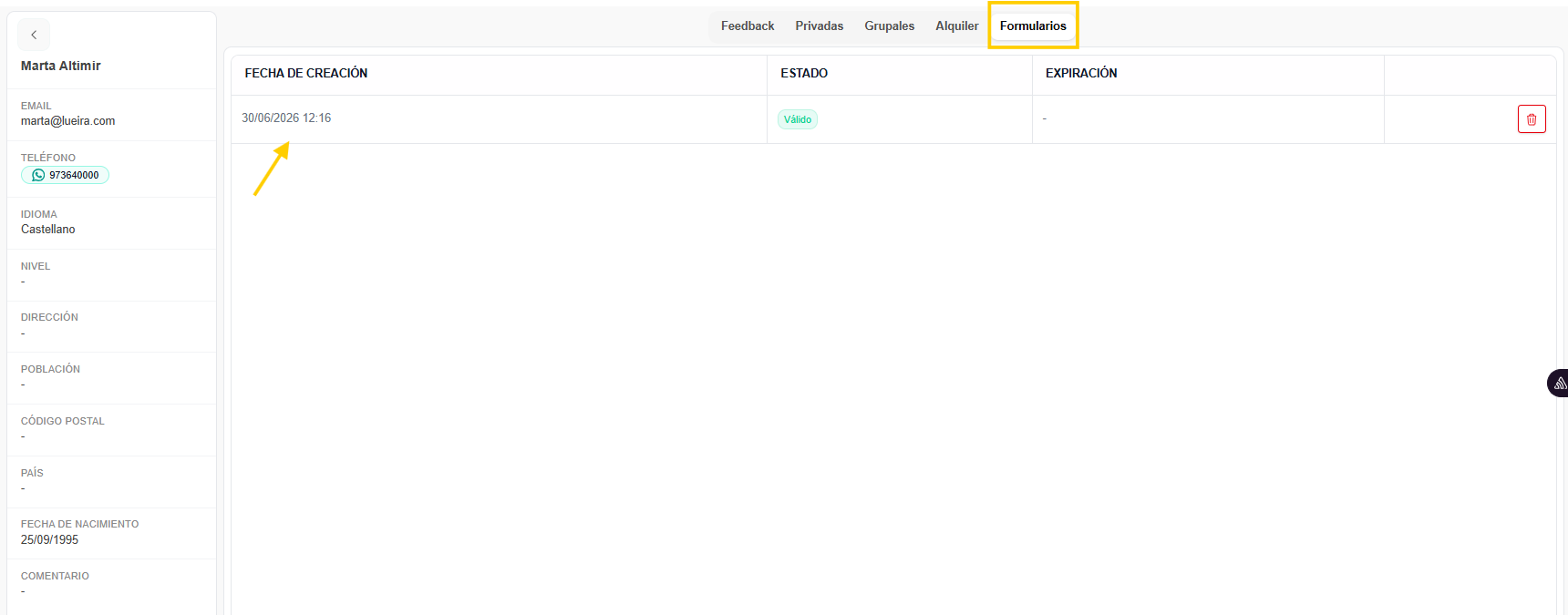
If you have also configured the mapping of fields to participant data, the mapped answers also directly update the corresponding data in the participant's profile.
Related guides
- School navigationHere you will find everything the School section offers
- Which product type do I need? Group, private, pack, voucher or multi-day courseGuide to choosing the right product for what you sell: private lessons (price per hour or rates), several sessions priced by number of sessions, fixed dates, hour voucher, multi-day course or a single student with a group schedule.
- Add School productsComplete guide to creating and configuring private and group products in the School section: form fields, session availability and creating sessions in the calendar.
- Product sheet: Data, Translations, Settings, Extras and Related ProductsReference guide to the tabs of the product creation/editing form (private, group, rental or sale): what each one contains and links to the specific guides.
- How do I set up a new season?We show you how to set up a new ski season in Lueira
- How can I set up the new season of my ski school in LueiraWe show you how to set up a new ski season in Lueira