

Rental Bundle Pricing
How to set the price of a rental bundle: simple pricing (fixed per day or hour) or advanced pricing using a reusable pricing scheme.
On this page
A Rental bundle groups several products that are rented together (for example, skis + boots + poles + helmet). Each bundle has its own price, independent of the individual price of the products it contains.
If you have not created any bundles yet, first see Adding bundles to rental. Here we focus only on the pricing side.
Price types
Bundles support the same two price types as products: simple (fixed linear price) or advanced (scheme with time slots, labels and start times). To understand how they work and how to create them, see Rental Product Pricing.
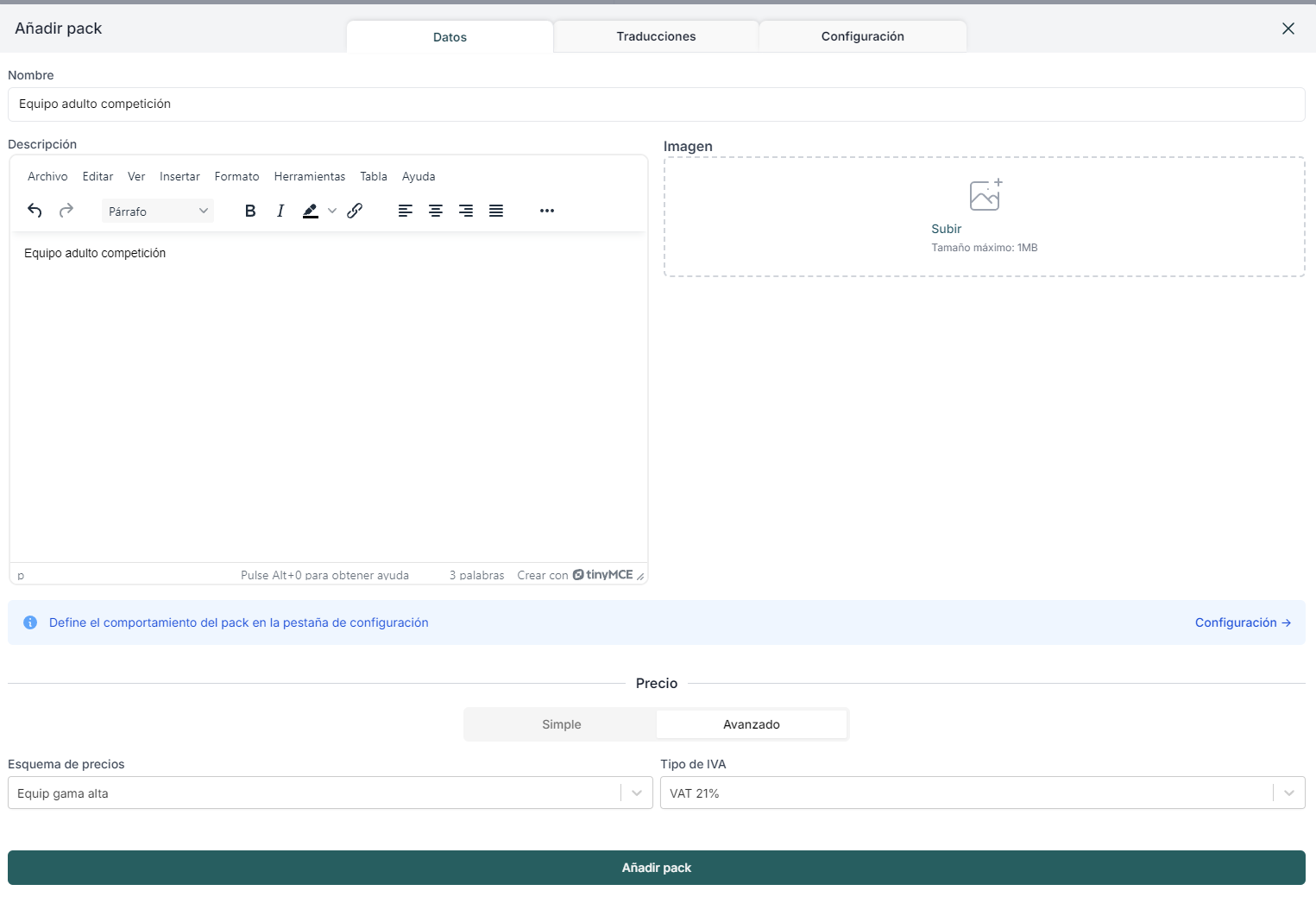
Once the scheme is created, select it as the advanced price on the bundle's page.
What is specific to bundles
The price applies to the bundle as a whole, not to the variations of the products it contains.
The customer pays the bundle price, not the sum of the individual products. Changing the price of a single product does not affect the bundle price.
You can reuse the same scheme across several bundles or create schemes exclusively for them in Rental → Settings → Pricing. For example, it is common to define an "Adult Competition Bundle" scheme with different rates from the individual products.
Related guides
- Add and manage rental productsHow to create rental products, set up their variations and items, manage how they behave in the online store, and how customers can book several units at once.
- Add Packs to rentalIn this section we will show you how to create product packs
- Configure a rental packHow to create a pack, assign it a pricing schema and configure its visibility in the online store and the catalog.
- Add and configure product groups in a packHow to add the product groups that make up a pack (skis, boots…), their form and the visibility of their variations in the online store.
- How do I delete a barcode from a rental item?How to remove the barcode from a rental item, and how that differs from deleting the item or the product variation.
- Forms in rental packs: what is asked and how to avoid repeated questionsA rental pack can ask for a participant form, a check-in form and a form for each element. Here you can see which is which and why identical questions are not repeated.